
 English


2025/04/08Views(12406)Reviews(0)
I. Target Audience
Operators
II. Feature Introduction
SellerSpace - Store Performance feature monitors various performance metrics of your store and provides real-time WeChat alerts to your mobile, helping sellers promptly address negative performance issues, reduce the risk of account suspension, and maintain a healthy store status.
III. Usage Scenarios
- Monitor store performance 24/7, with unified viewing and management for multiple stores, applicable to all authorized stores;
- Stay informed of store performance even when away from the office, facilitating timely handling of performance notifications and preventing disruptions to normal store operations.
IV. Operation Guide
1. Viewing Performance Metrics
When using the Store Performance Monitoring feature for the first time, you need to authorize your store. Click to view how to authorize
Once authorized, the system will automatically monitor store performance information. You can view various store performance metric data in the [Store Performance] and [Homepage Dashboard] features.
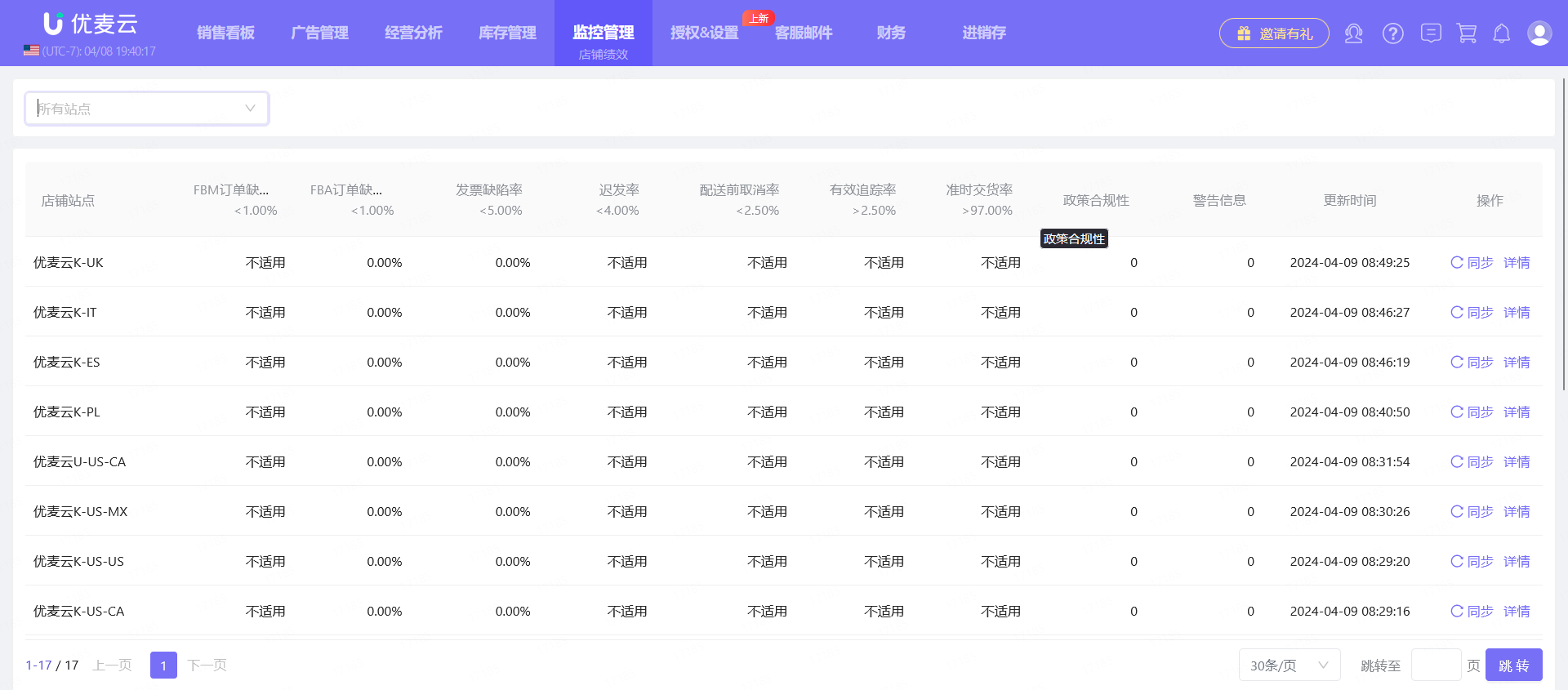
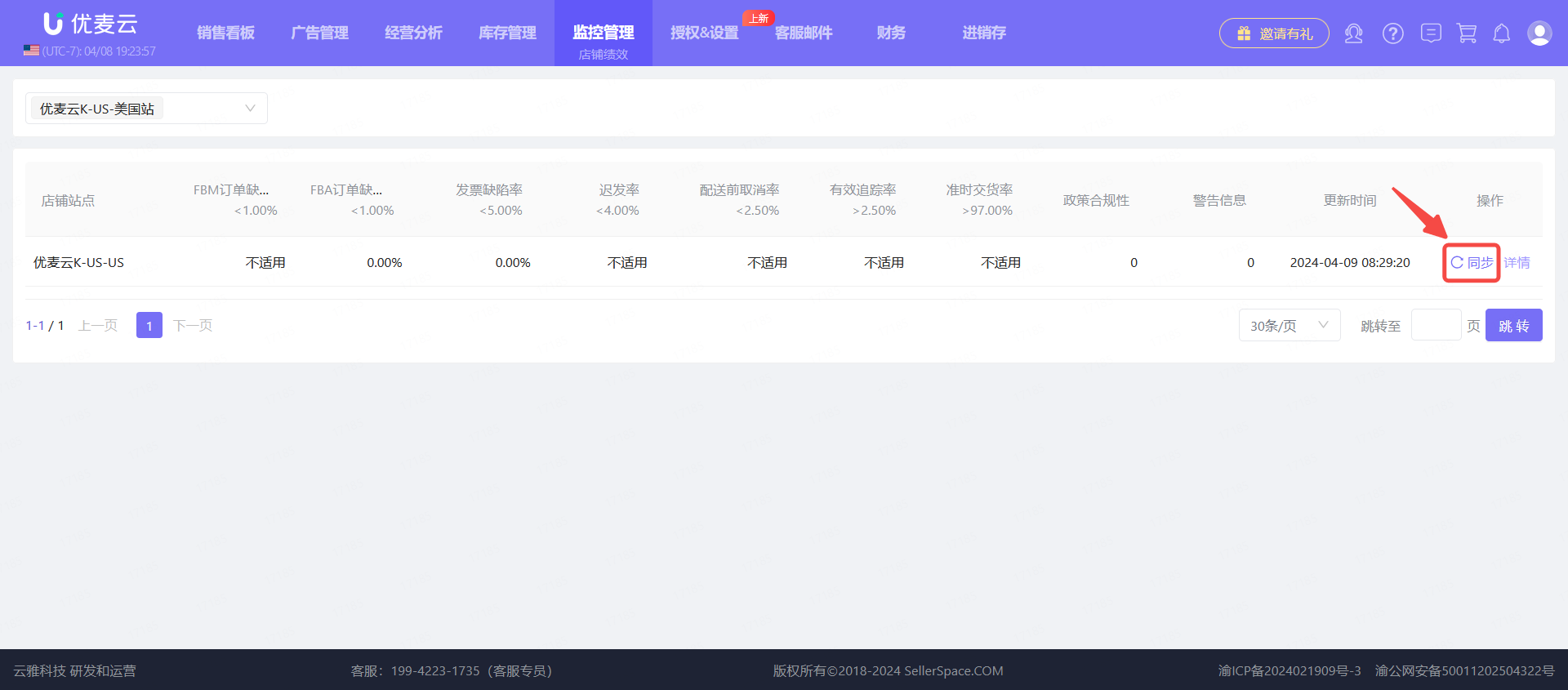
In the [Store Performance] feature, we can view the core performance metric data for all marketplaces.
 +
+
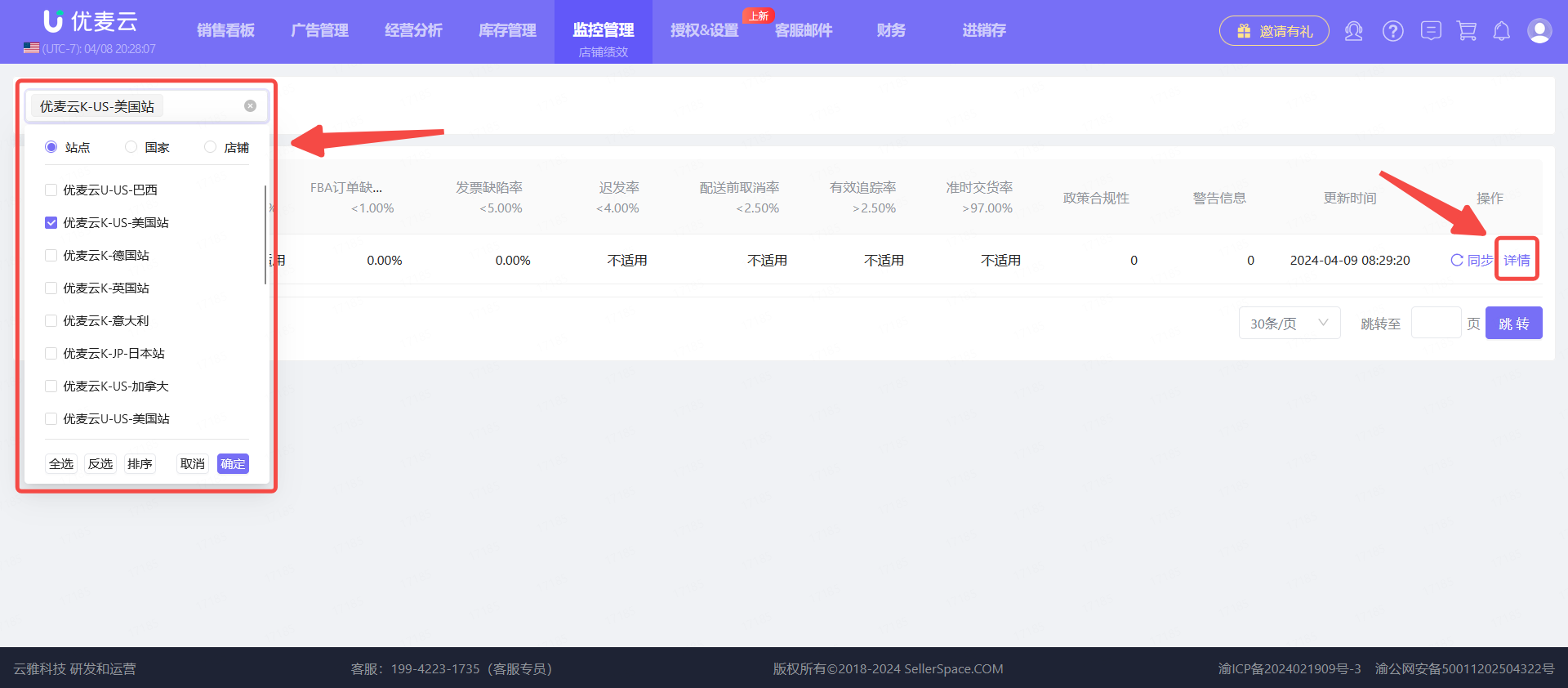
Click the marketplace selection box in the upper left corner to select the marketplace you want to view. Then, click the [Details] button on the right side of the marketplace to view the performance details for that marketplace.
 +
+
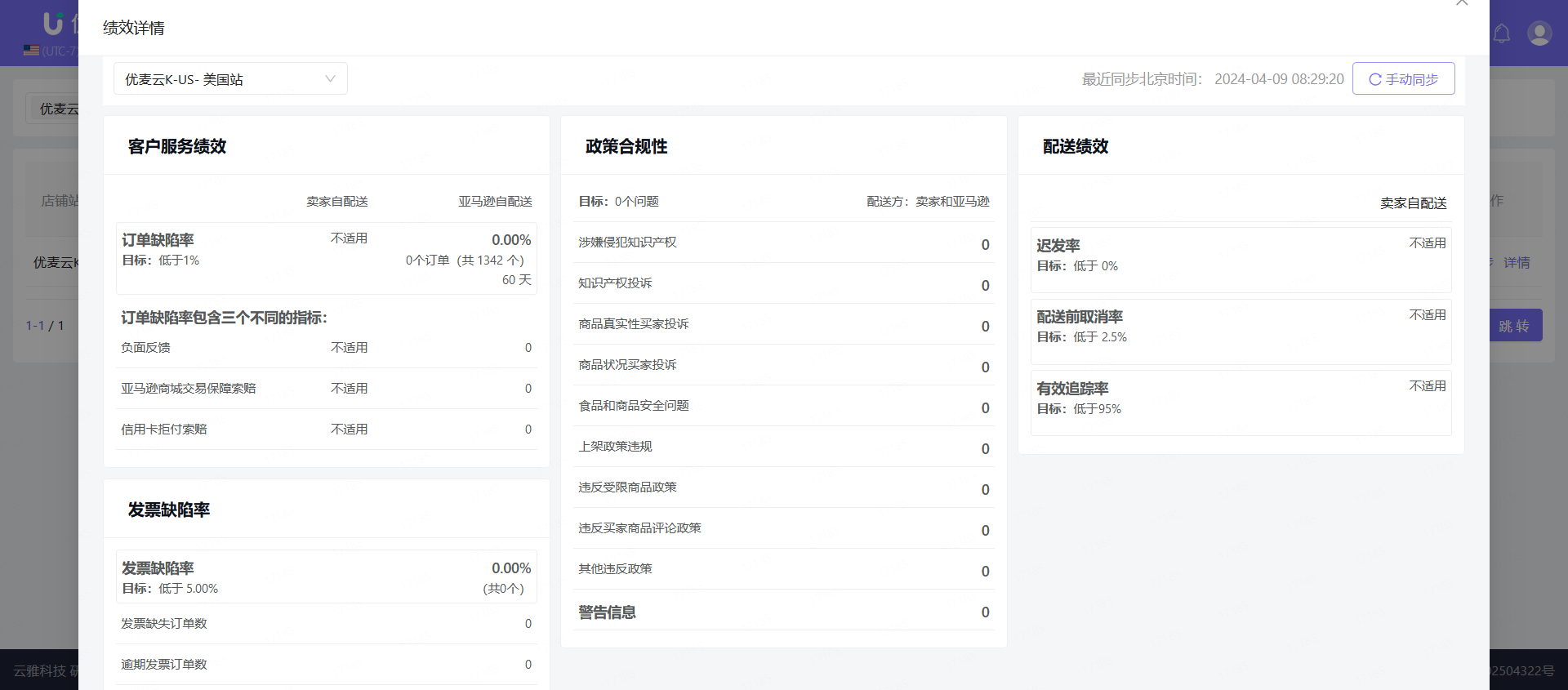
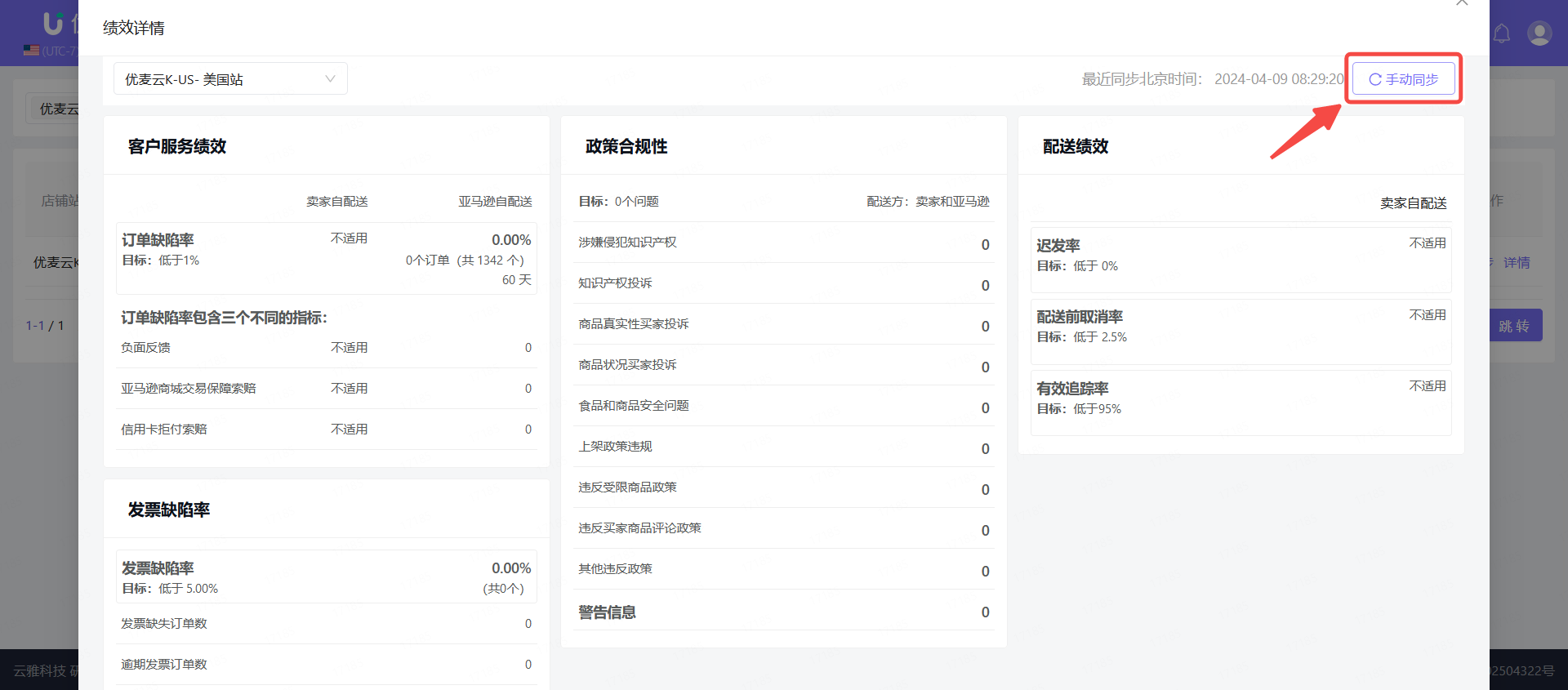
Enter the "Performance Details" page,
You can see all performance metric data for the selected marketplace, which is basically consistent with the Amazon Seller Central backend.
 +
+
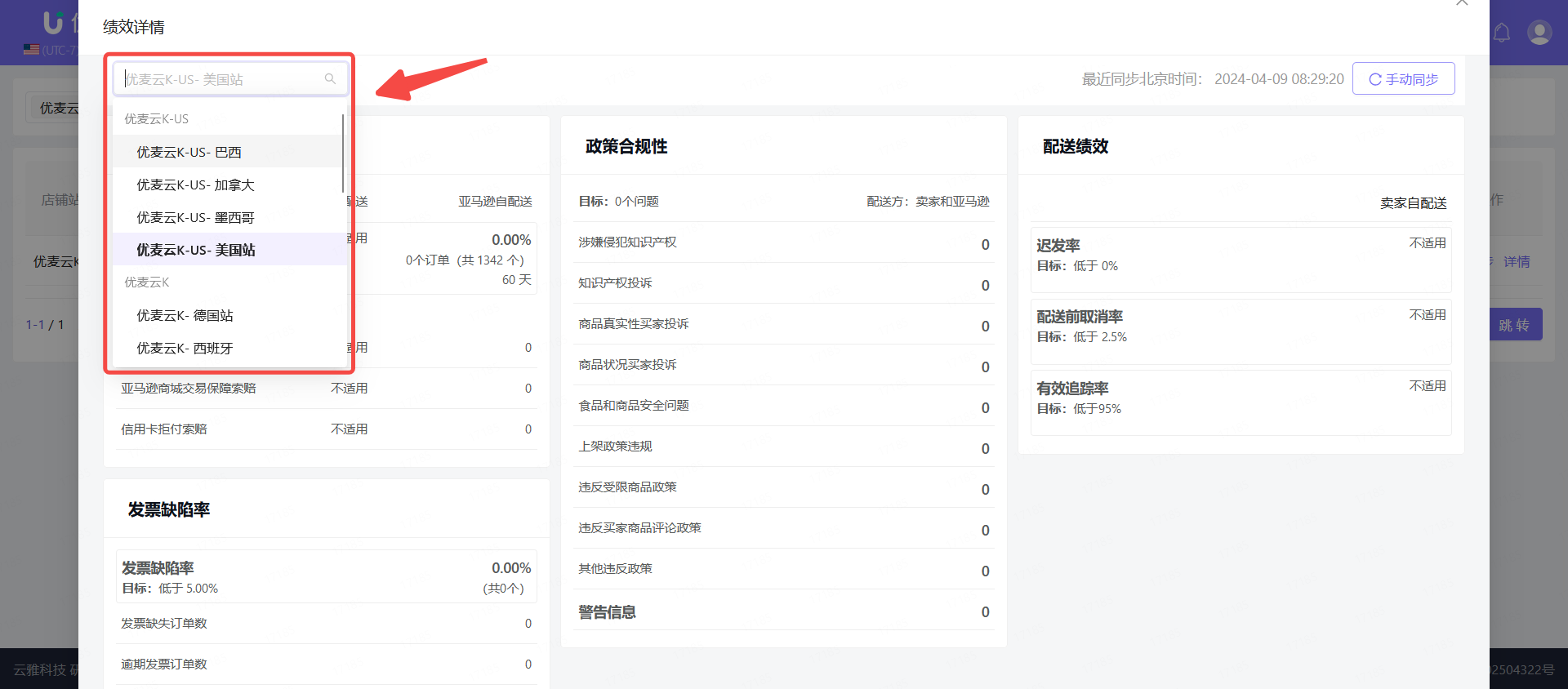
In addition, on the details page, besides viewing the data of the currently selected marketplace, you can also switch to other marketplaces in the upper left corner to view the corresponding performance details.
 +
+
Due to data being retrieved through the API interface, there is a certain time lag in the synchronization of performance data. If you want to view the latest data on the page, you can manually refresh the data.
There are 2 entry points to refresh data: the Performance Details page and the feature homepage.
 +
+
Homepage refresh:
 +
+
2. Performance Notifications
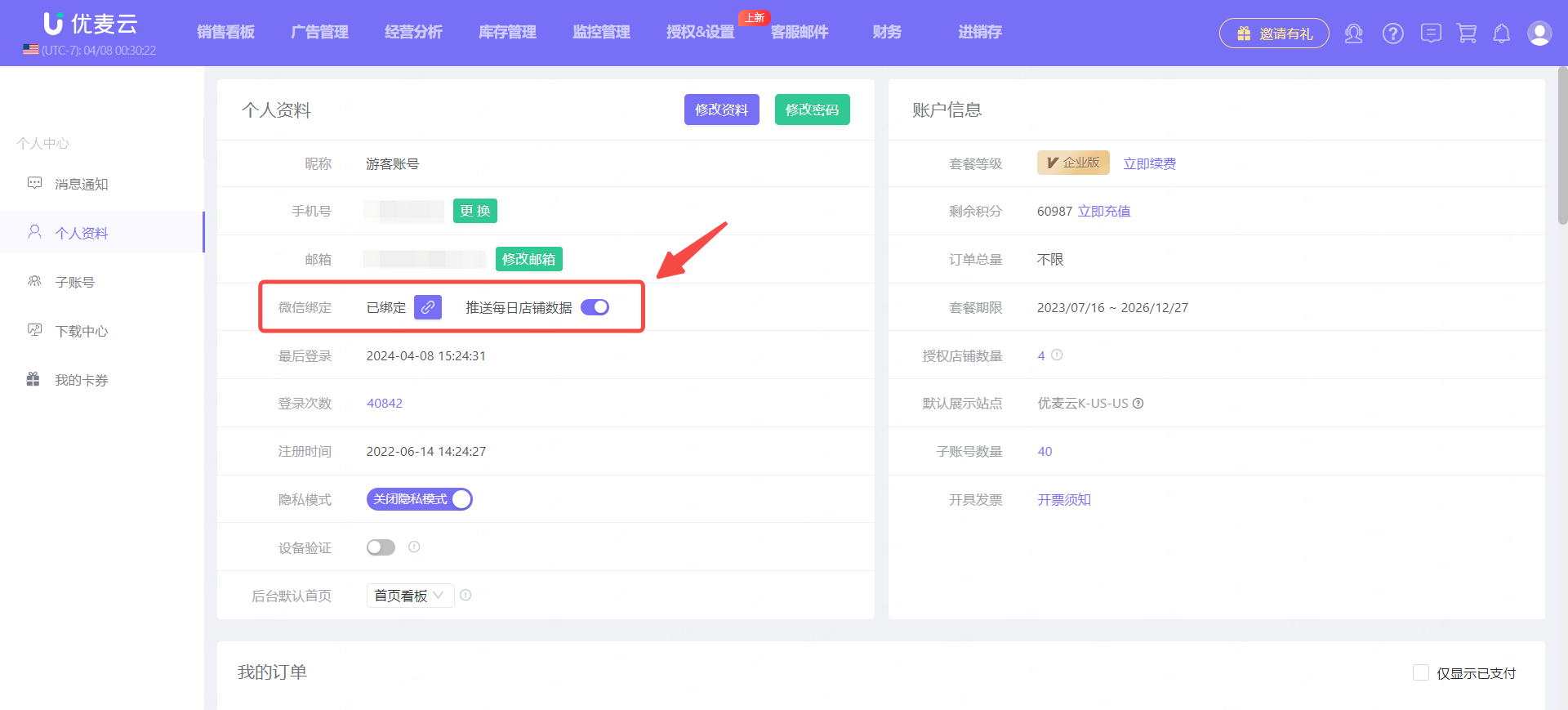
We need to bind WeChat in the SellerSpace Personal Center and follow SellerSpace's official WeChat account: 优麦云ERP, to receive performance alerts at any time (if you have already bound and followed, you can ignore this step).
 +
+
After binding WeChat, if there are changes in your store's performance metrics, the system will automatically send alert messages to your WeChat:
.png) +
+
