
 English


2025/04/08Views(15064)Reviews(0)
SellerSpace requires separate authorization for advertising to access your advertising data.
Note: When authorizing, please ensure that the computer and IP address you are using to log in to SellerSpace are the same as your usual environment for logging into this Seller Central account to avoid account association.
The specific operation steps are as follows:
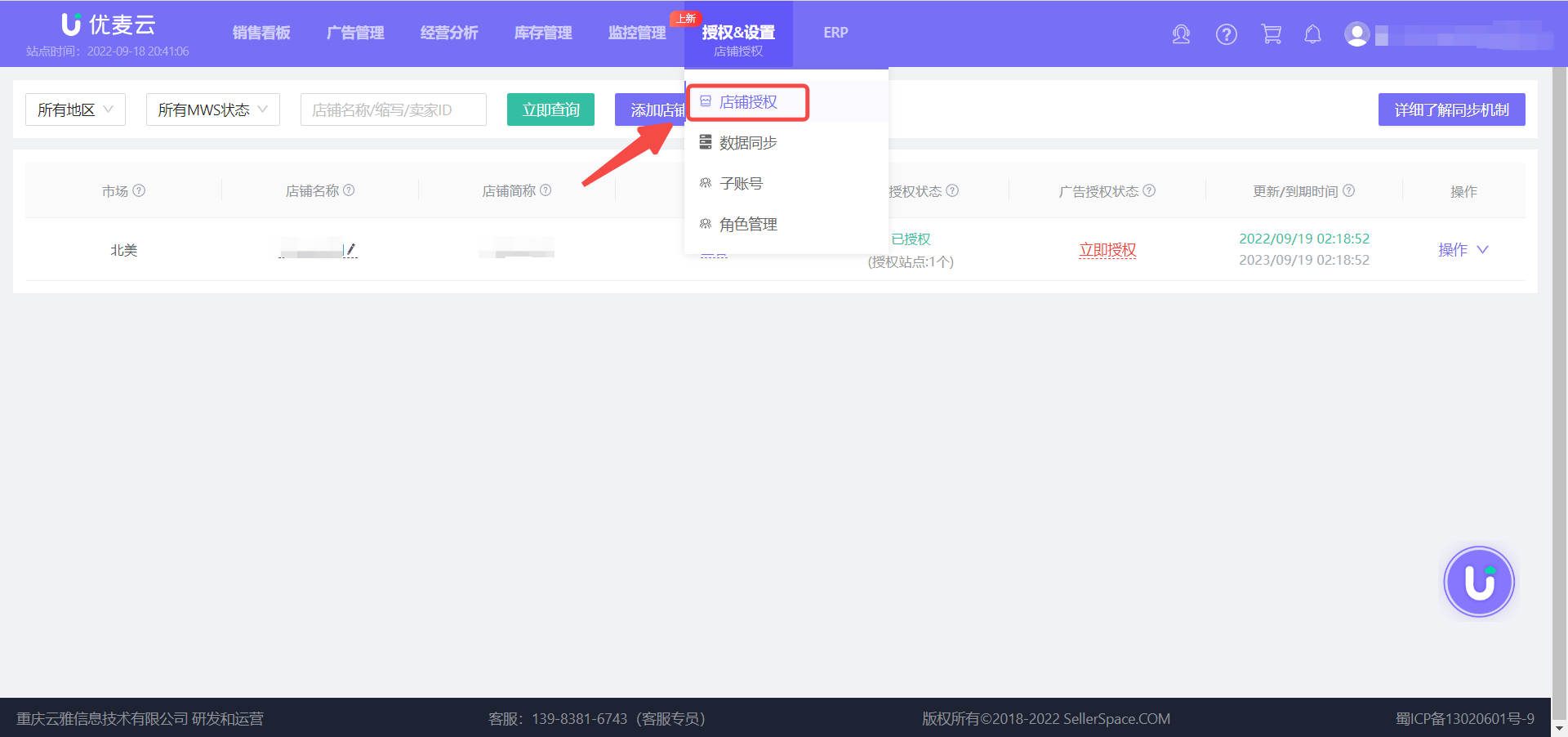
1. In an environment where the IP address is consistent with your Seller Central backend, log in to your SellerSpace account and select [Authorization & Sync - Store Authorization] to enter the store authorization page;
 +
+
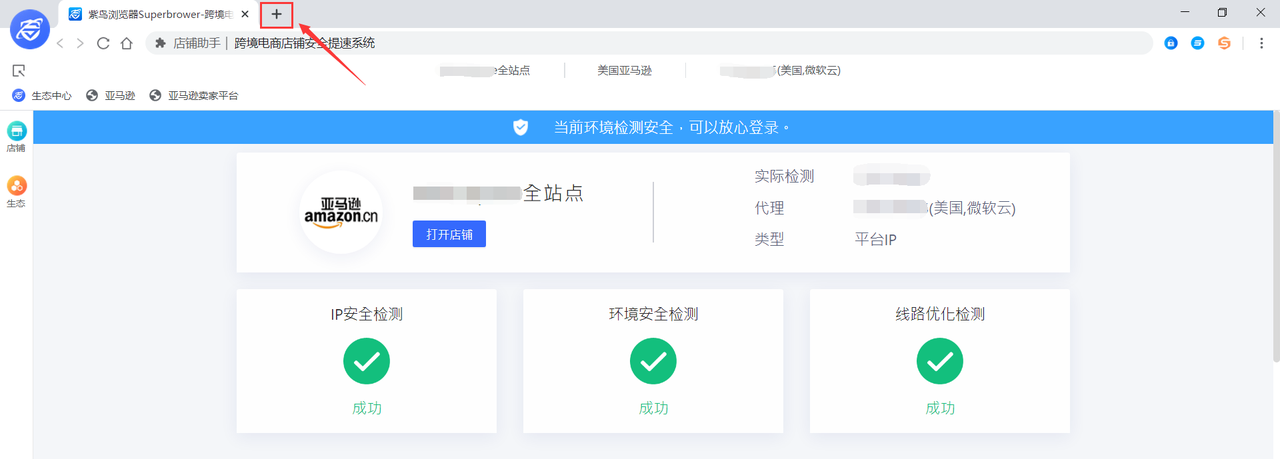
Note: If you are authorizing using a Purple Cloud Browser, you need to open a new window on the proxy IP page, open and log in to our backend, and then proceed with the next authorization step.
 +
+
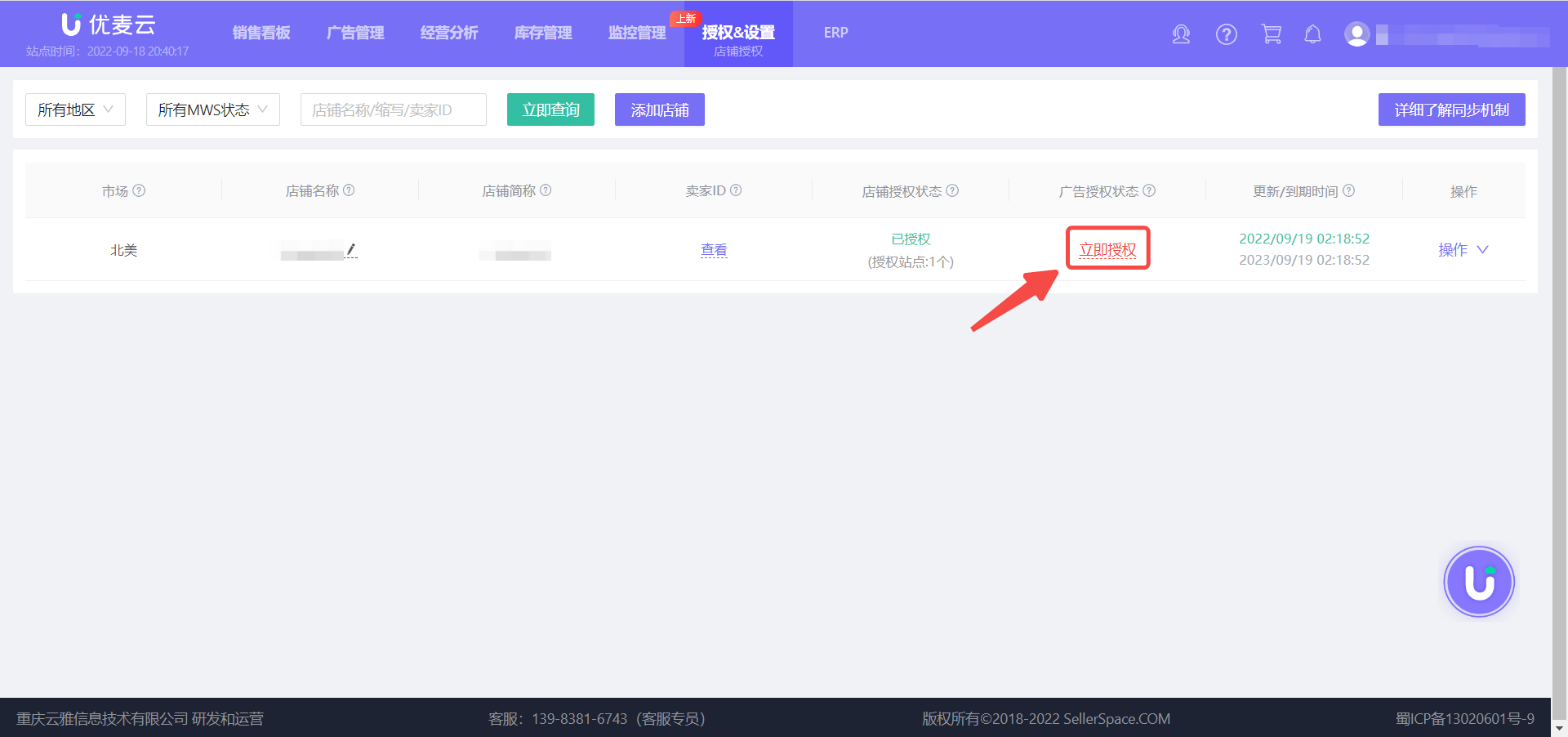
2. Find the marketplace site for which you want to authorize advertising and click [Authorize Now];
 +
+
3. Confirm that the current computer and IP address are your usual environment for authorizing the store, and then click to jump to Seller Central backend for authorization;
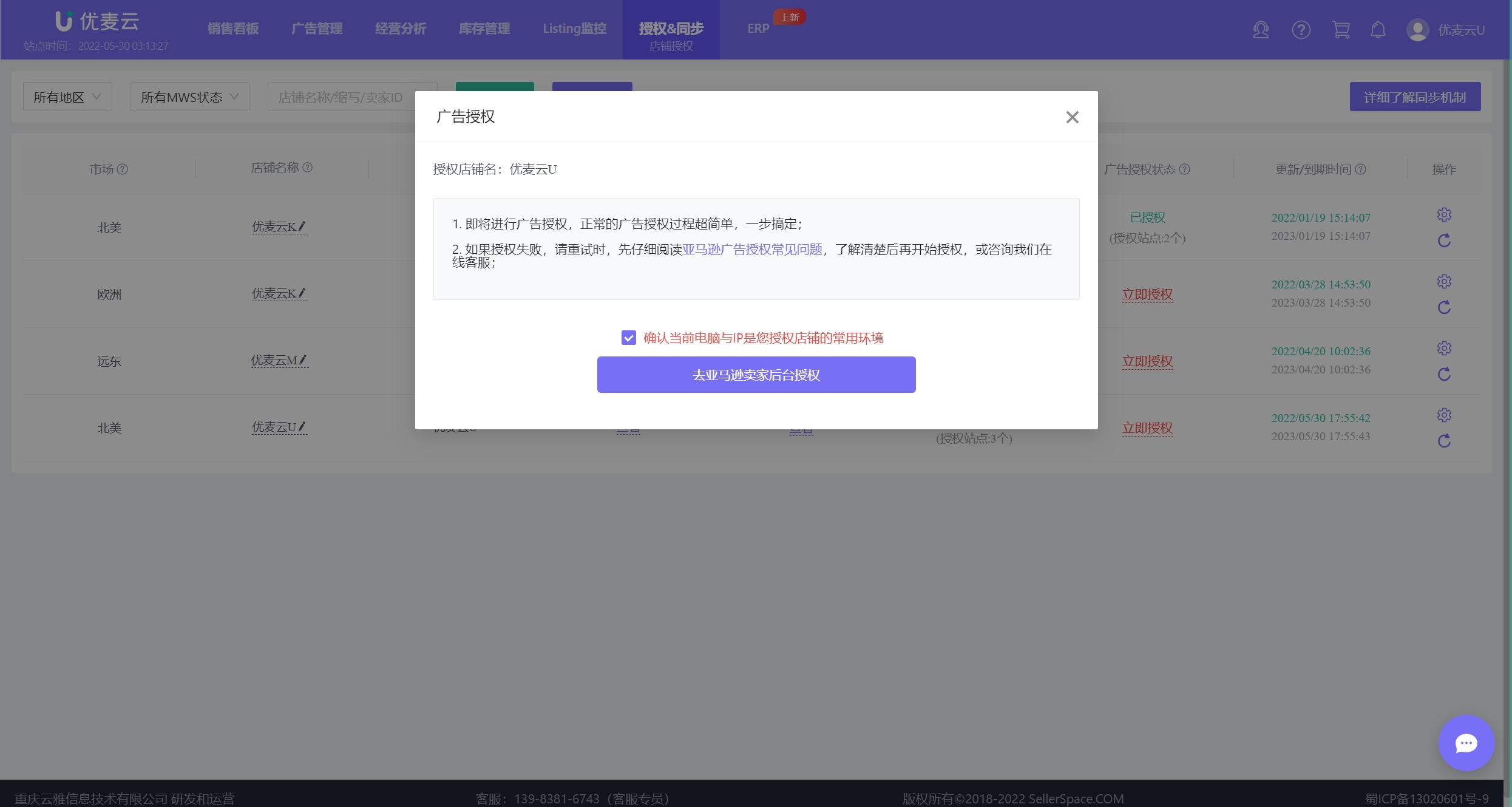
Note: At this point, the region in the Amazon authorization link will change, and you may be asked to log in to your Amazon account again. Please log in as prompted.
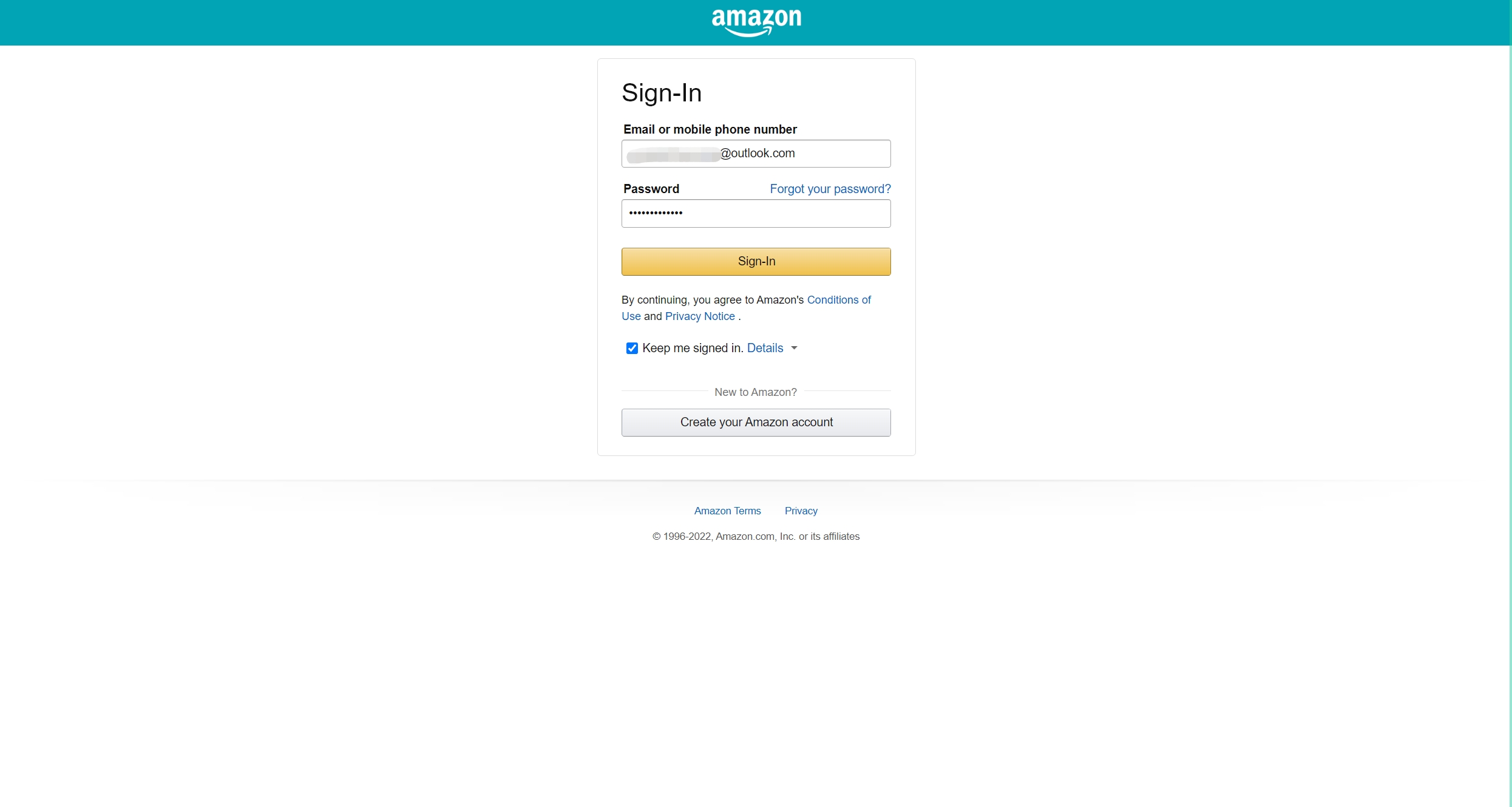
4. Enter the Amazon advertising authorization page and click [Allow] to allow authorization!
If you click [Cancel], the authorization will be cancelled.
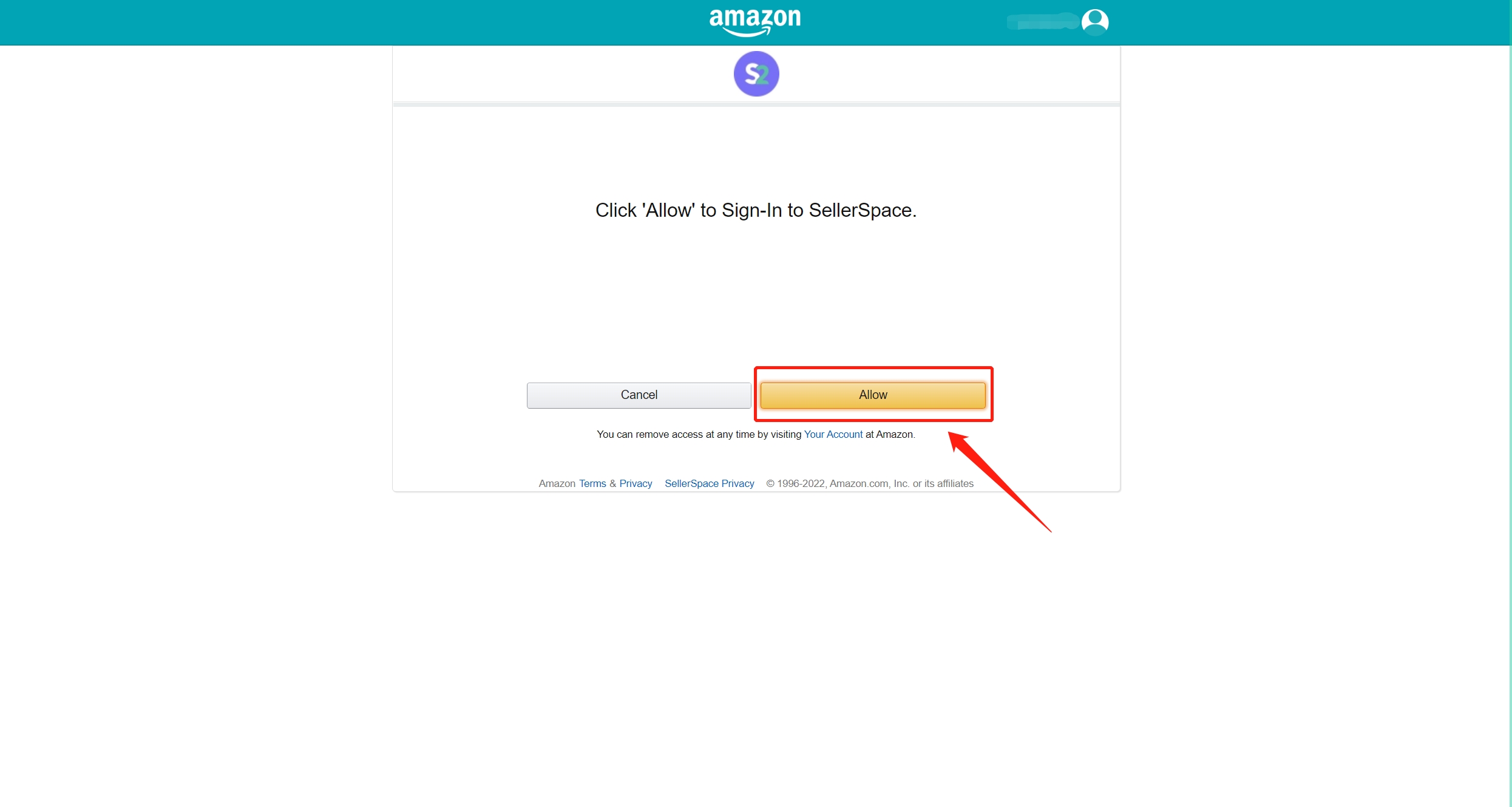
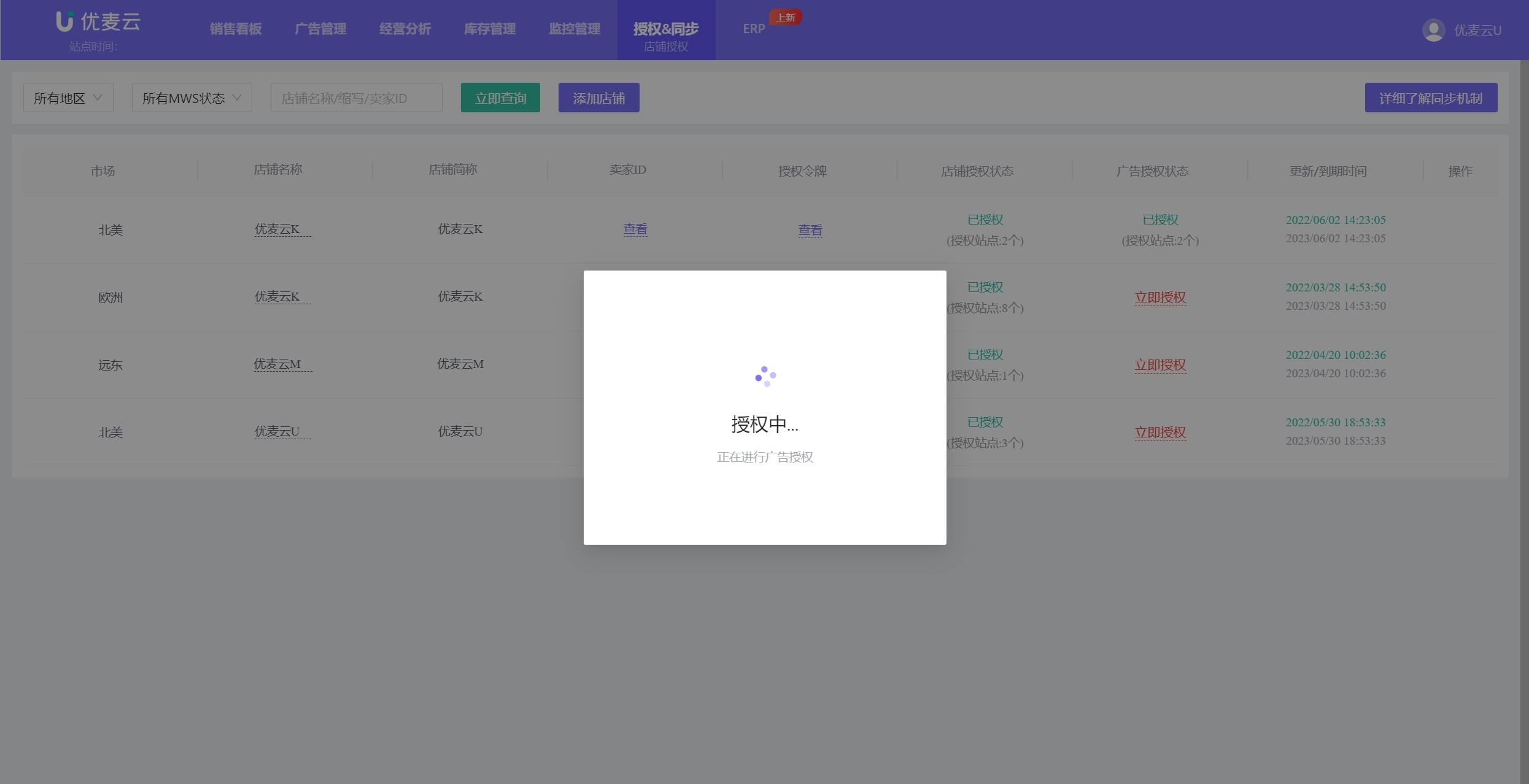
5. After clicking [Allow], the page will automatically redirect back to the SellerSpace backend to establish the authorization connection;
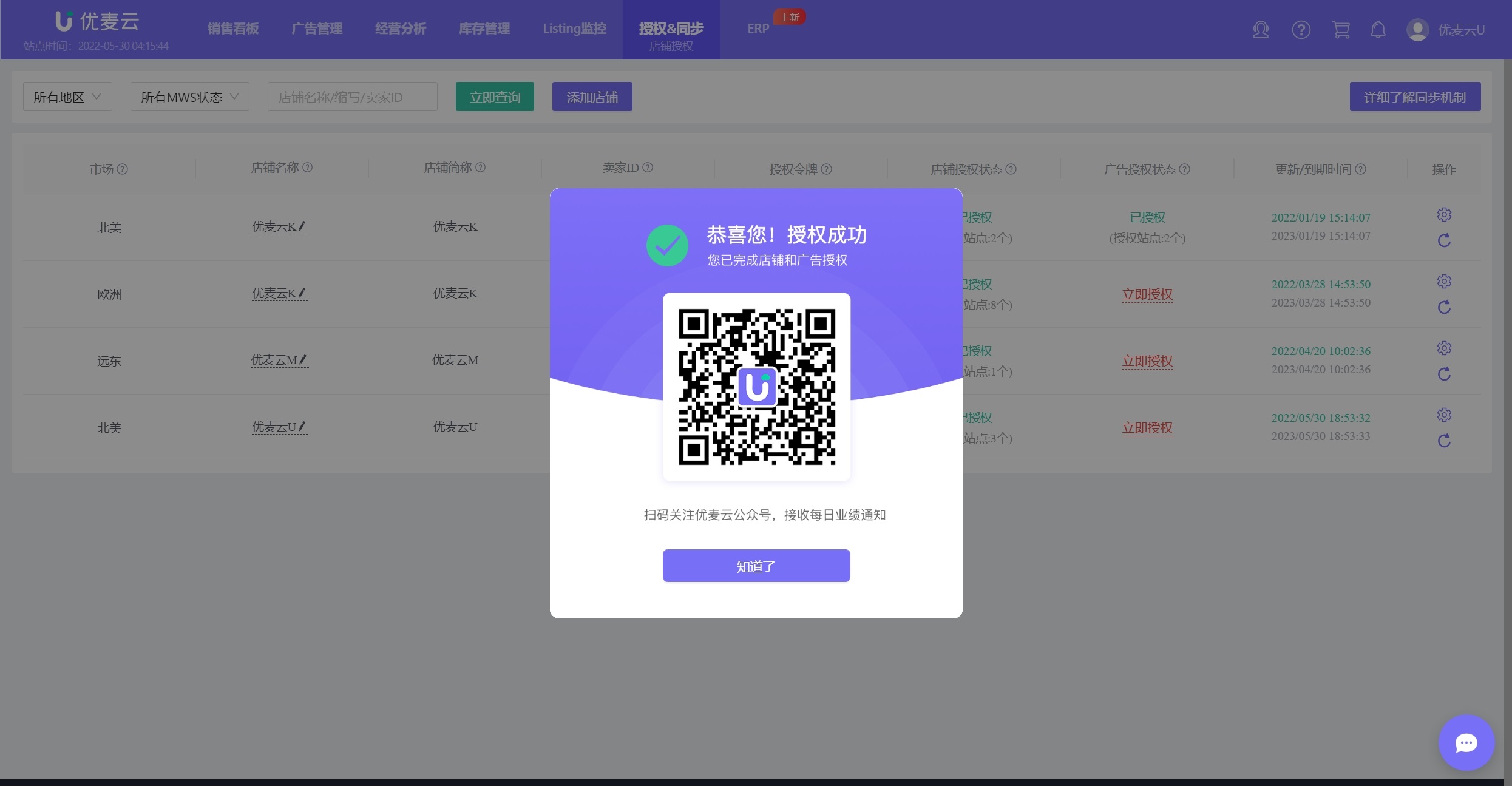
6. Authorization successful!
!!! The following situations will cause advertising authorization to fail!
1. When authorizing advertising, you will be redirected to the Amazon Seller Central backend. Please log in with an account that has advertising management permissions.
2. You may have registered stores in multiple regions such as the United States, Japan, and Europe using the same email address (same company information) for unified management.
In this case, when authorizing advertising for stores outside of the US marketplace, please create an account in the Amazon backend to assign advertising permissions, and use a sub-account with advertising management permissions to log in and authorize (because that common email address corresponds to multiple stores and cannot be uniquely located).
You can operate as follows:
Enter backend settings:
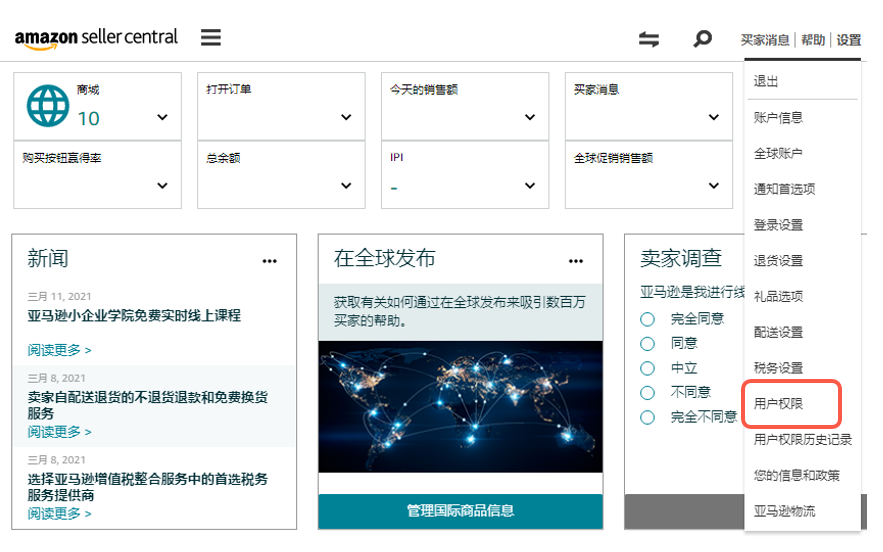 +
+
Assign sub-account:
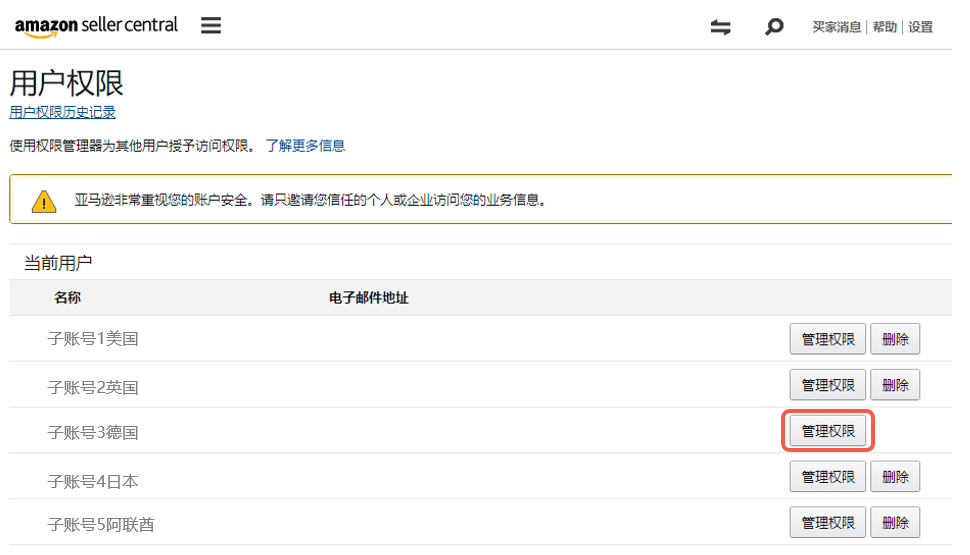 +
+
Set permissions:
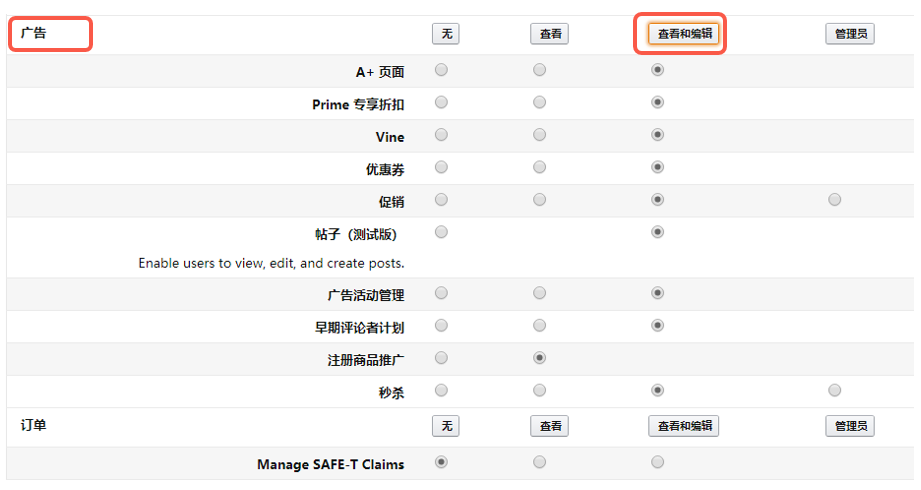 +
+
3. Advertising redirection is unsuccessful, or there is no normal pop-up after clicking, seemingly no response.
If you have installed an ad-blocking extension, please disable the extension first, or it is recommended that you directly switch to a clean browser (without other extensions installed) and then operate the authorization.
Taking a certain professional blocking extension as an example:
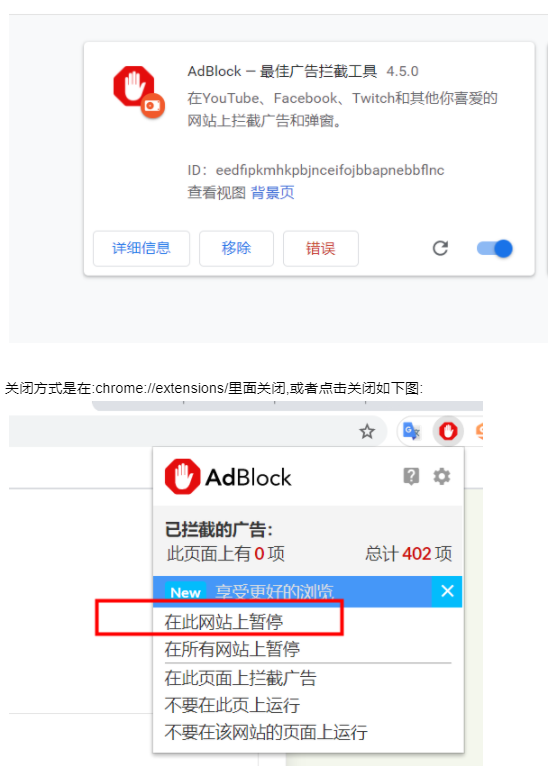 +
+
After closing it, and then authorizing again, the advertising authorization can be completed.
