
 English


2025/04/08Views(15557)Reviews(0)
I. Target Audience
Business Owners, Operations
II. Feature Introduction
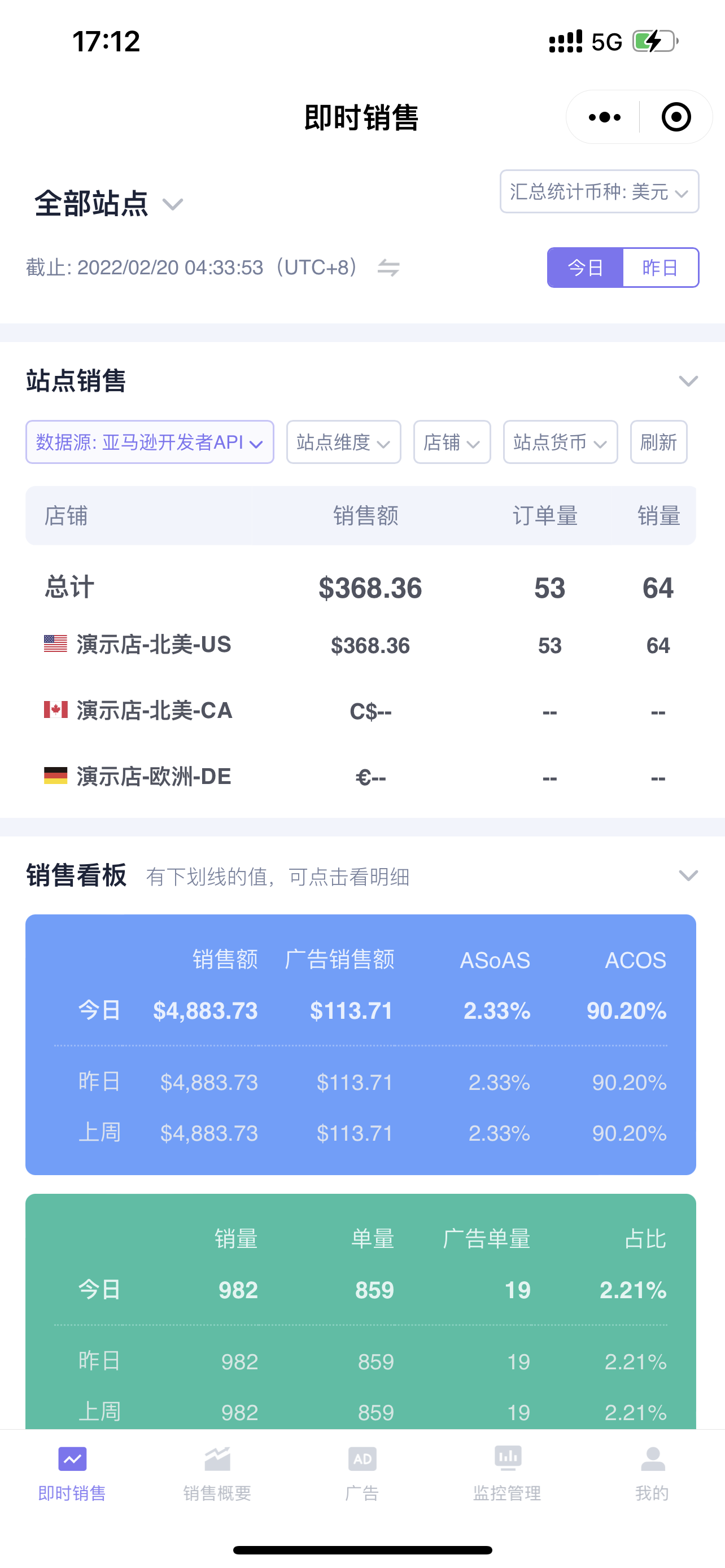
SellerSpace Mini Program - Instant Sales feature, real-time synchronization of Amazon Seller Central store sales data. Through your mobile phone, you can view and analyze the real-time sales performance of multiple stores anytime, anywhere.
The Instant Sales feature has four sections: Marketplace Sales, Sales Dashboard, Sales Chart, and Sales Details.
Marketplace Sales: You can view the sales overview of all store marketplaces, including sales revenue, order volume, and units sold;
Sales Dashboard: You can view today's, yesterday's, and last week's same-day sales data, advertising data, and profit data;
Sales Chart: You can view chart trend data for sales revenue, order volume, and units sold for each hour of the day, yesterday, and the same day last week;
Sales Details: You can view the sales details of products with orders placed on the current day, as well as products with advertising spend but no orders.
Helping you efficiently track daily real-time sales and understand recent sales changes!
III. Use Cases
- Track real-time store orders on your phone anytime, even when you are out of the office;
- Analyze today's order profit and stay on top of the latest sales trends at any time.
IV. Operation Guide
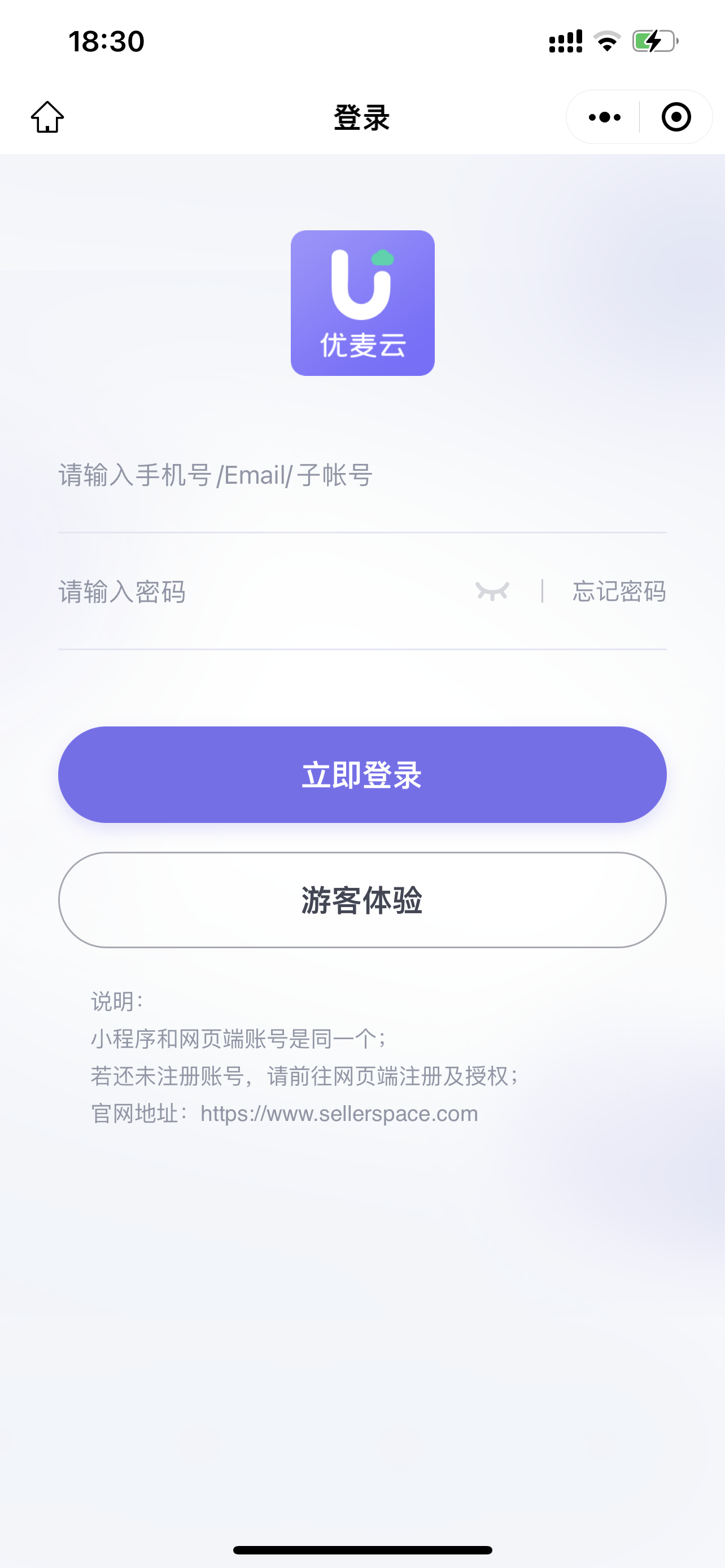
Enter the SellerSpace WeChat Mini Program on your phone and log in to your account (Special Note: If you have logged in before, you will be automatically logged in next time you enter.)
 +
+
After logging in, the default display is the [Instant Sales] feature data.
 +
+
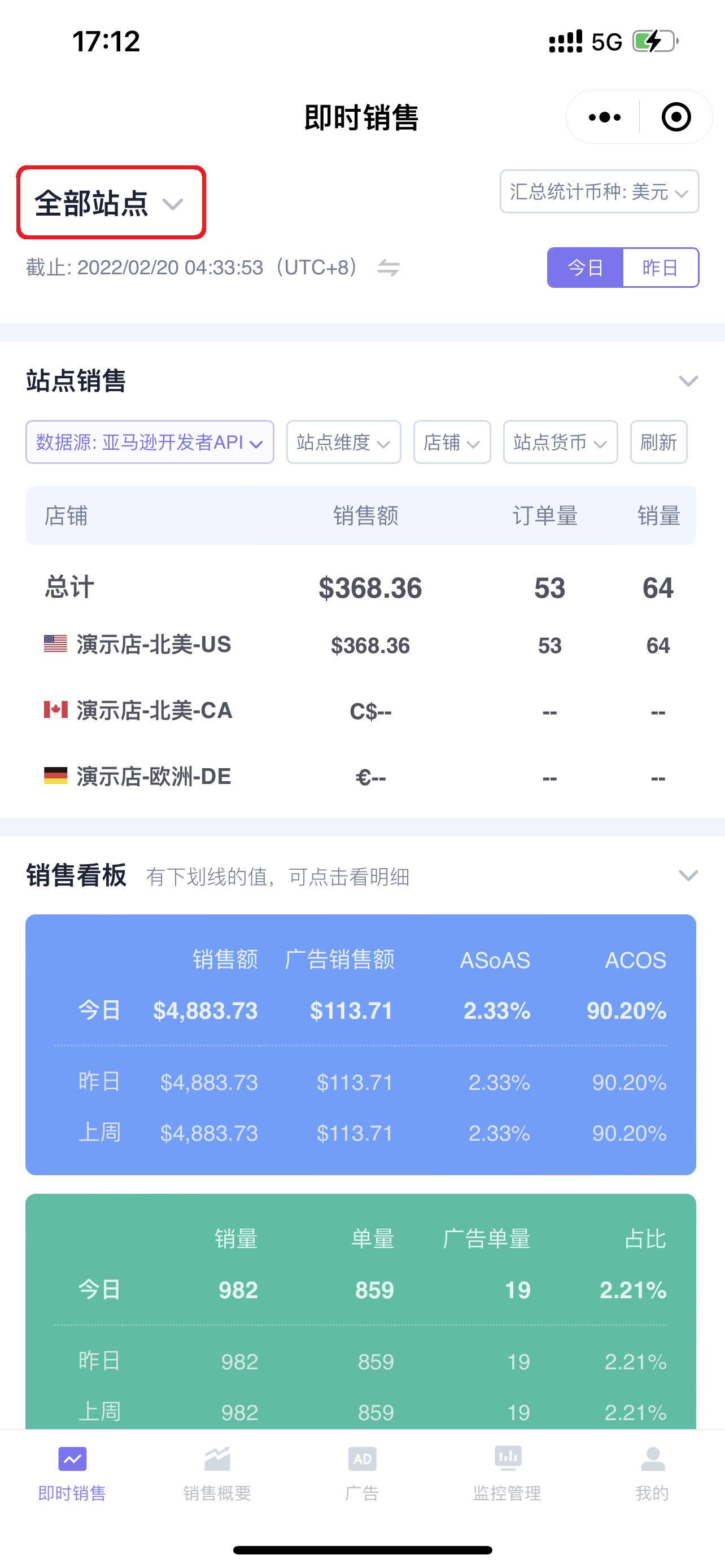
Instant Sales defaults to displaying sales data for all marketplaces. Click the store name in the upper left corner of the page to switch stores and view the real-time sales data for the corresponding store;
 +
+
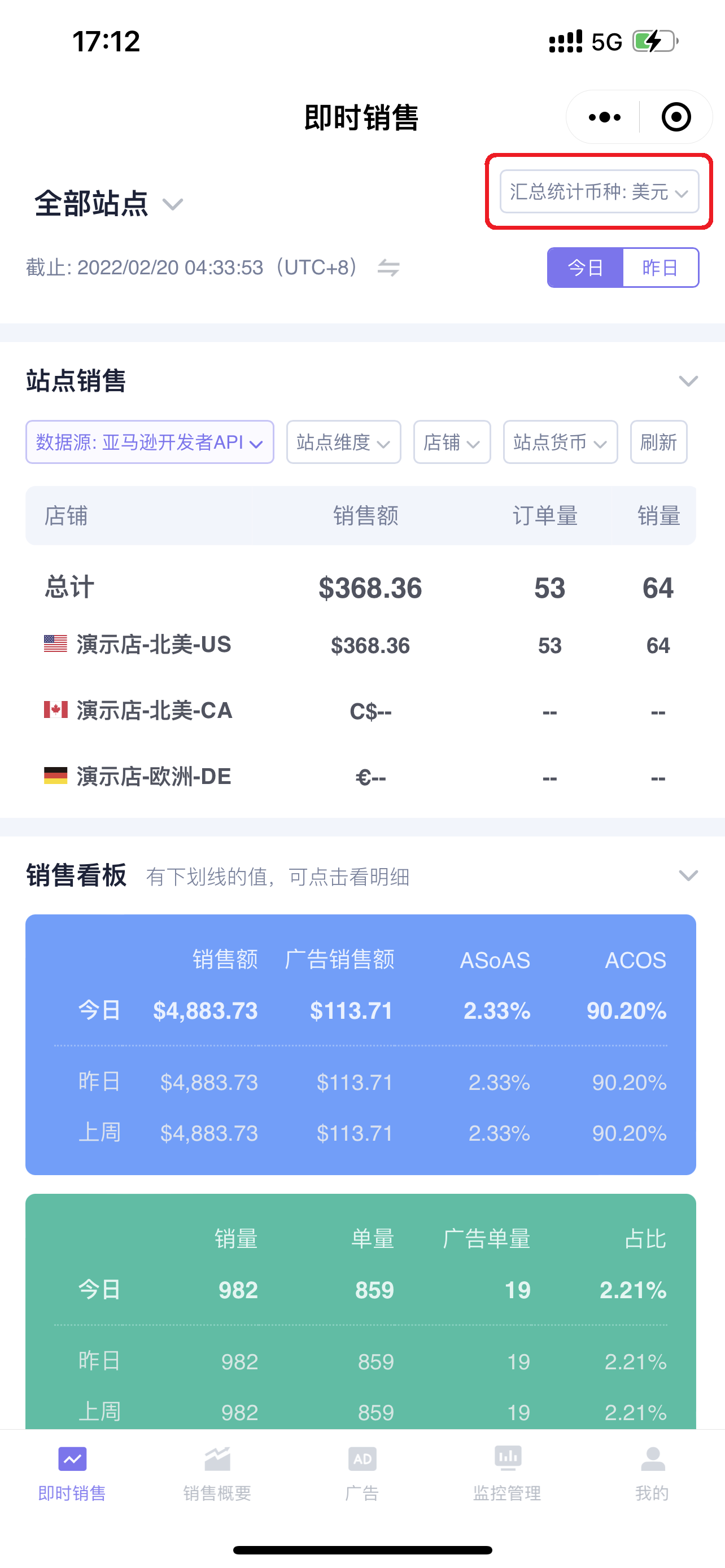
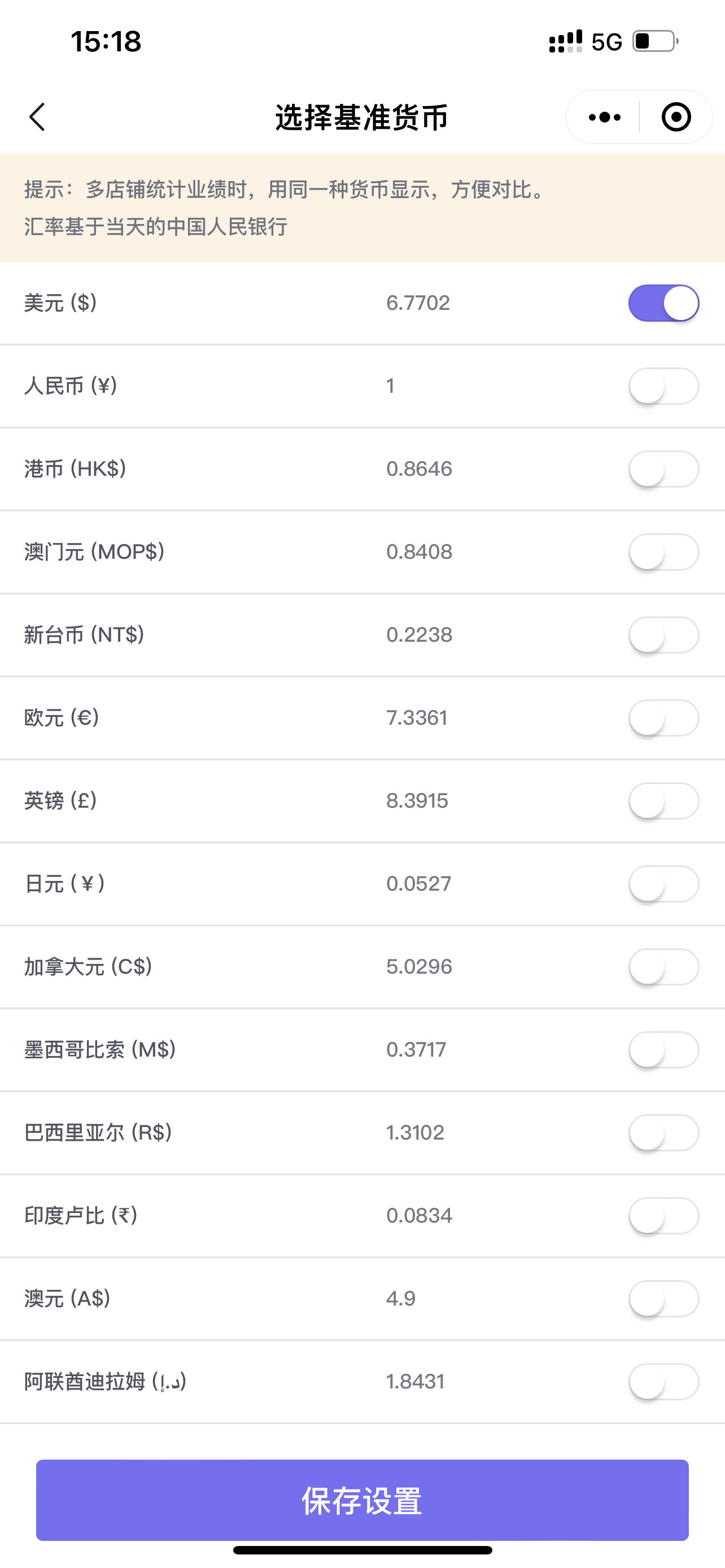
When viewing data for all marketplaces, you can set the currency for summarized statistics on the right side of the marketplace. The exchange rate is converted to the exchange rate of the People's Bank of China on that day;
 +
+
 +
+
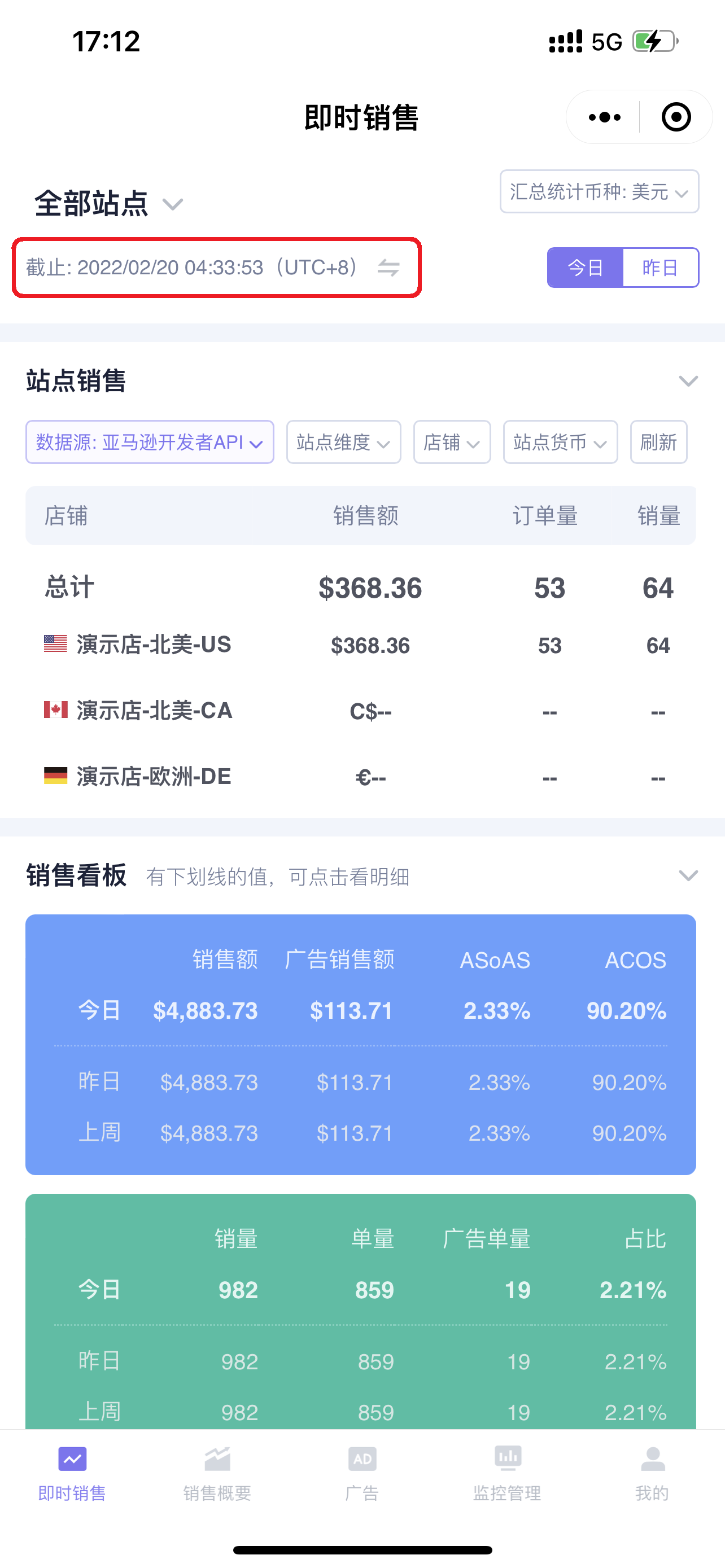
Below the marketplace store is the marketplace time for data synchronization. Click to switch to view the corresponding Beijing time.
Note: If it is in the all marketplaces dimension, the time displayed is the synchronization time of the first marketplace.
 +
+
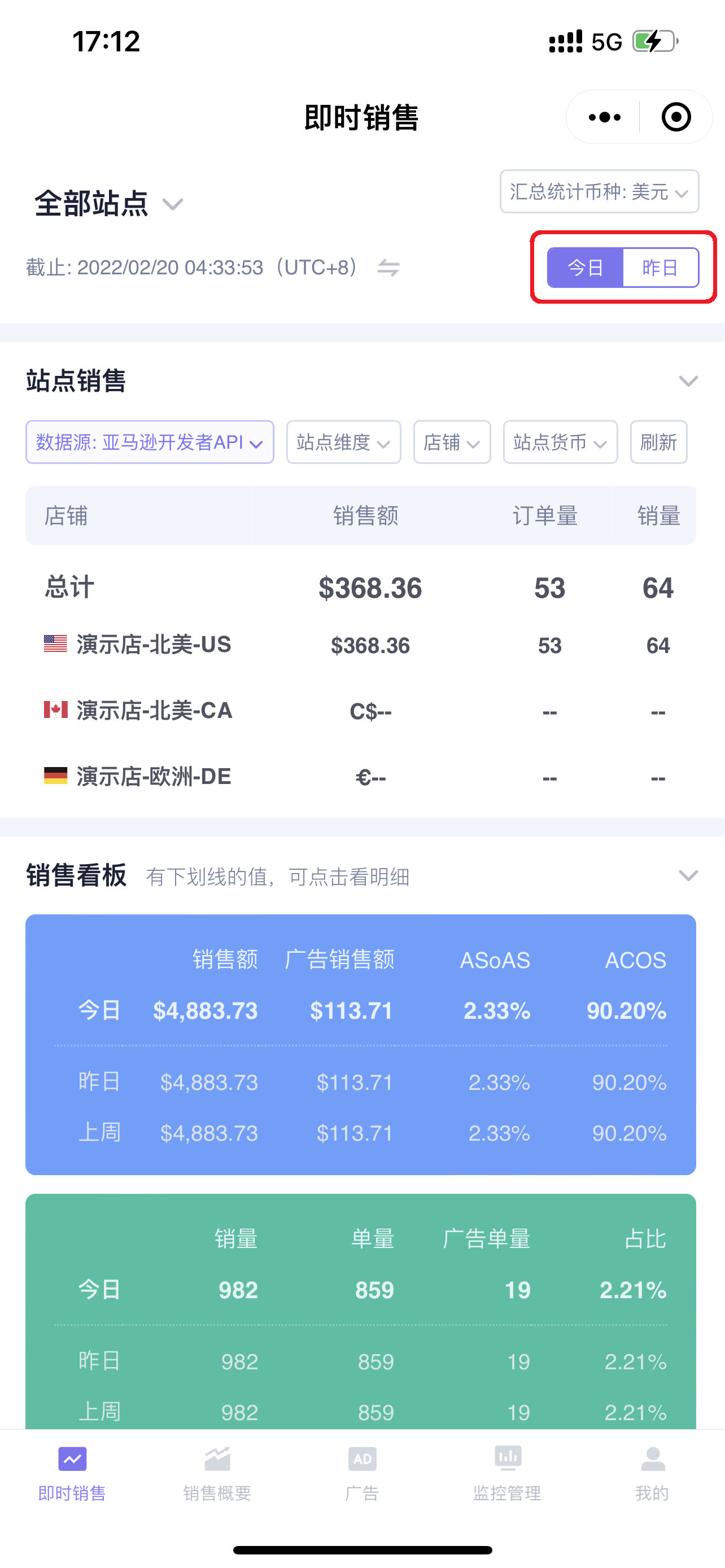
To the right of the synchronization time is the [Today/Yesterday] button. Click to switch to view real-time sales data for today or yesterday.
 +
+
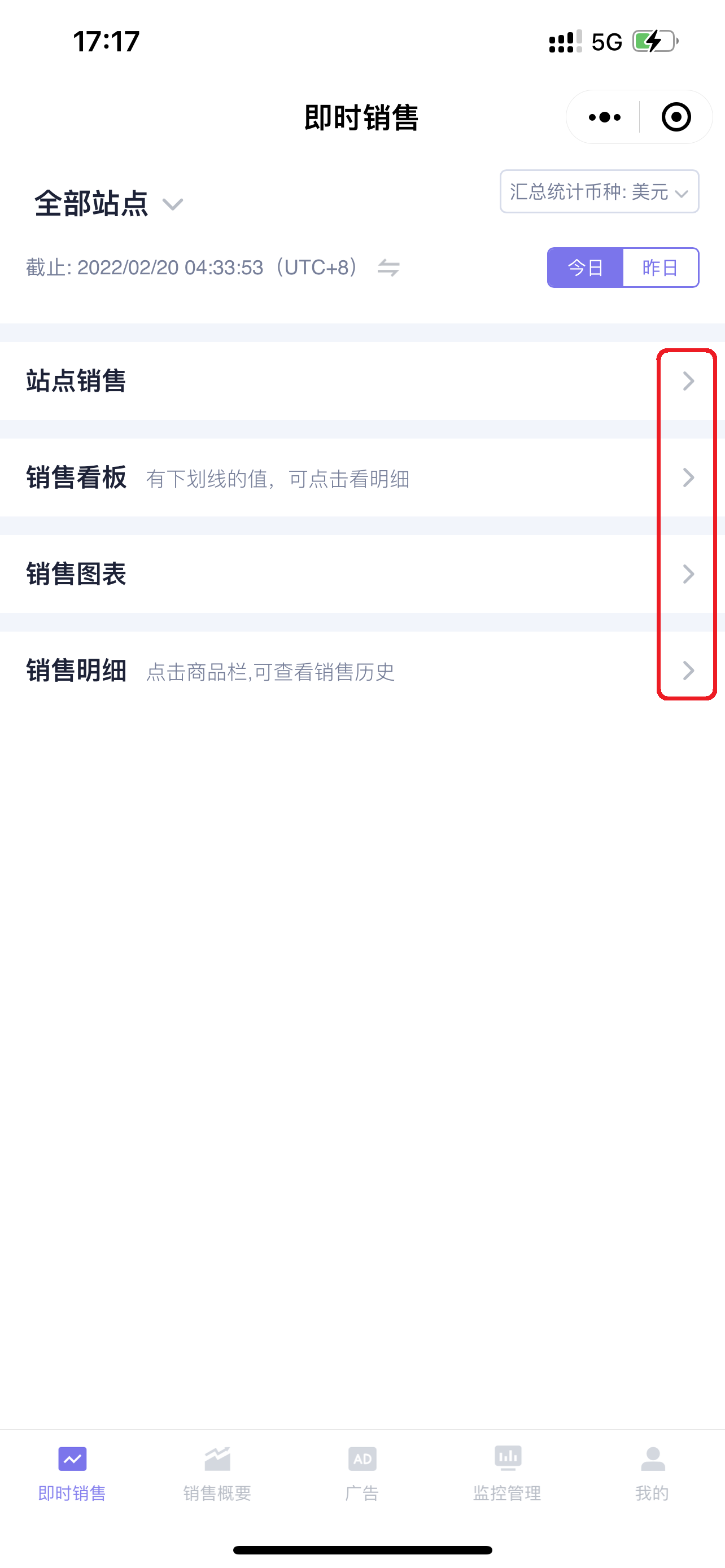
The Instant Sales feature has four sections: Marketplace Sales, Sales Dashboard, Sales Chart, and Sales Details.
Click the expand button on the right to open or collapse the section, making it easy for you to quickly view the data;
 +
+
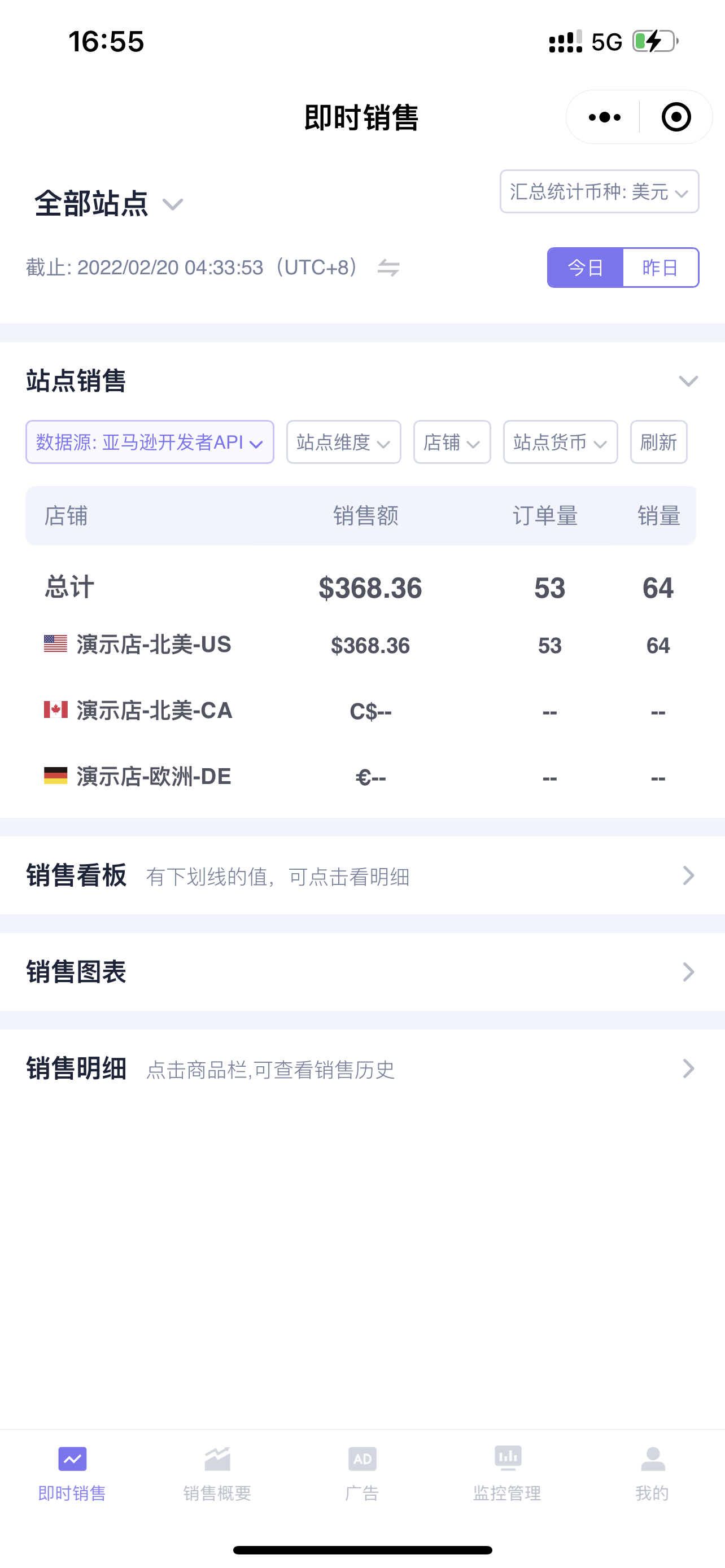
1. Marketplace Sales
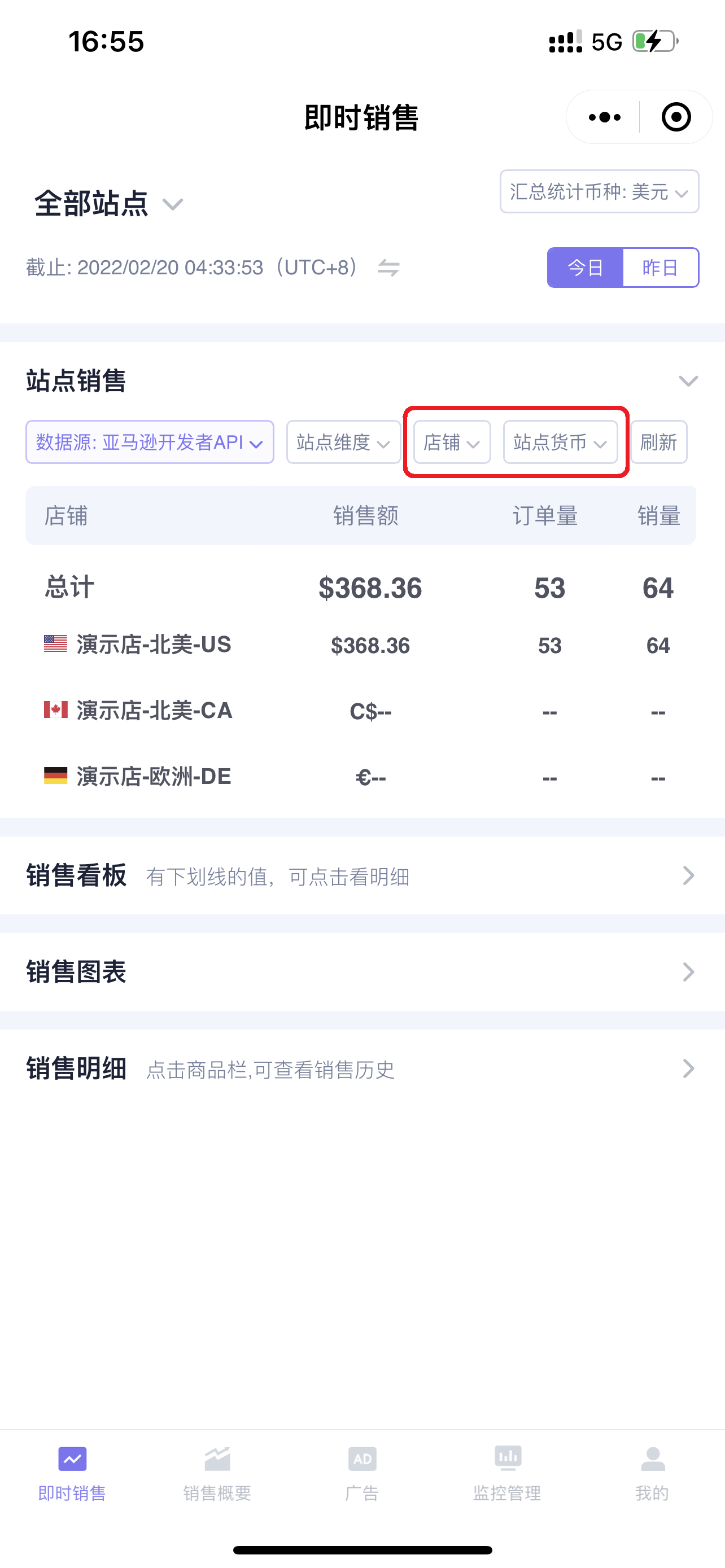
The Marketplace Sales section displays the sales overview of all stores you have authorized. Overview data includes: Sales Revenue, Order Volume, and Units Sold;
 +
+
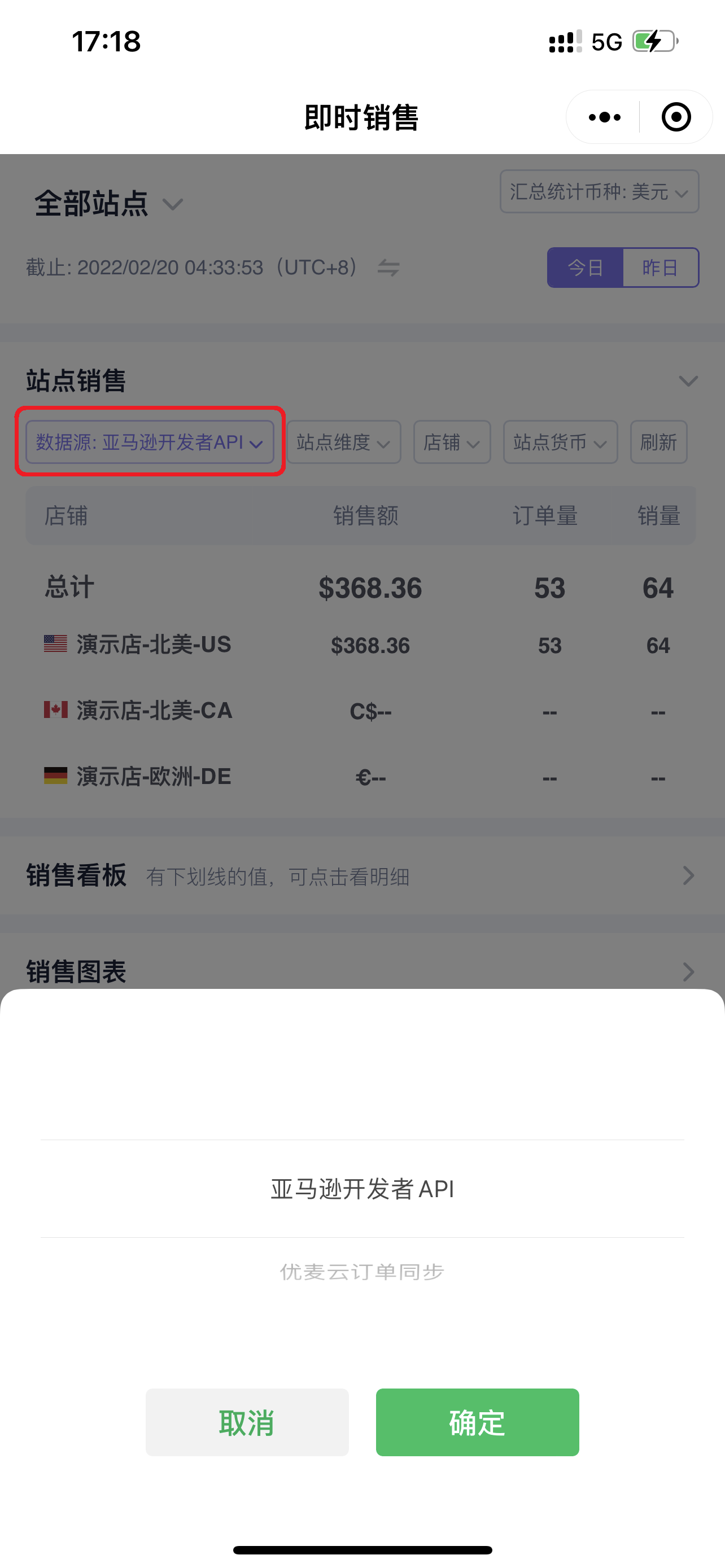
Click [Data Source] in the upper left corner to switch between [Amazon Developer API] and [SellerSpace Order Sync] data sources;
Amazon Developer API: Sales data is completely consistent with what is displayed in Seller Central and does not participate in profit calculation;
SellerSpace Order Sync: Summarizes store order data and is used directly for profit calculation.
 +
+
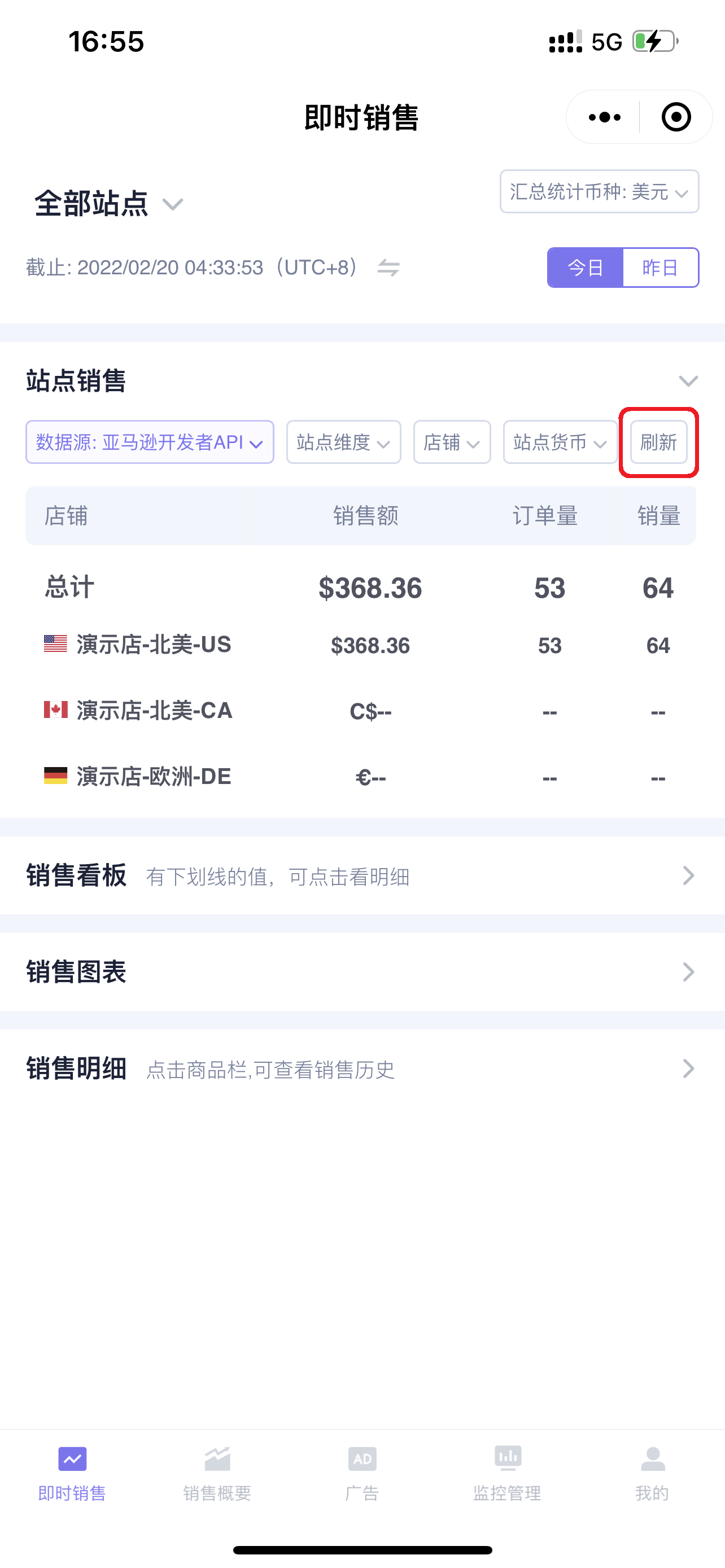
The synchronized data can be manually refreshed to view the latest sales data.
 +
+
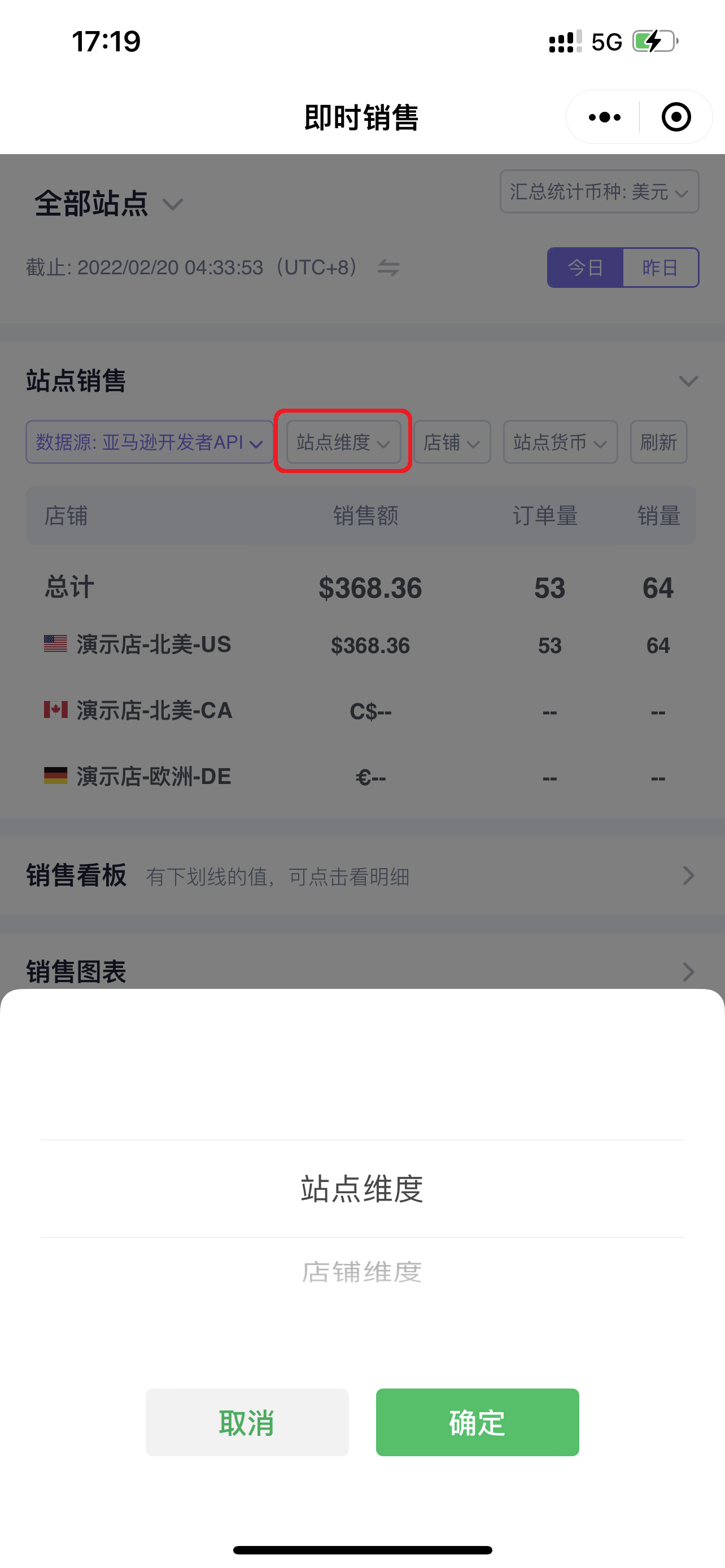
Click [Marketplace Dimension] to switch the viewing dimension: Marketplace/Store.
Note: According to Amazon's Global Selling rules, one store (account) can register and open multiple marketplaces. Therefore, you can switch to view and analyze your sales performance by marketplace or store dimension.
 +
+
You can select the store data you want to view and select the base currency for data aggregation;
 +
+
2. Sales Dashboard
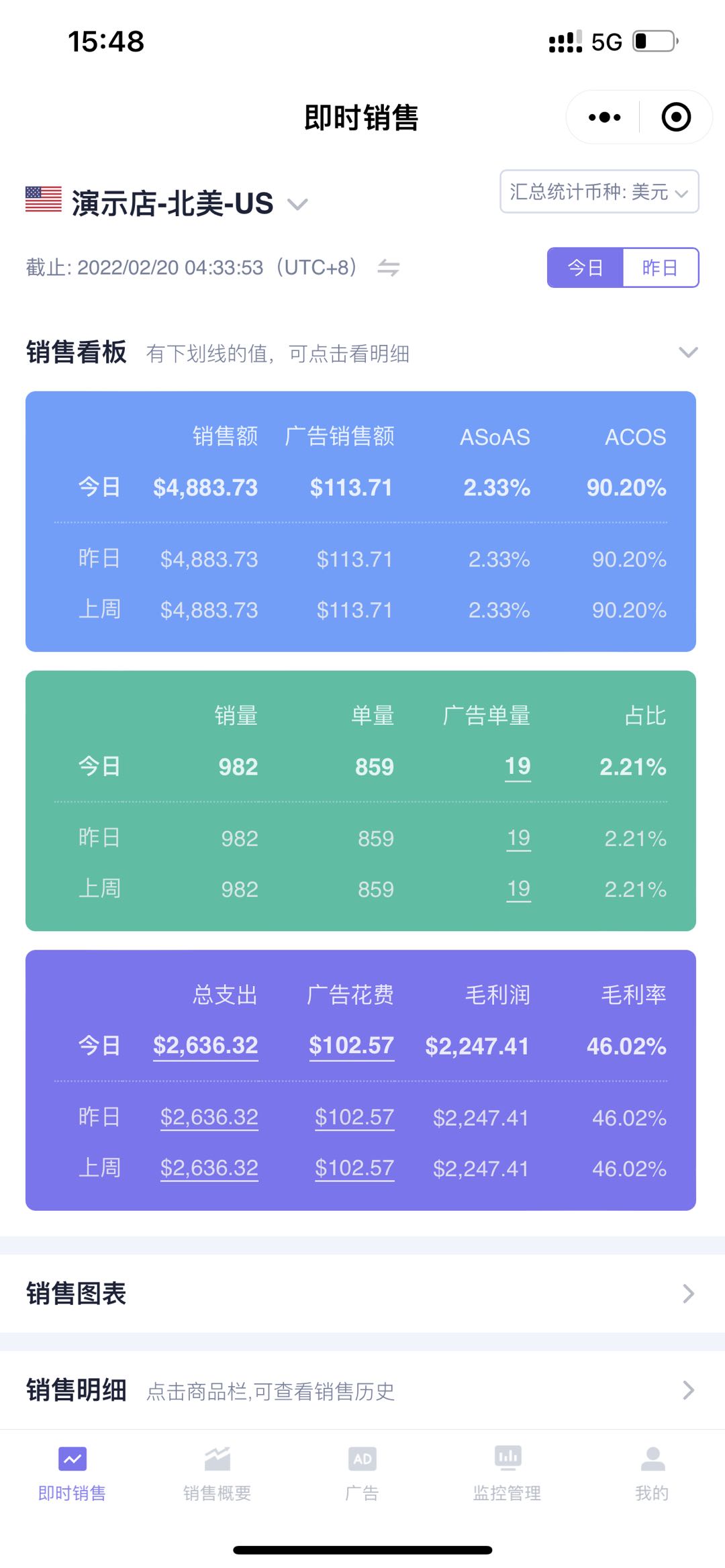
The Sales Dashboard includes three dashboards: Sales Revenue, Units Sold, and Expenses & Profit.
It displays detailed real-time sales data for today and supports comparison views of yesterday's and last week's same-day sales data, helping you compare and analyze recent sales performance and understand sales changes;
 +
+
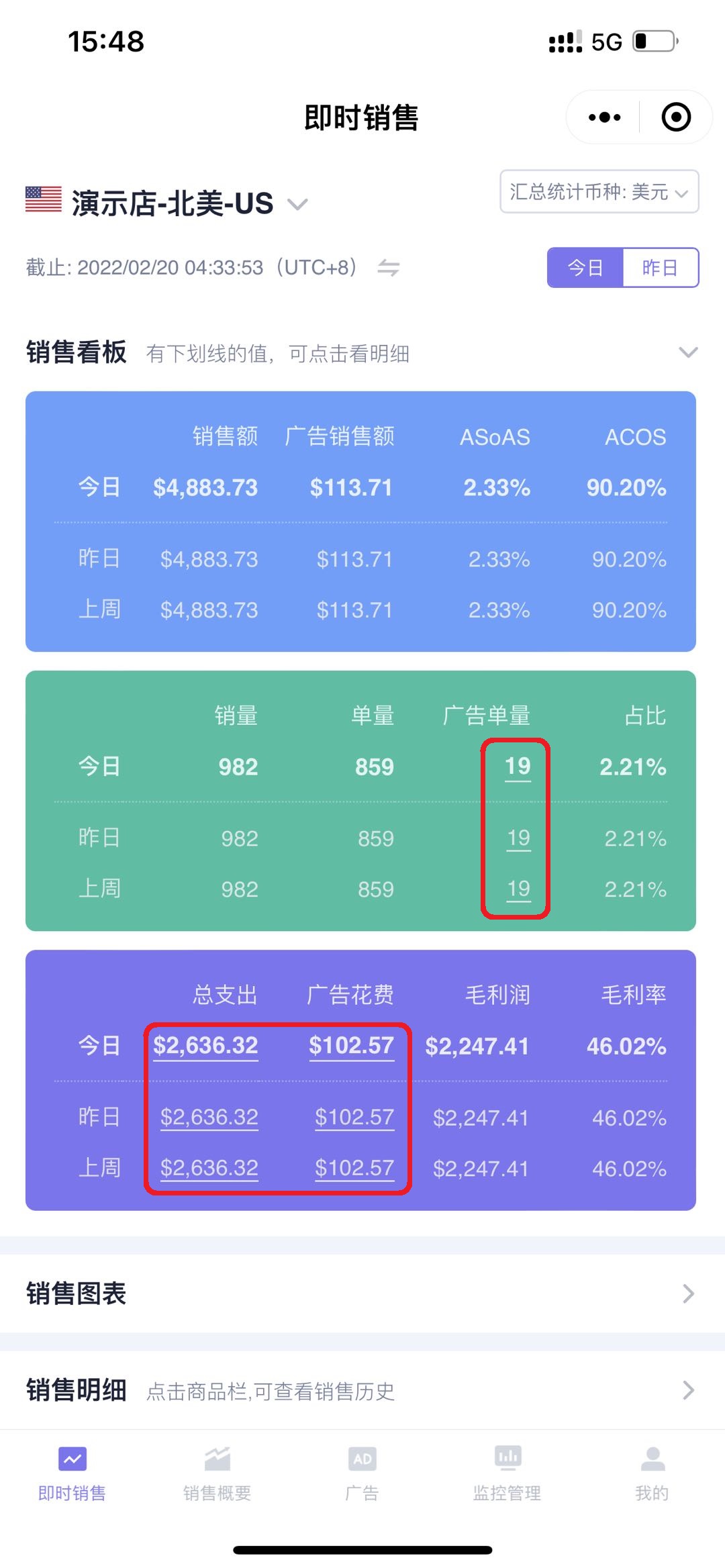
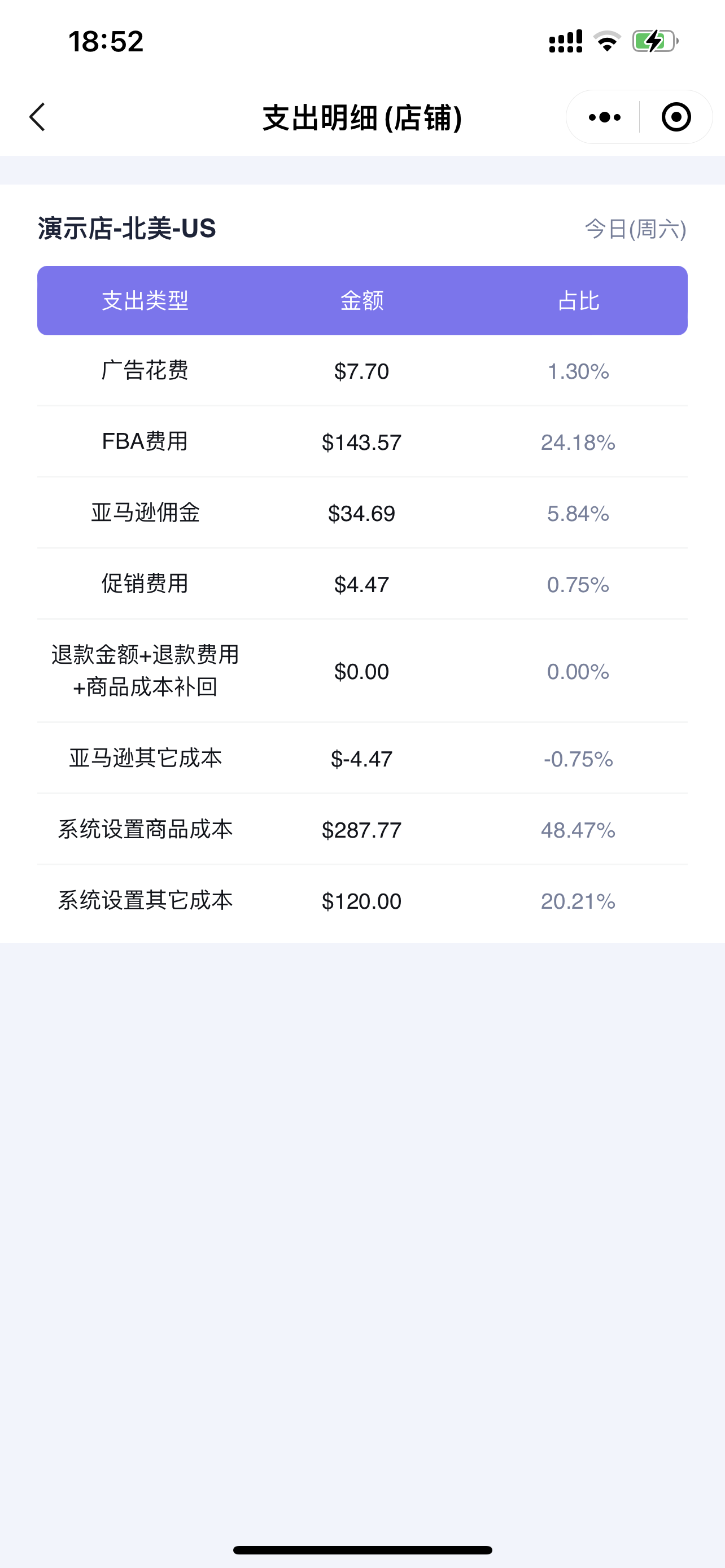
In SellerSpace, all underlined values support clicking to view details or jump to adjust data;
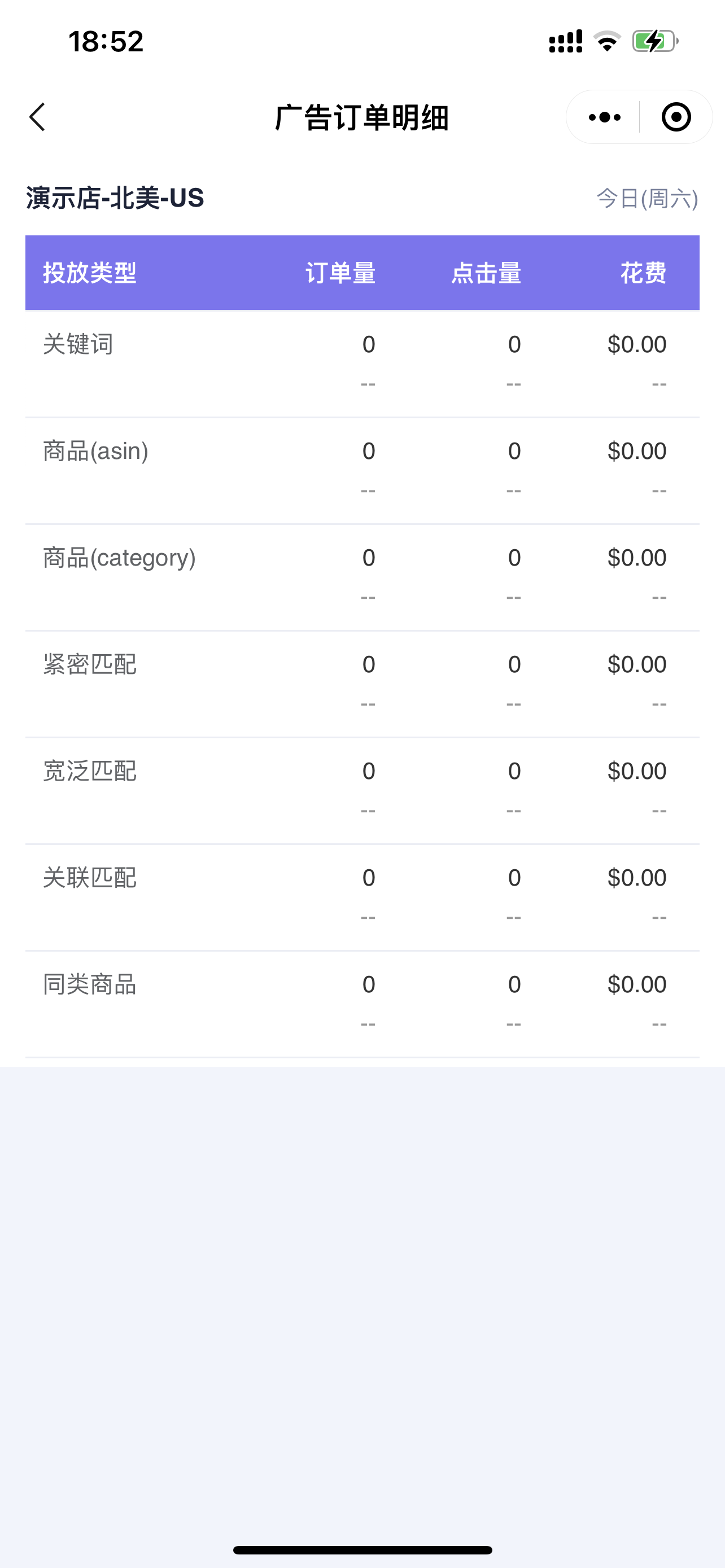
For example, advertising orders and total expenses here can be clicked to view details.
Note: Advertising order details only support viewing for a single marketplace, and are not supported in the all marketplaces dimension.
 +
+
Advertising Order Details:
 +
+
Total Expense Details:
 +
+
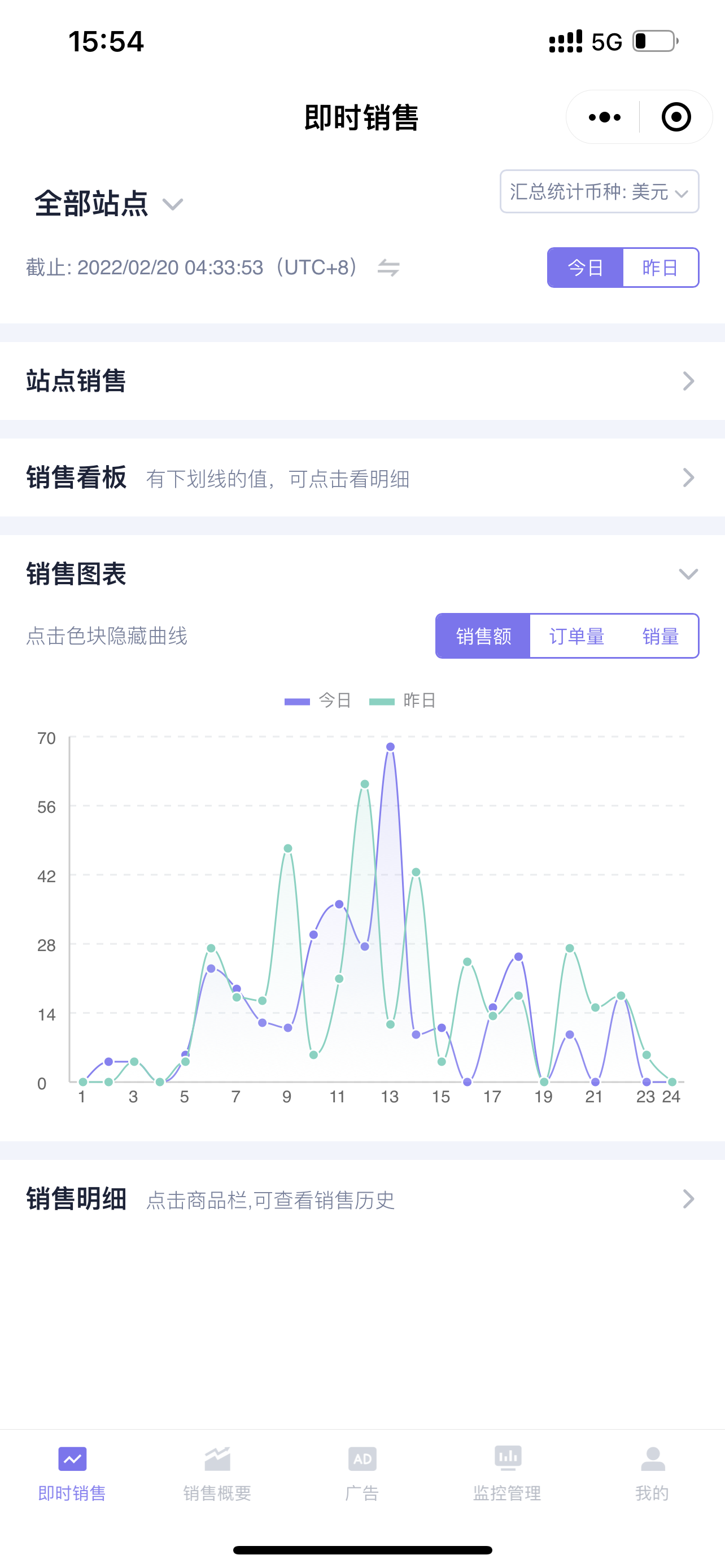
3. Sales Chart
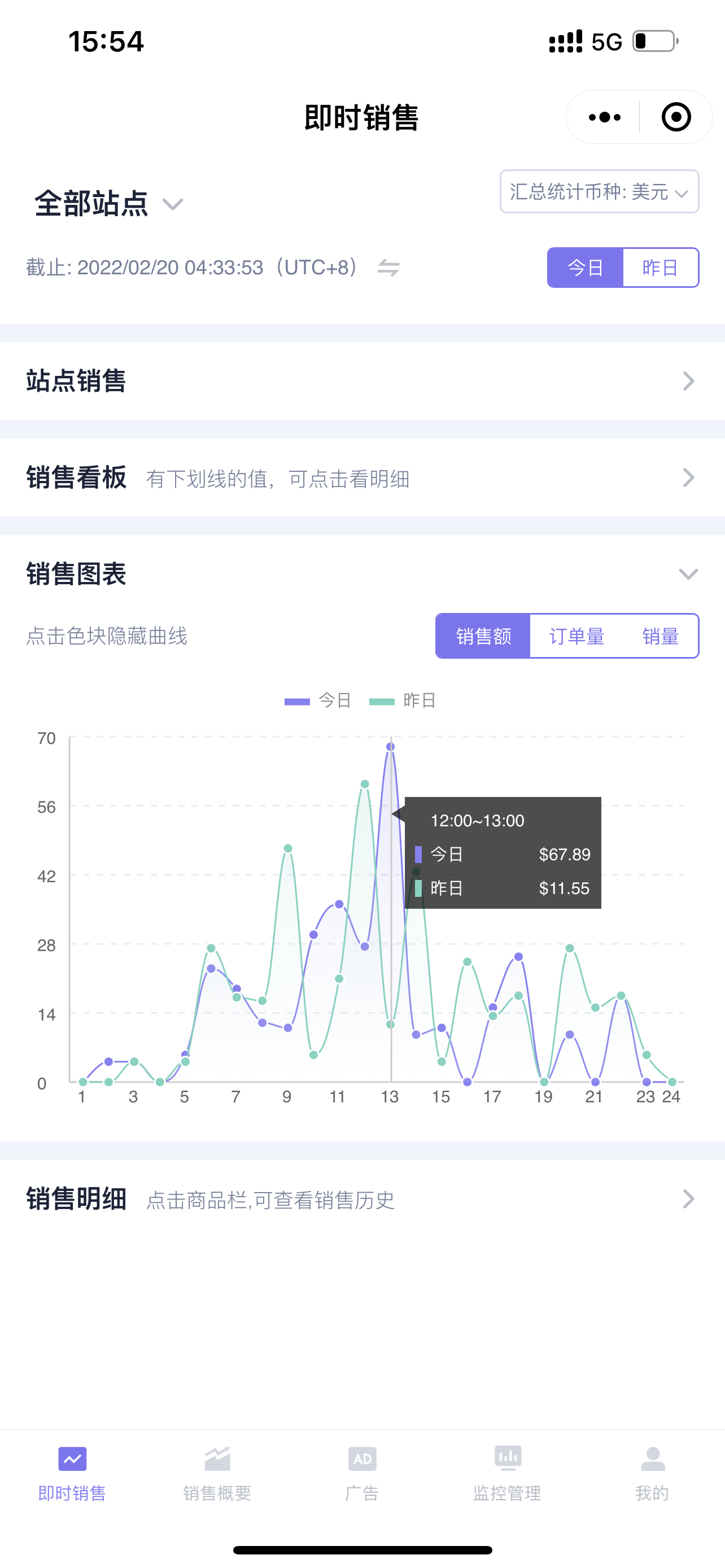
The Sales Chart displays the hourly sales trend data for sales revenue, order volume, and units sold for each hour of the day for today and yesterday;
 +
+
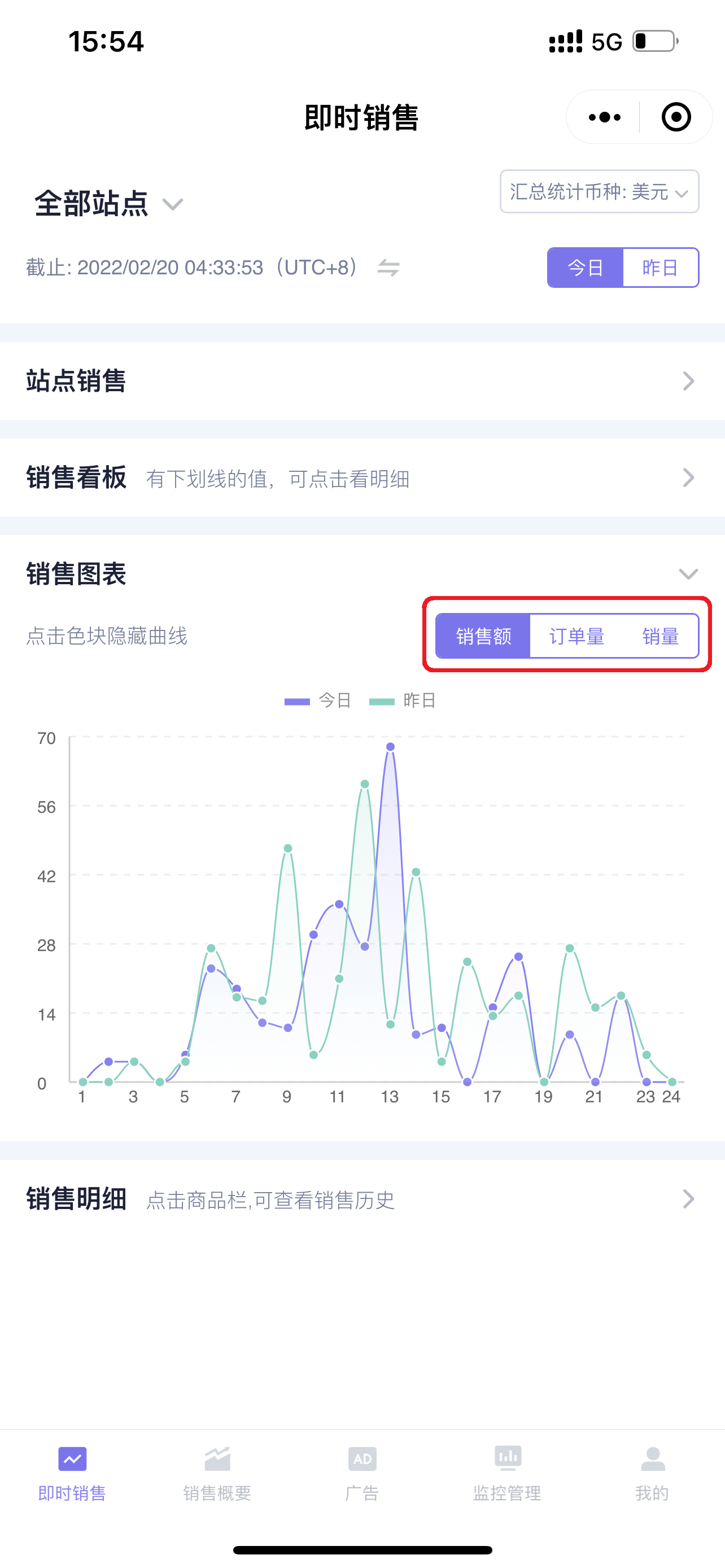
In the upper right corner of the Sales Chart, you can switch to view hourly data and trend changes for sales revenue, order volume, and units sold in a day;
 +
+
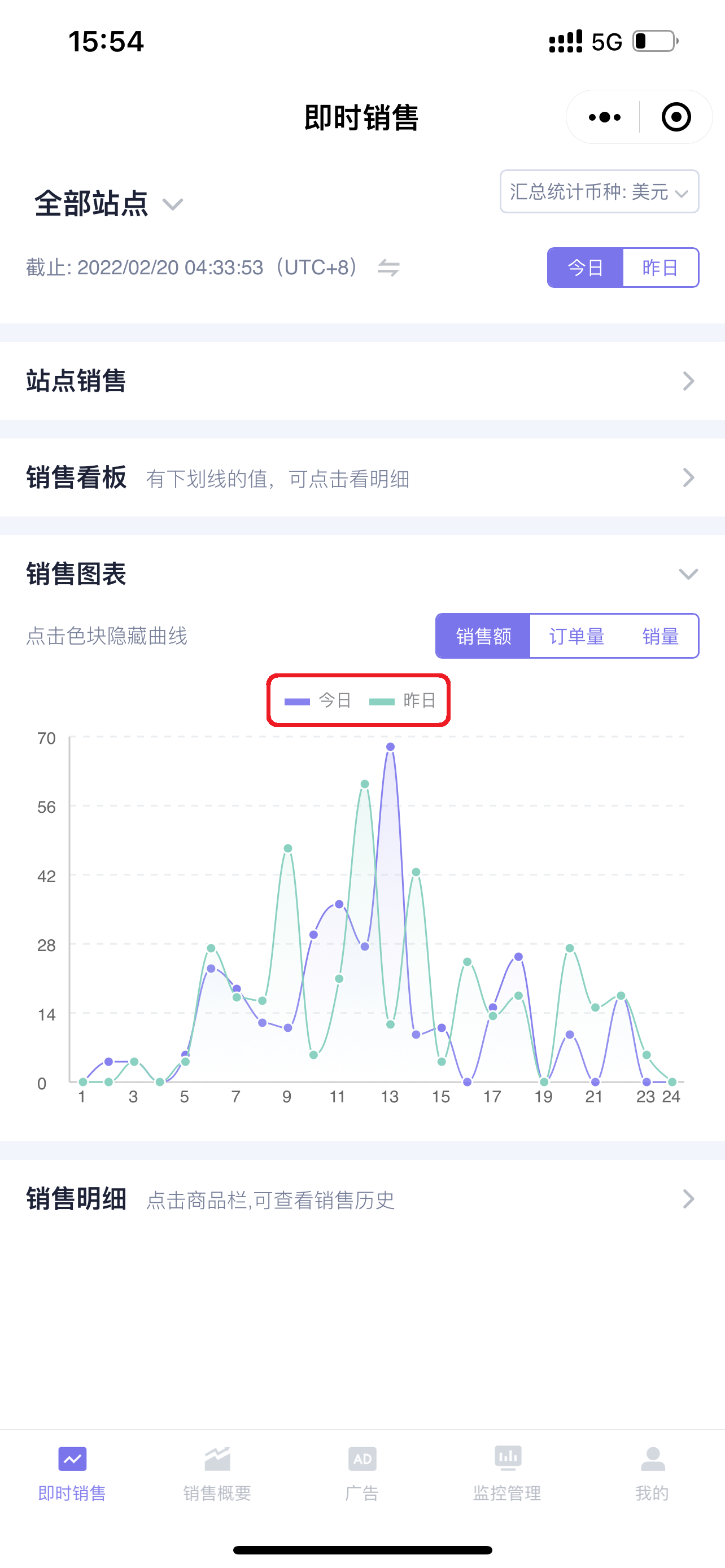
Click the color blocks above to hide the corresponding data, making it easy for intuitive comparison and analysis;
 +
+
Click the nodes in the chart to view detailed data;
 +
+
4. Sales Details
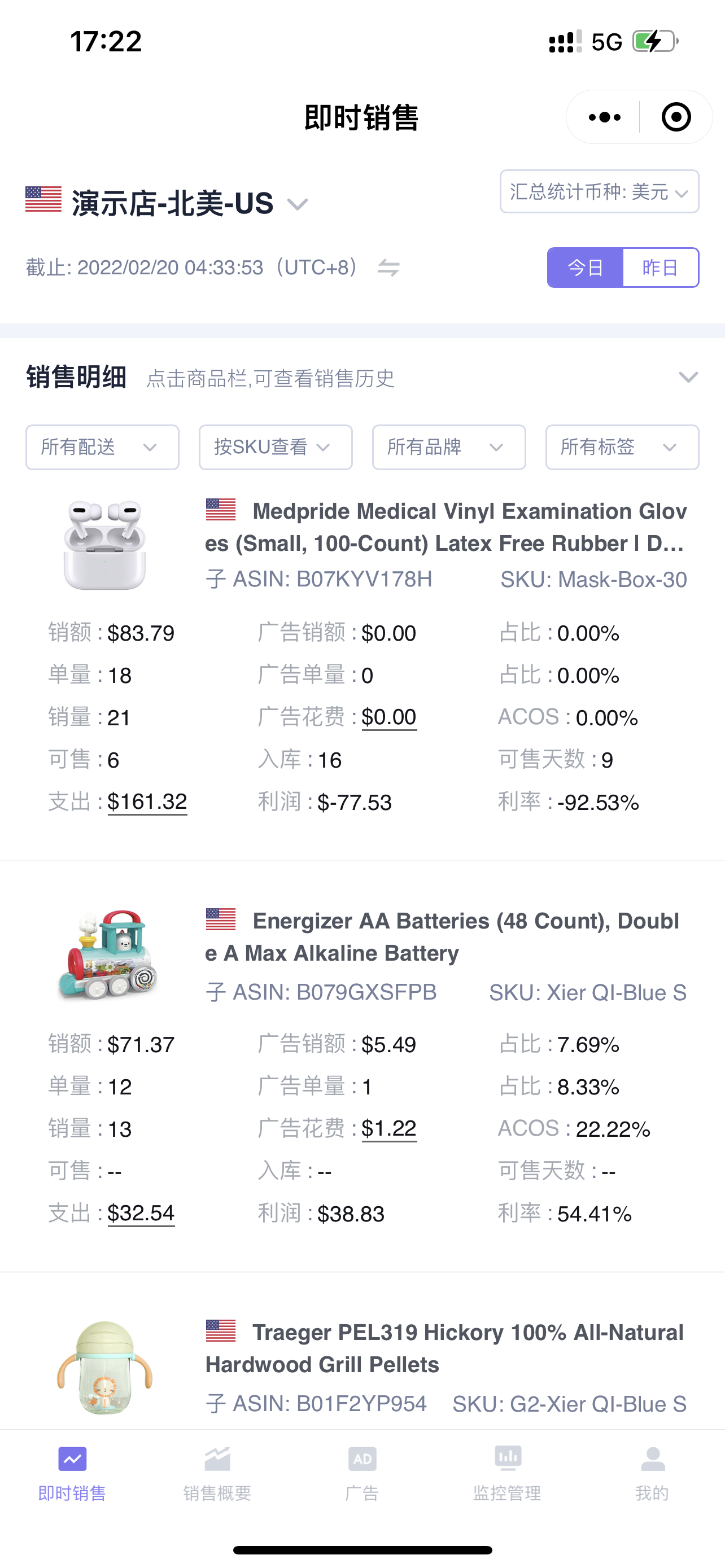
The Sales Details section displays the sales details of products with orders placed on the current day, as well as products with advertising spend but no orders.
You can determine the following by viewing and analyzing the daily sales detail product data:
- Which products are getting orders today?
- What is the sales profit of the products?
- Is the advertising placement reasonable?
- Do products need to be restocked?
- ……
 +
+
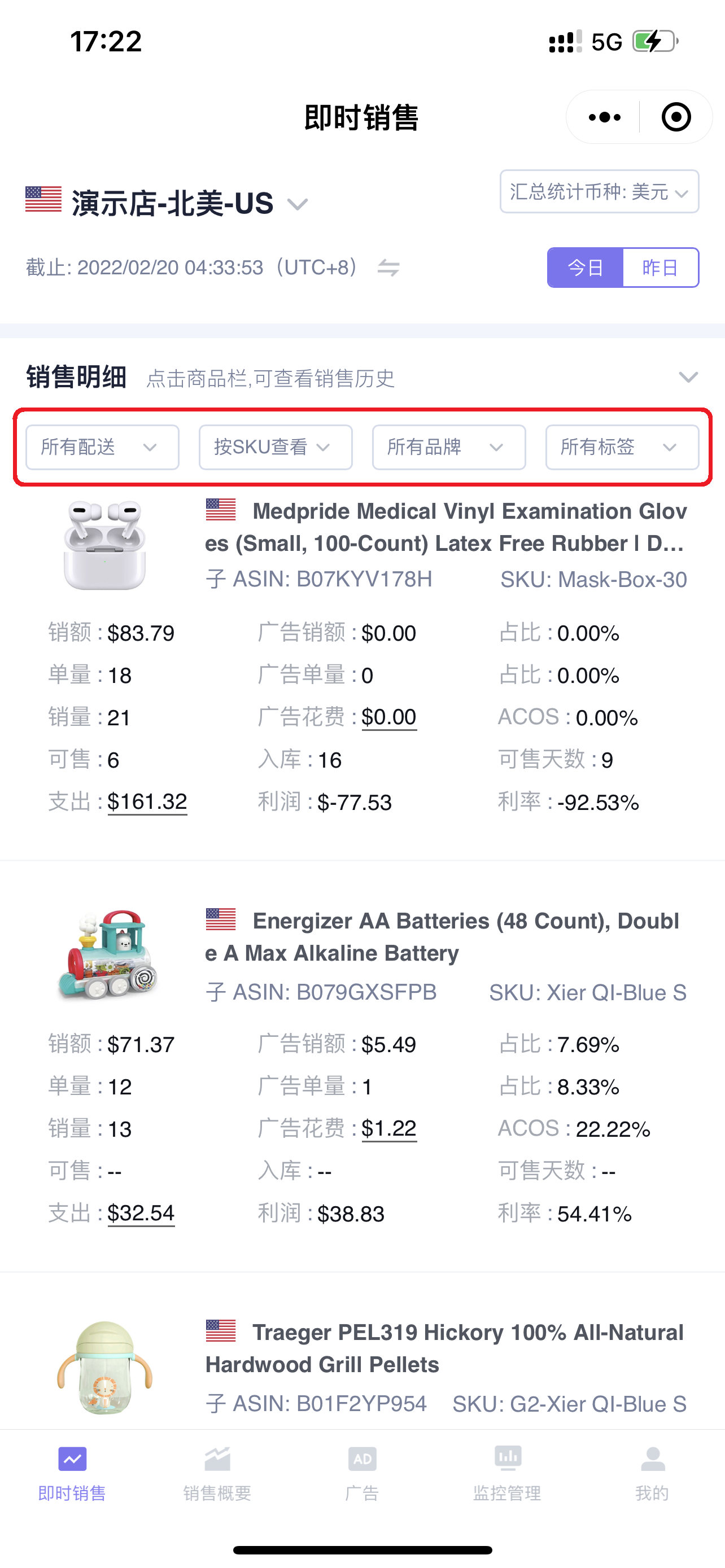
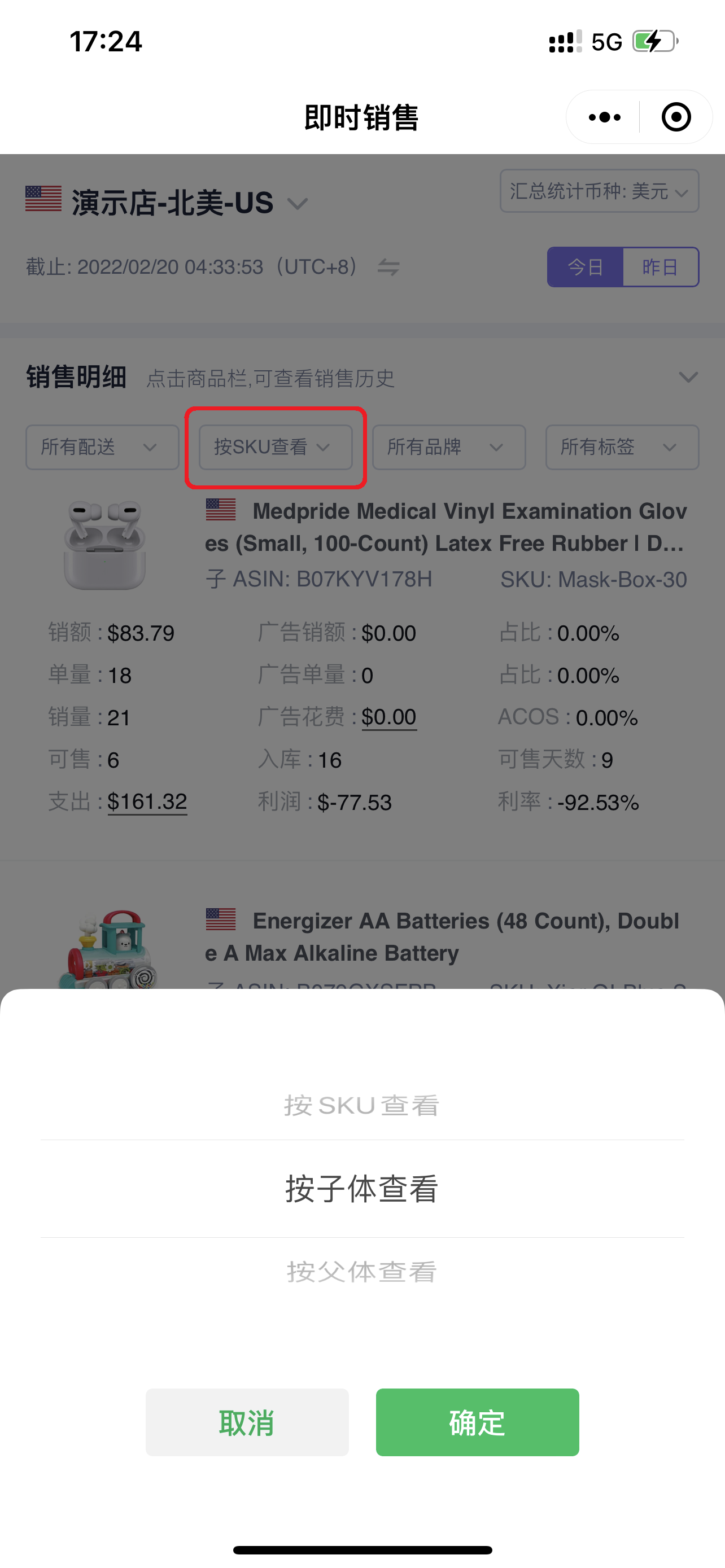
You can filter and view the details of products with orders placed on the current day by Fulfillment Method, Parent/Child or SKU dimension, Brand, and Tags;
 +
+
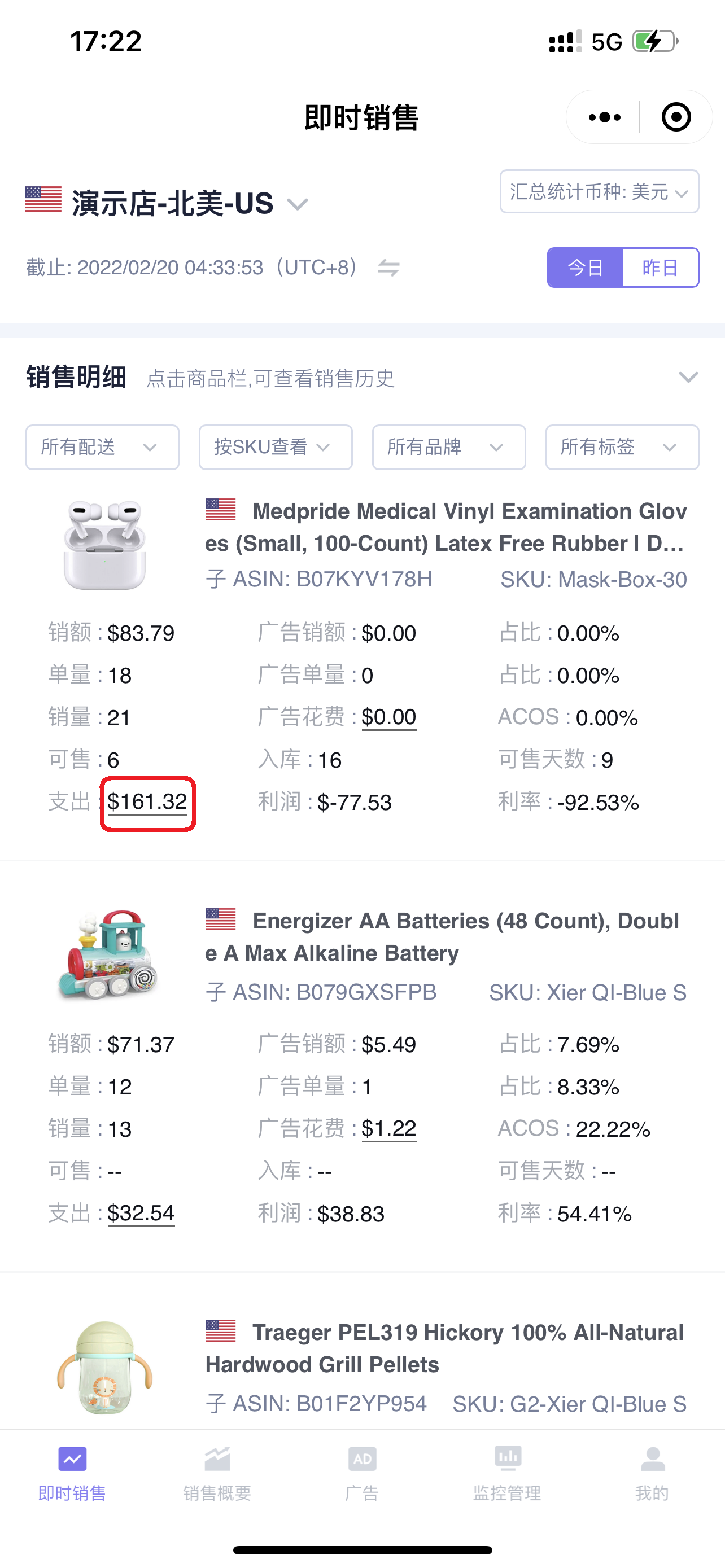
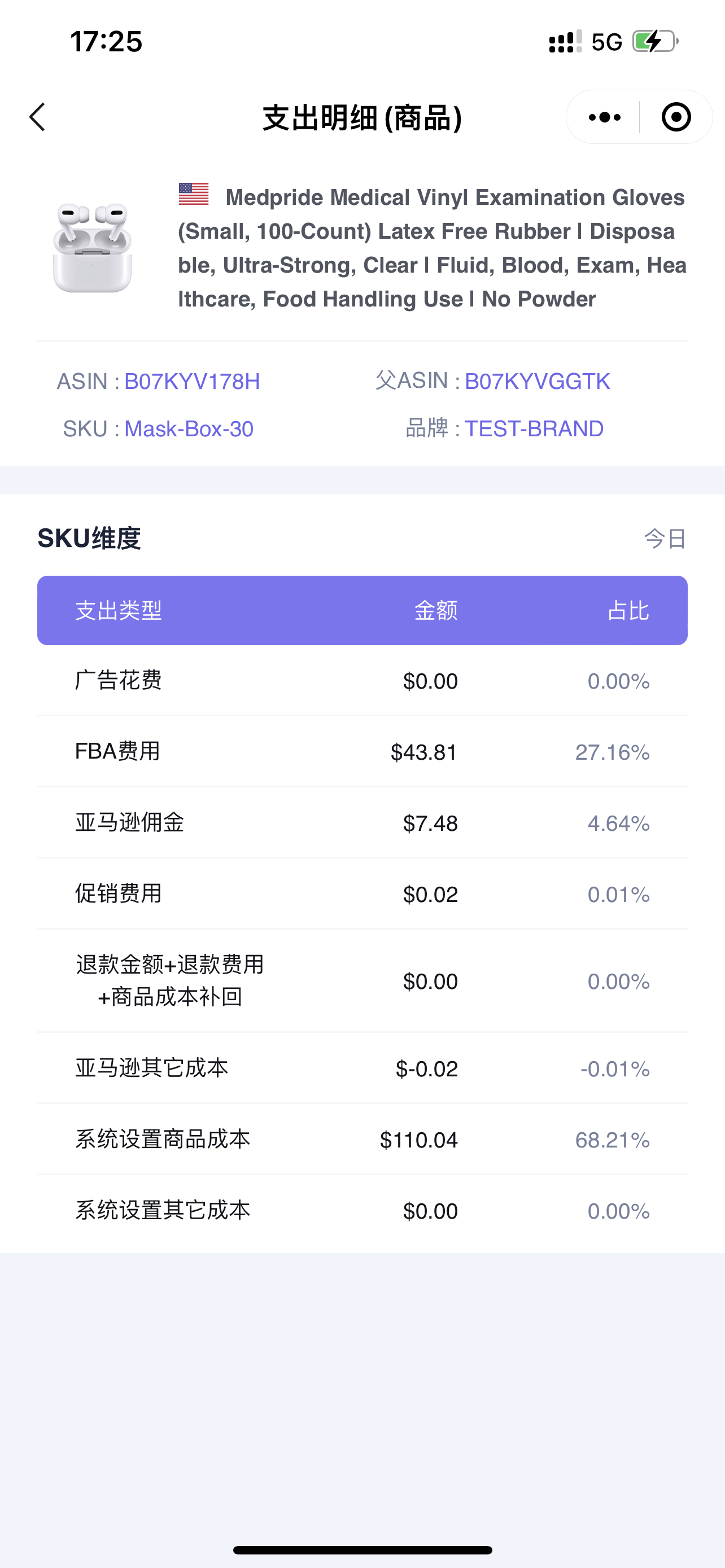
Click the expense number to enter and view the corresponding expense details;
 +
+
Special Note:
If the filter condition is SKU dimension view, then you are viewing the expense details of that SKU;
If the filter condition is Parent/Child dimension view, then you are viewing the expense details of that Parent/Child.
 +
+
Expense Details:
 +
+
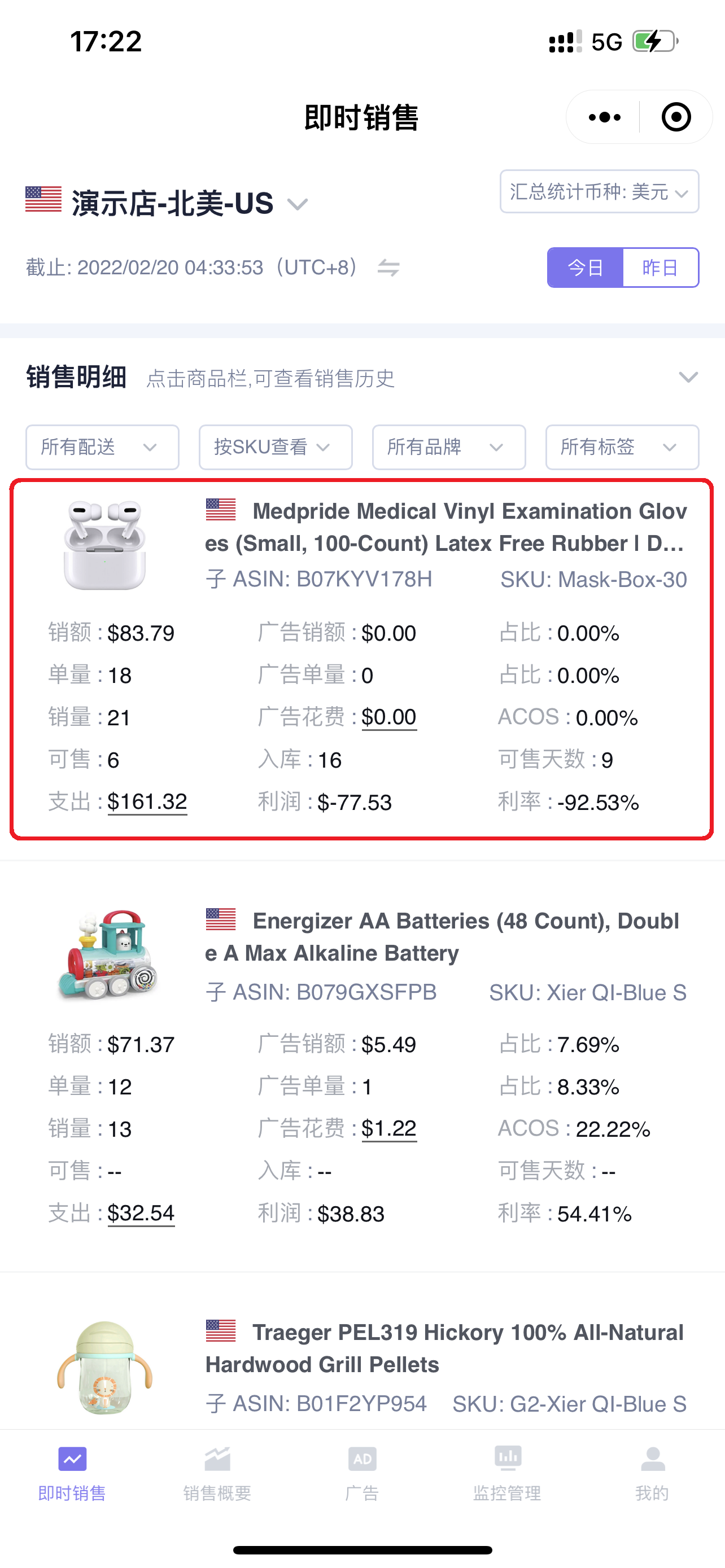
Click on a product to enter and view the historical sales performance of that product.
The viewing dimension is consistent with the special note for viewing expense details;
 +
+
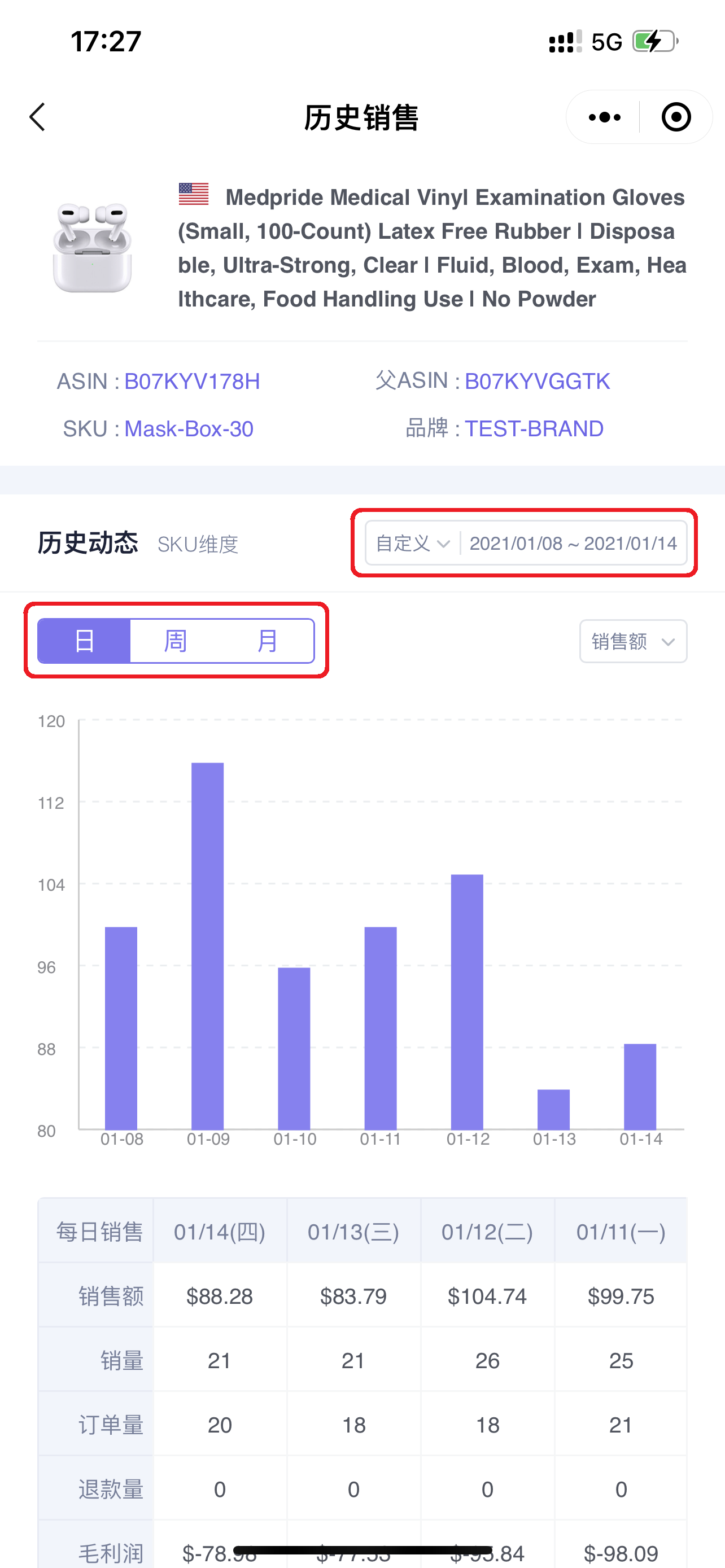
You can customize the time period to view the historical performance of a certain sales metric;
And select to view by different time dimensions, such as: Day, Week, or Month.
 +
+
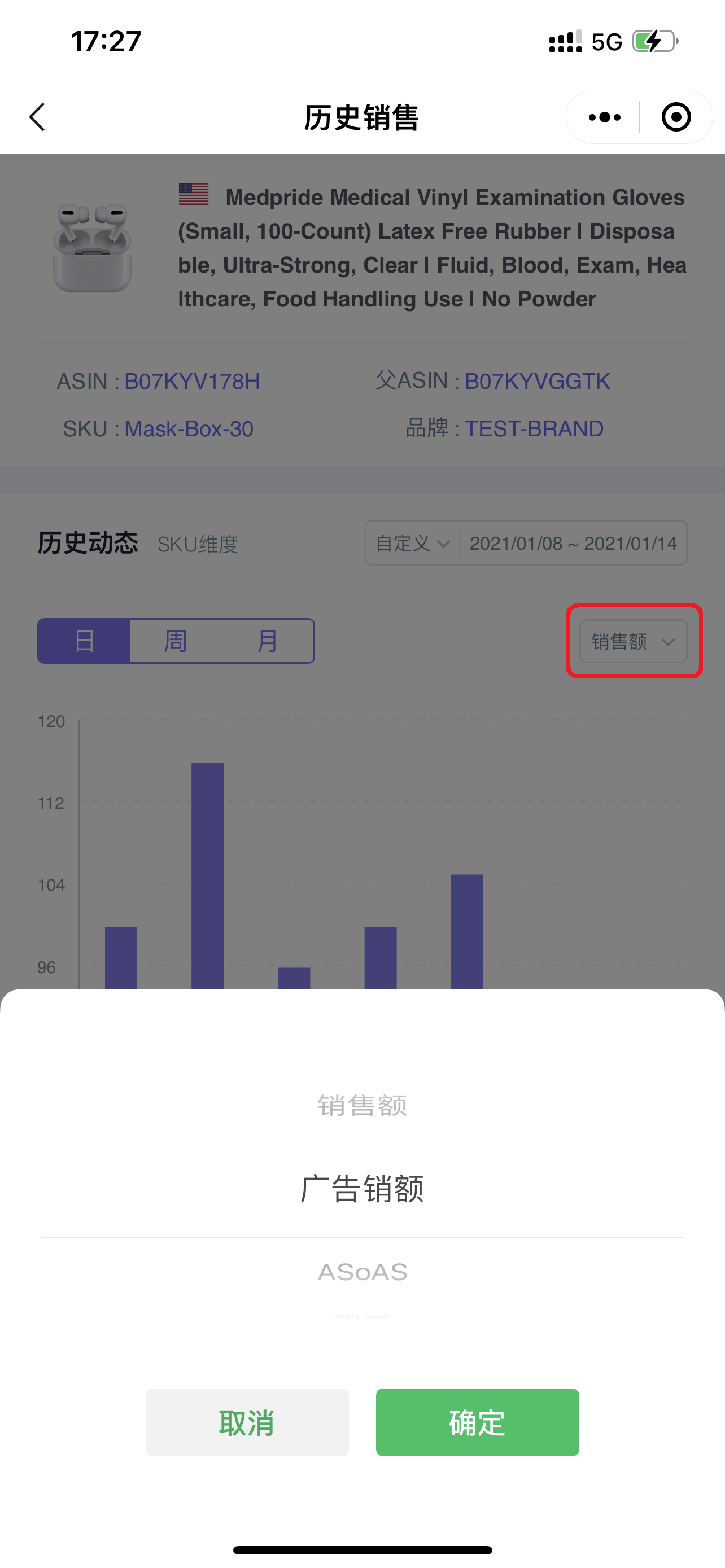
You can also select different sales data metrics to view the corresponding historical details;
 +
+
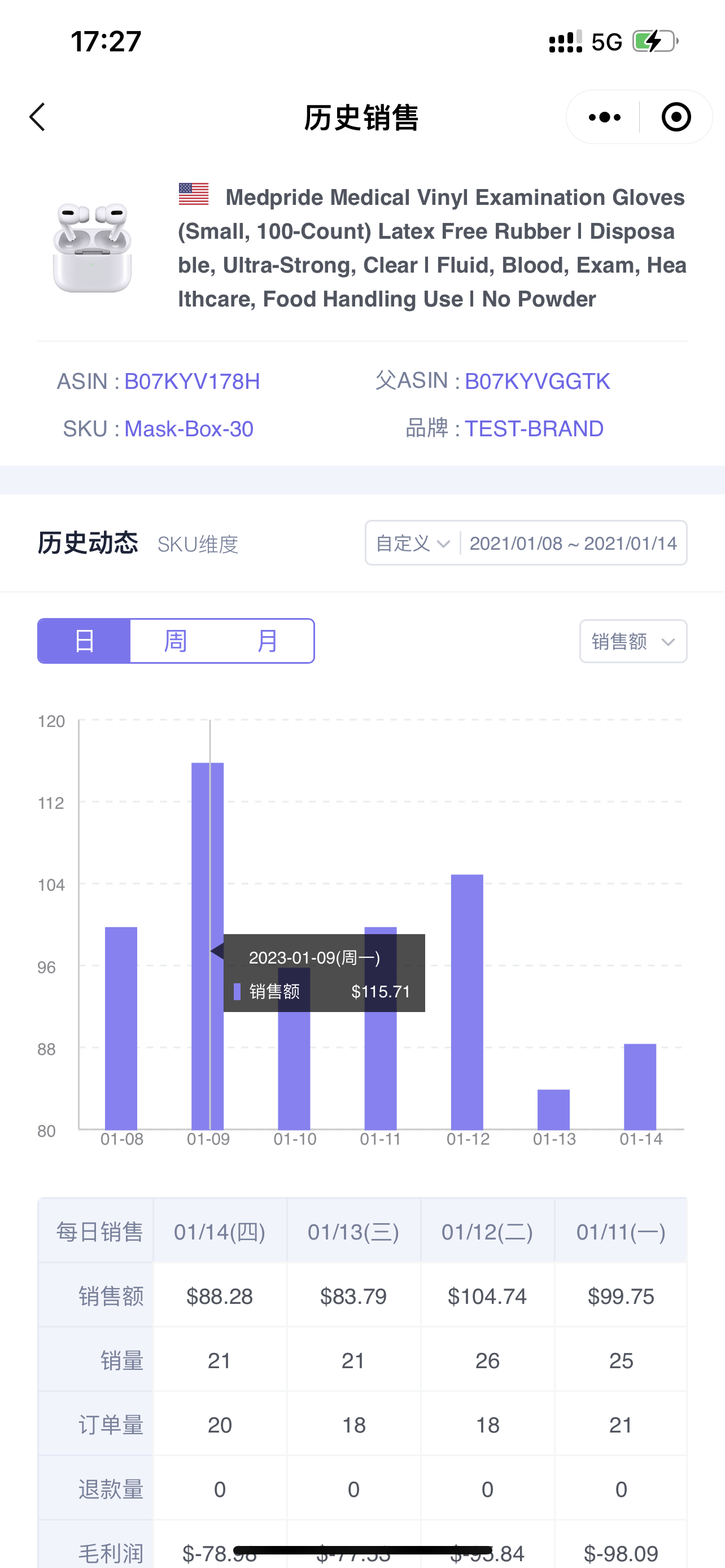
Click the bar chart icon to view details;
 +
+
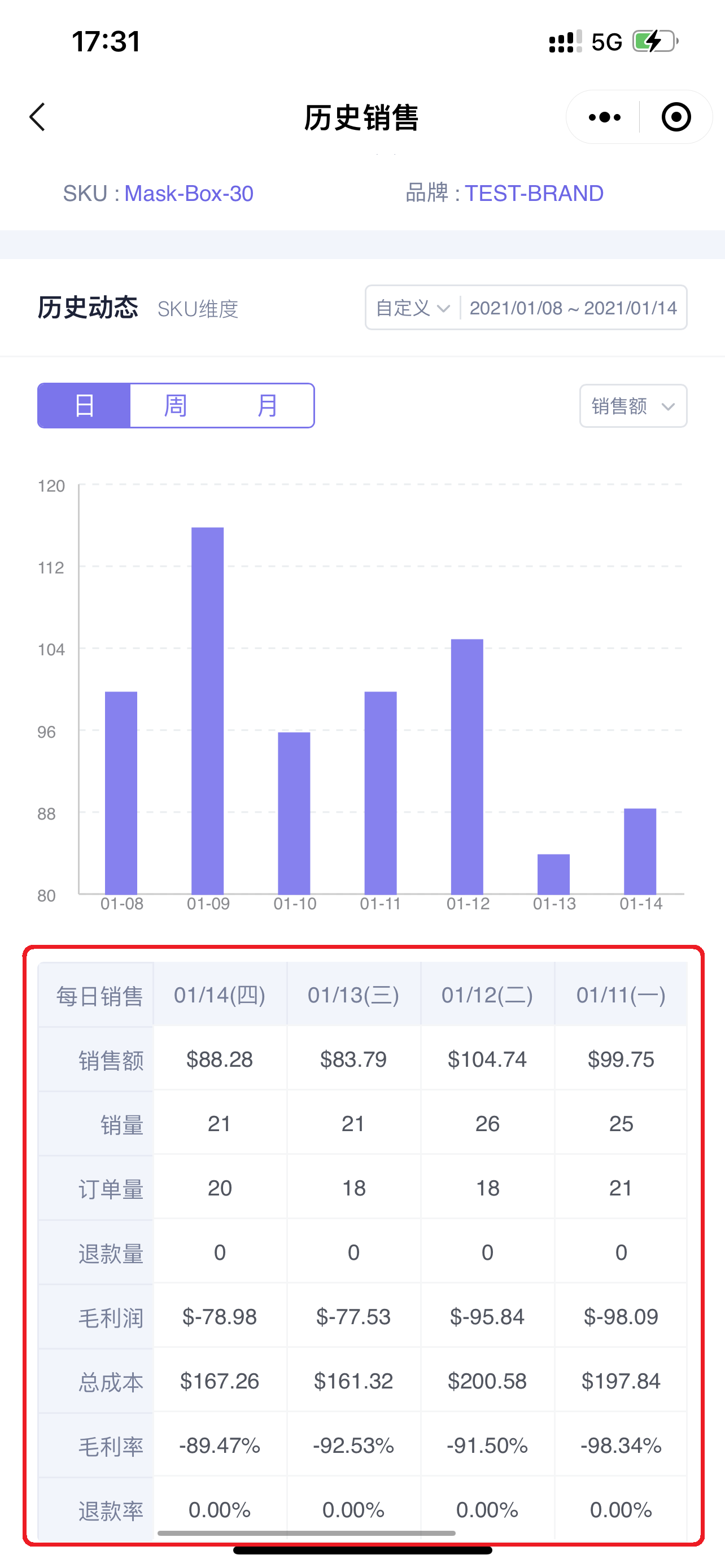
Below the chart is the daily sales data of the product for the last 7 days.
You can slide left and right to view the corresponding data.
 +
+
The above is the introduction to the use of the [Mini Program - Instant Sales] feature.
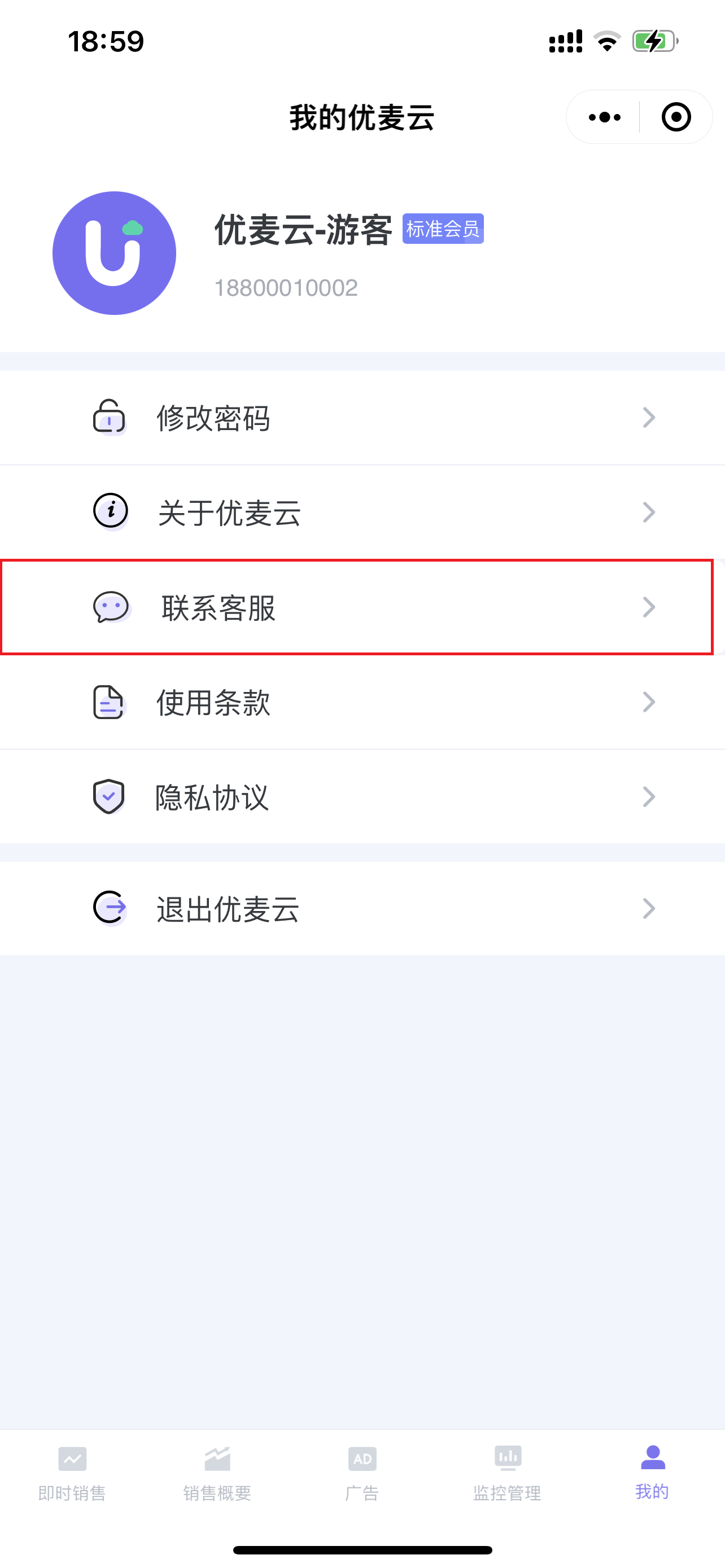
If you encounter anything you don't understand during use, you can click [Mine] and select [Contact Customer Service] to add our WeChat customer service representative for online answers~
 +
+
