
 English


2025/07/14Views(17395)Reviews(0)
I. Target Audience
Operators
II. Feature Introduction
SellerSpace App - Monitoring Management feature, same as the web version [Monitoring Management], supports mobile tracking and analysis of Hijacking, Reviews, Keywords Ranking, and ASIN Ranking monitoring data. Manage on the go for higher efficiency!
Mobile data is synchronized with the web and extension versions.
III. Use Cases
- Check Hijacking, Reviews, Keywords Ranking, and ASIN Ranking data on your phone anytime, anywhere;
- Set Hijacking monitoring alert rules on your phone anytime, anywhere.
IV. Operation Guide
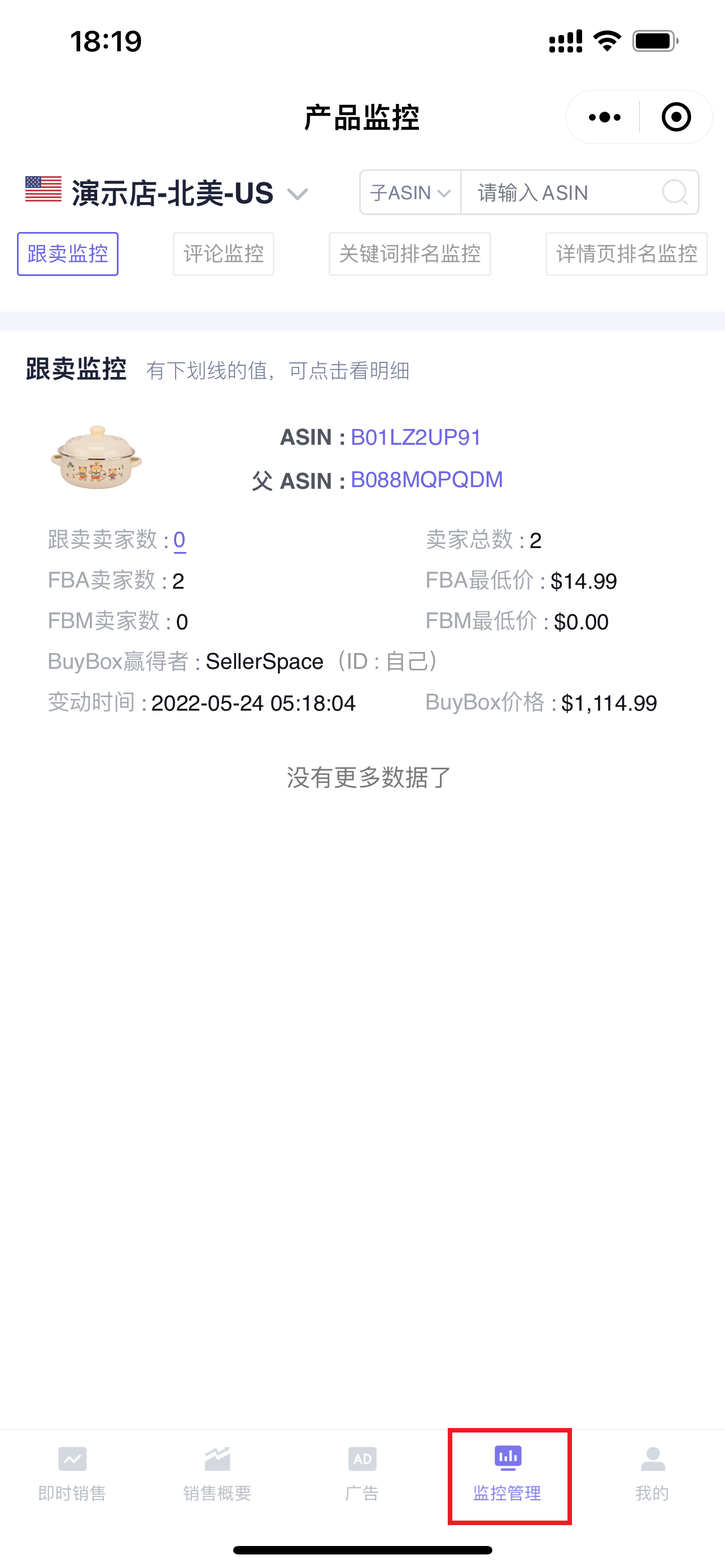
Enter the WeChat App - "SellerSpace ERP", click [Monitoring Management] at the bottom to enter the feature page;
 +
+
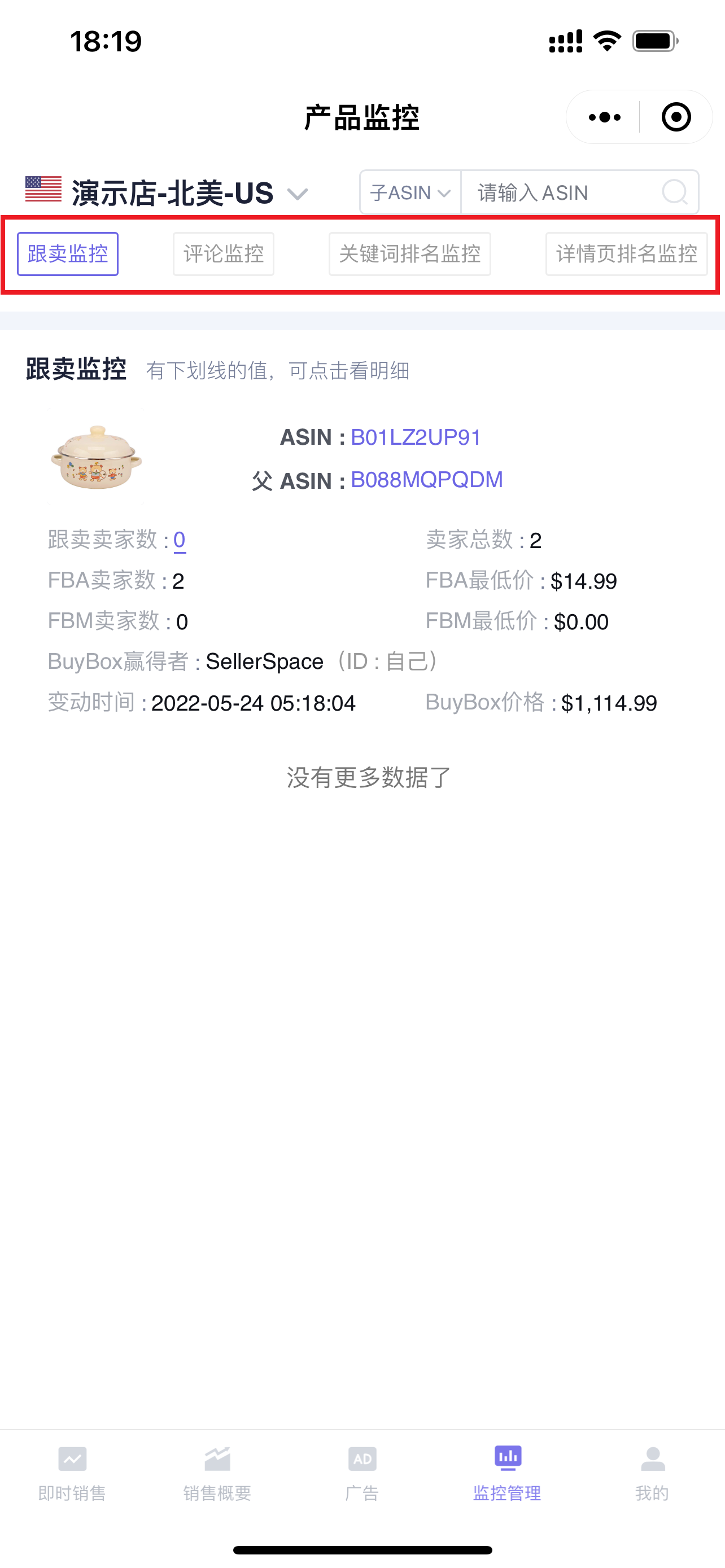
Monitoring Management includes monitoring data in 4 dimensions: Hijacking Monitor, Review Monitor, Keywords Ranking Monitor, and Detail Page Ranking Monitor.
 +
+
1. Hijacking Monitor
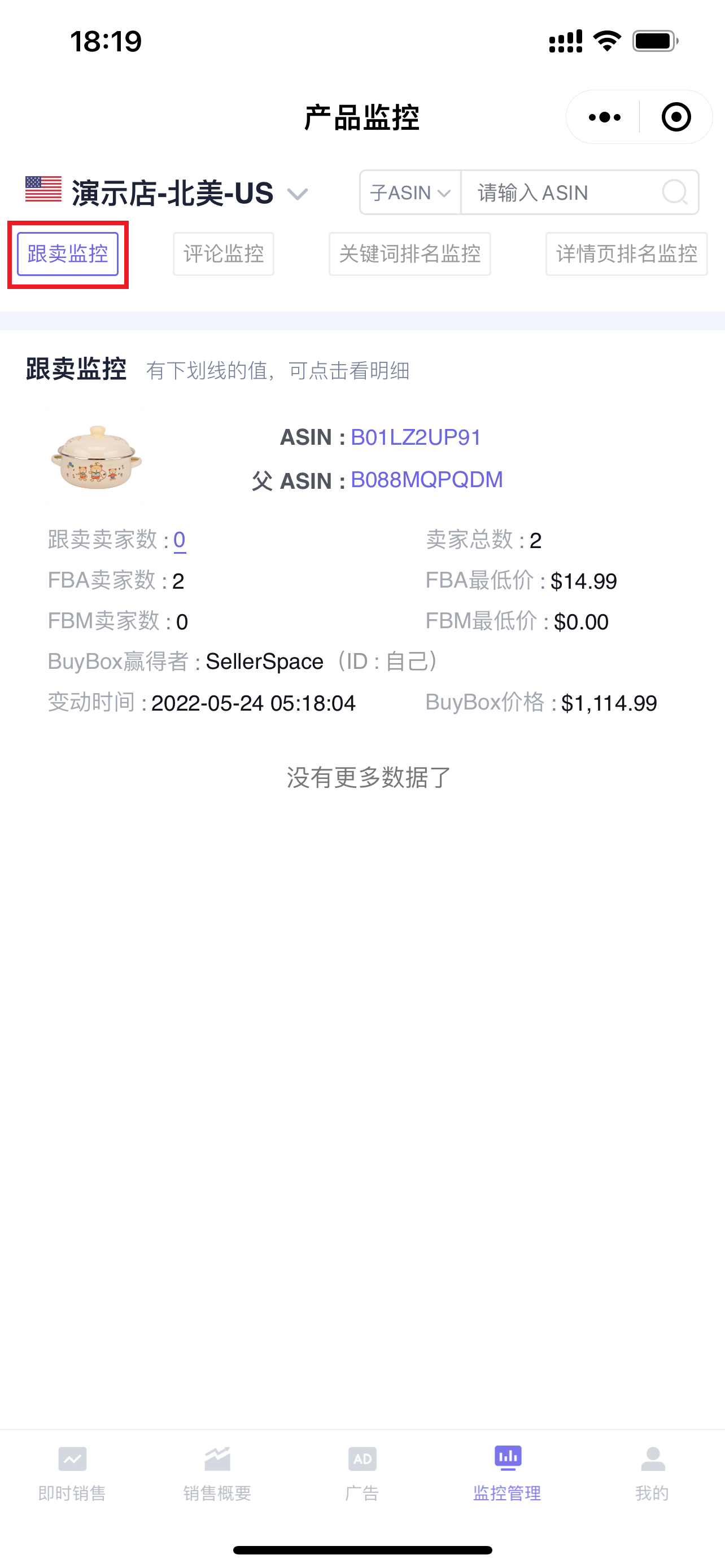
The mobile version of Hijacking Monitor synchronizes with the web version's [Hijacking Monitor] feature, supporting viewing and analyzing hijacking monitoring data on your phone.
Tip: The mobile version only supports viewing and analyzing monitoring data. If you want to add new hijacking monitoring, or mark hijackers as [Self] or [My Store], etc., you need to operate on the web version.Click to see how to monitor hijacking (web version)
 +
+
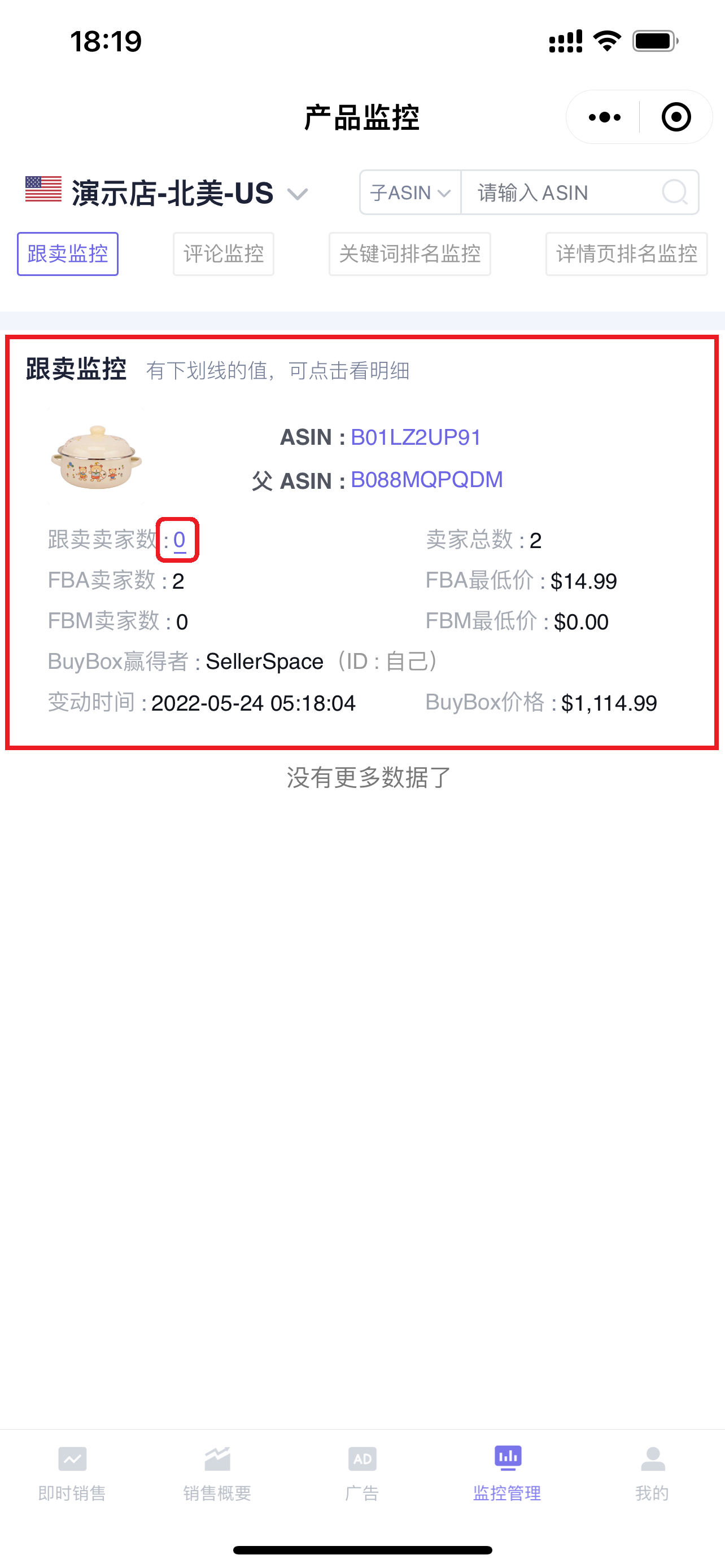
Click on the number of hijackers or hijacked products to enter the hijacker list, view hijacker details, hijacking history, and set hijacker change alert rules, etc.
 +
+
Enter the "Hijacker List" page,
1.1 Hijacker List
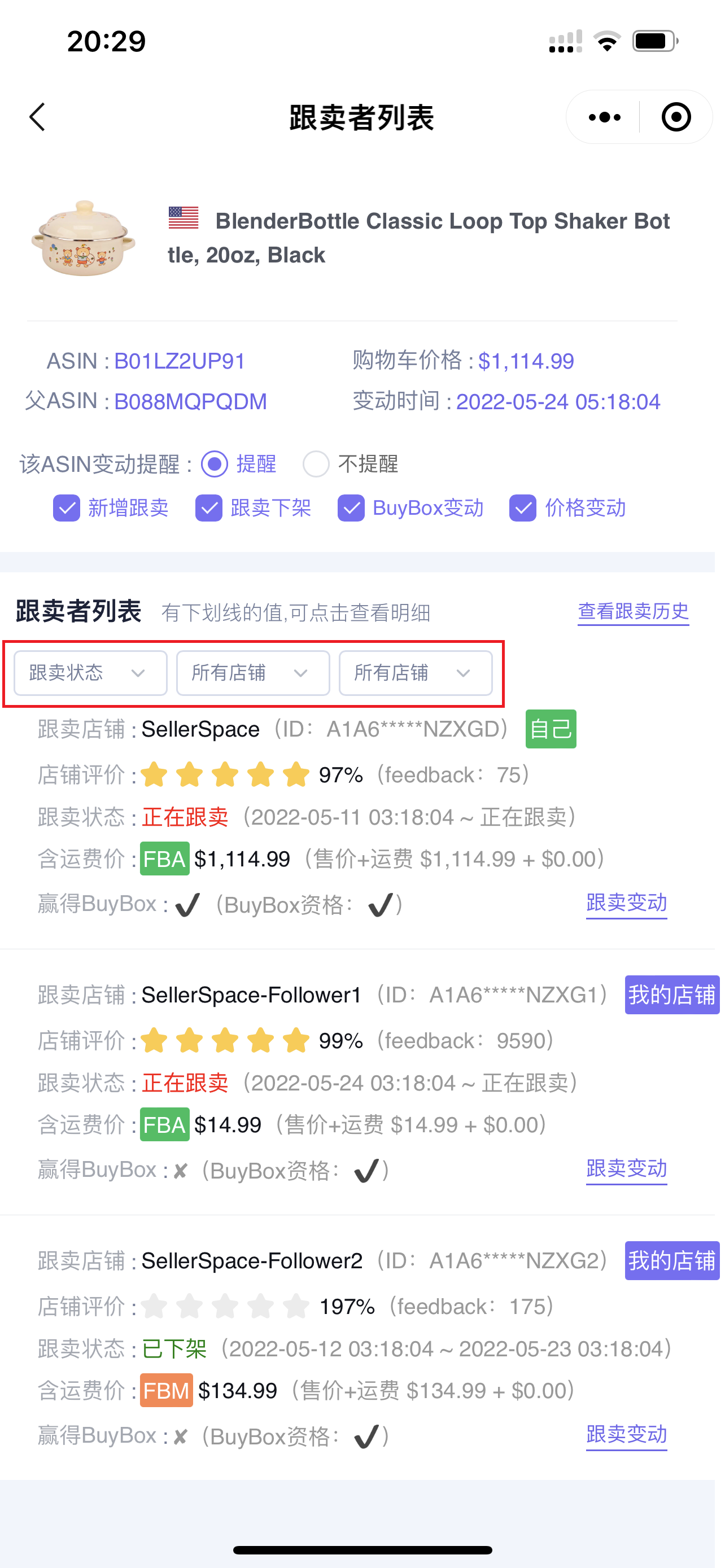
You can filter by: Hijacking Status, Hijacking Store, Fulfillment Method to view the corresponding hijacker information;
 +
+
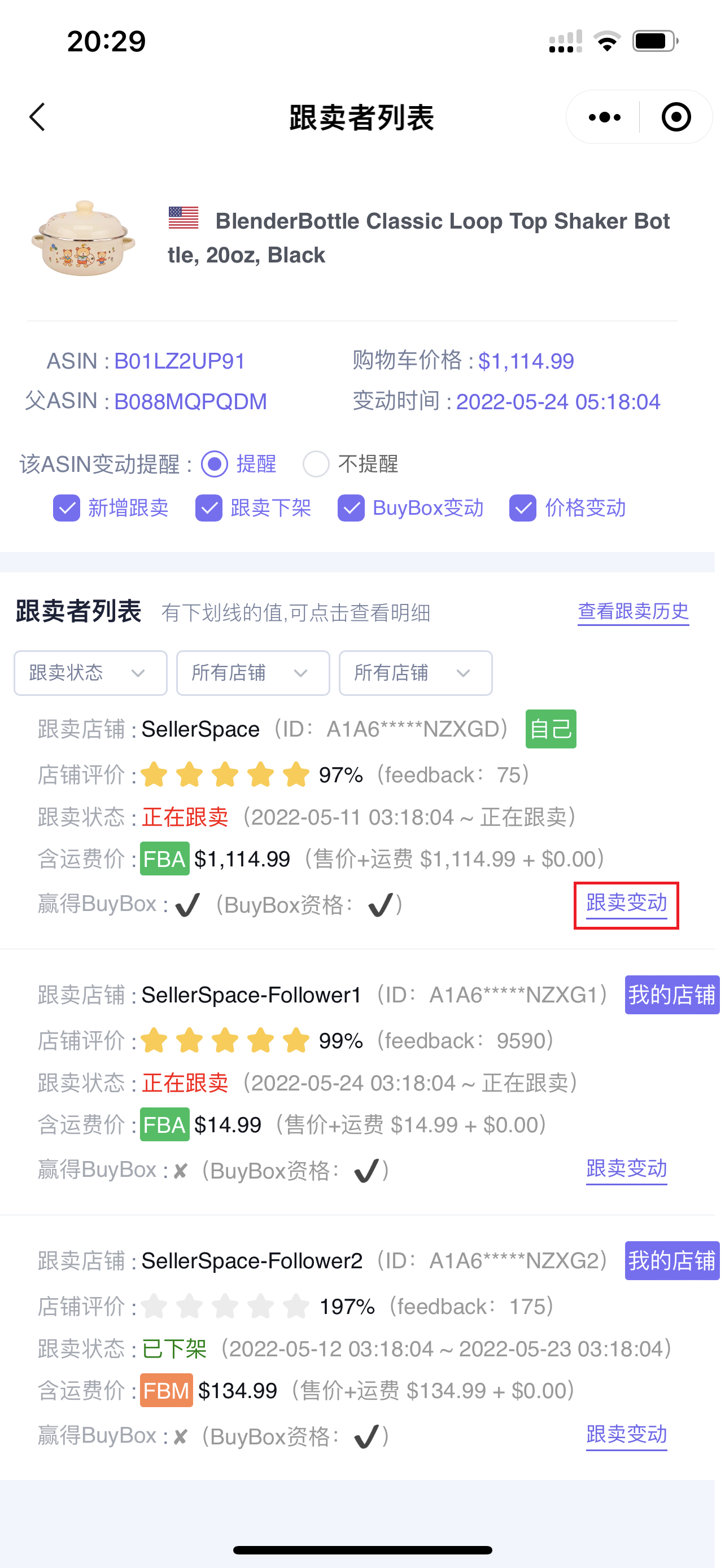
Click [Hijacker Changes] in the lower right corner of the corresponding hijacker to further view the hijacker's historical hijacking change information.
 +
+
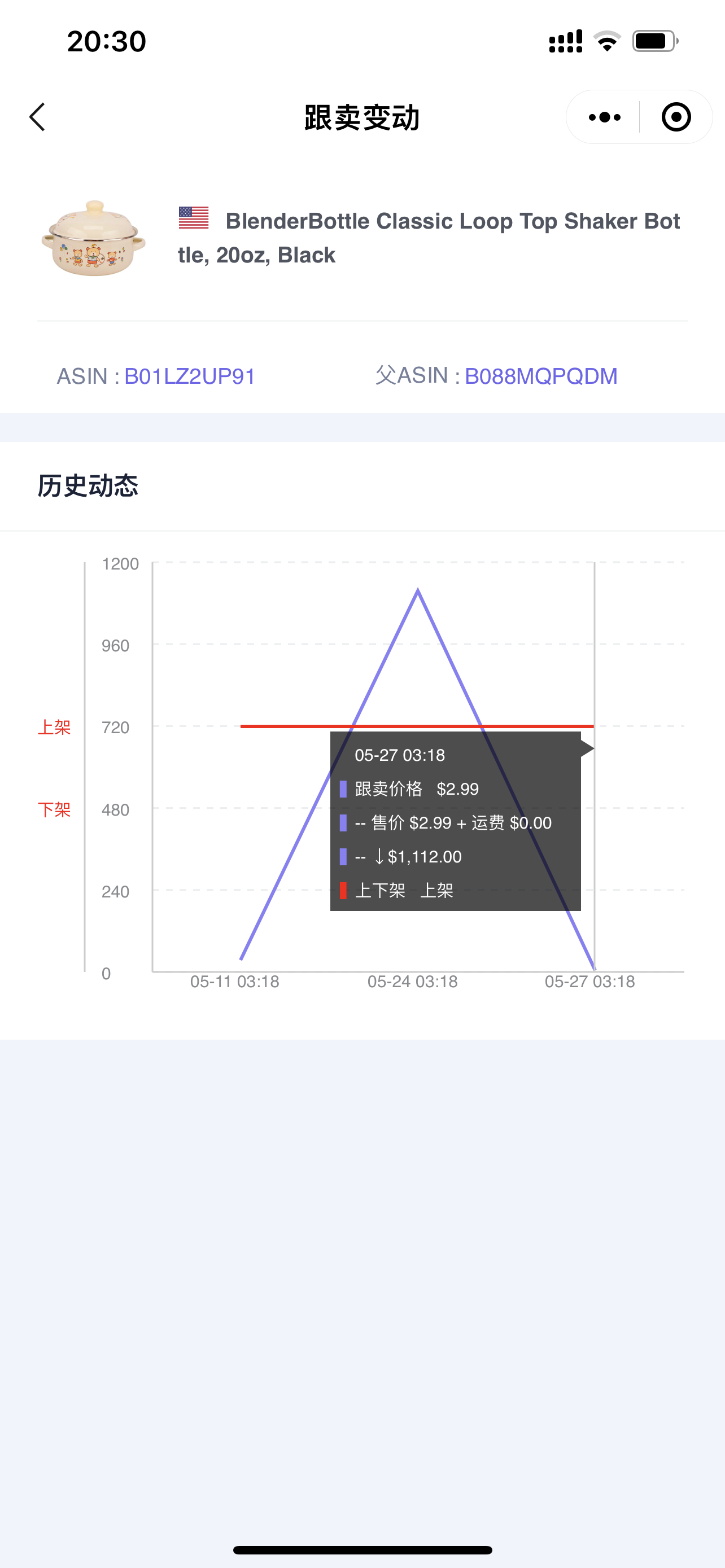
Enter the "Hijacker Changes" page,
You can see the changes in their hijacking price, listing and delisting times, etc. Click on the time node to view the corresponding details.
 +
+
1.2 View Hijacking History
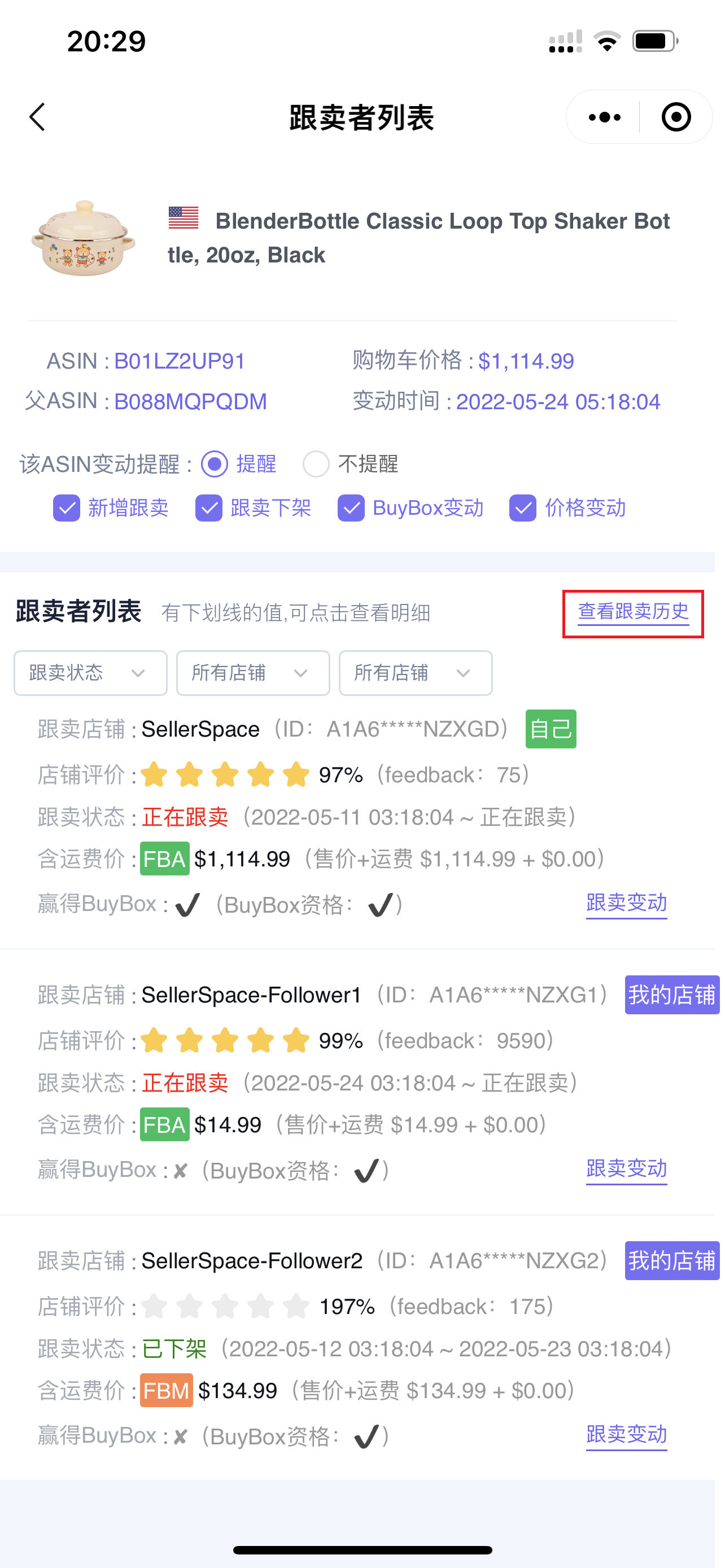
In addition to viewing individual hijacker information, you can also view the hijacking history information of the current product.
Click [View Hijacking History] to enter the hijacking history page;
 +
+
Enter the "Hijacking History" page,
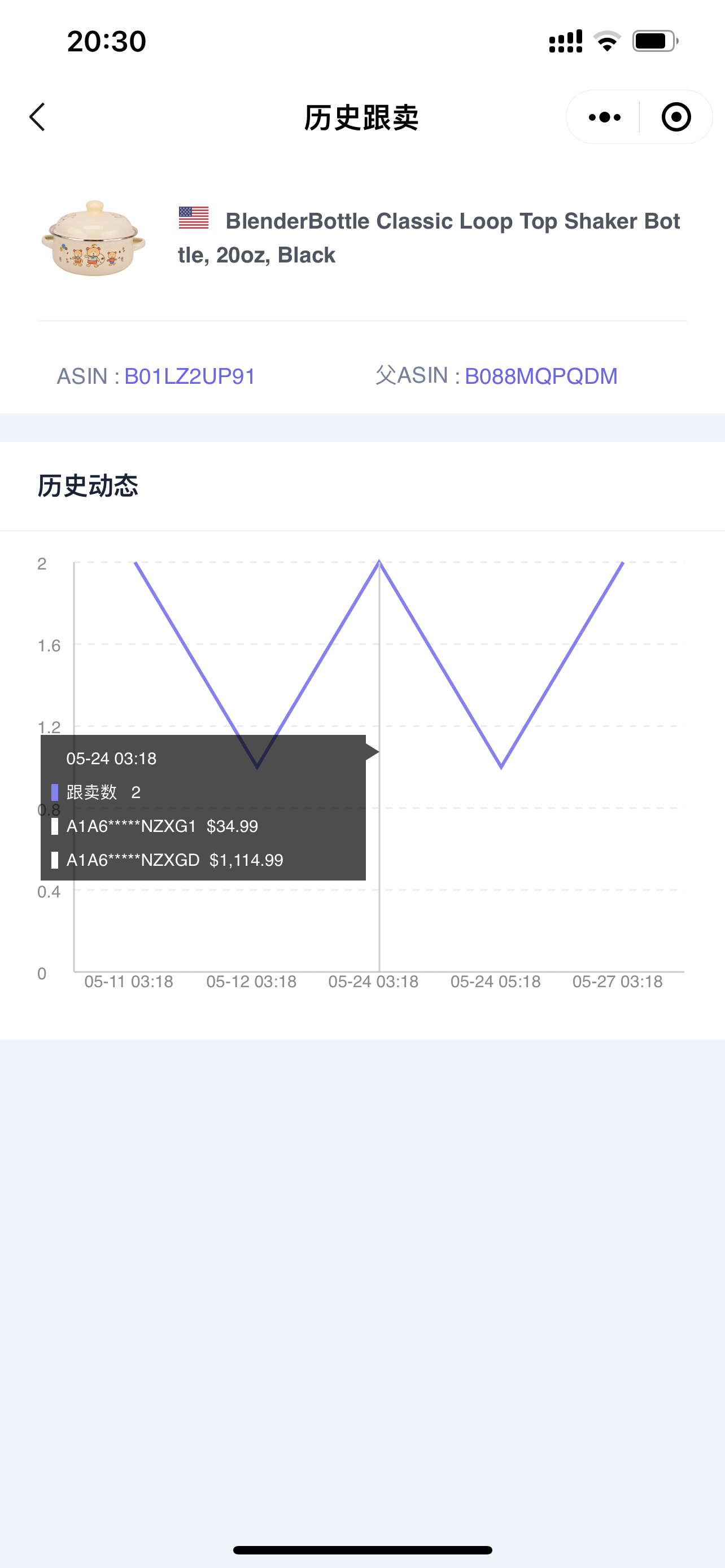
You can see the historical hijacking dynamic curve. Click on the curve node to view the corresponding detailed information: number of hijackers, hijacker ID, and hijacking price.
 +
+
1.3 Set Change Alert Rules
Return to the "Hijacker List" page,
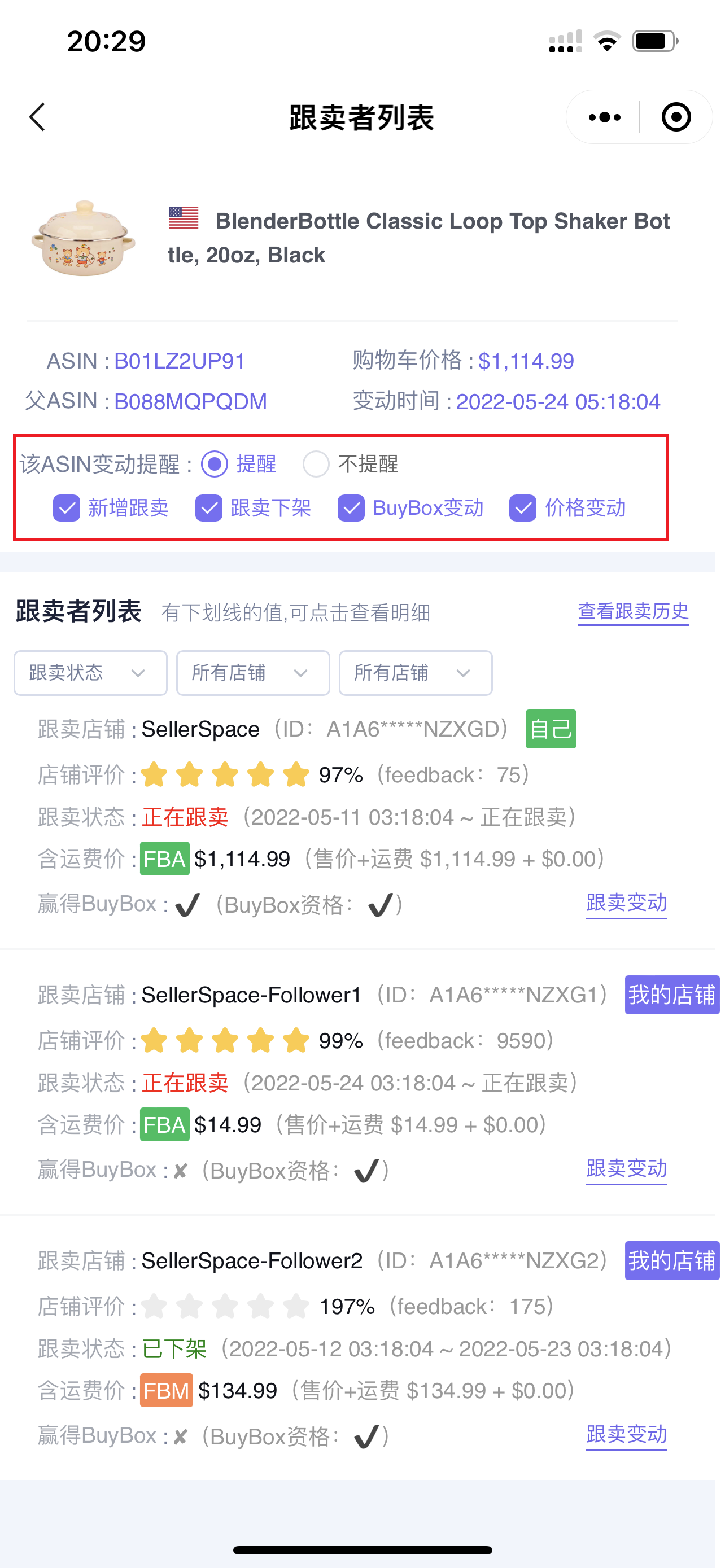
You can directly set hijacker change alerts for individual products on your phone, including: whether to alert, new hijacker, hijacker delisting, Buy Box changes, and price changes.
 +
+
2. Review Monitor
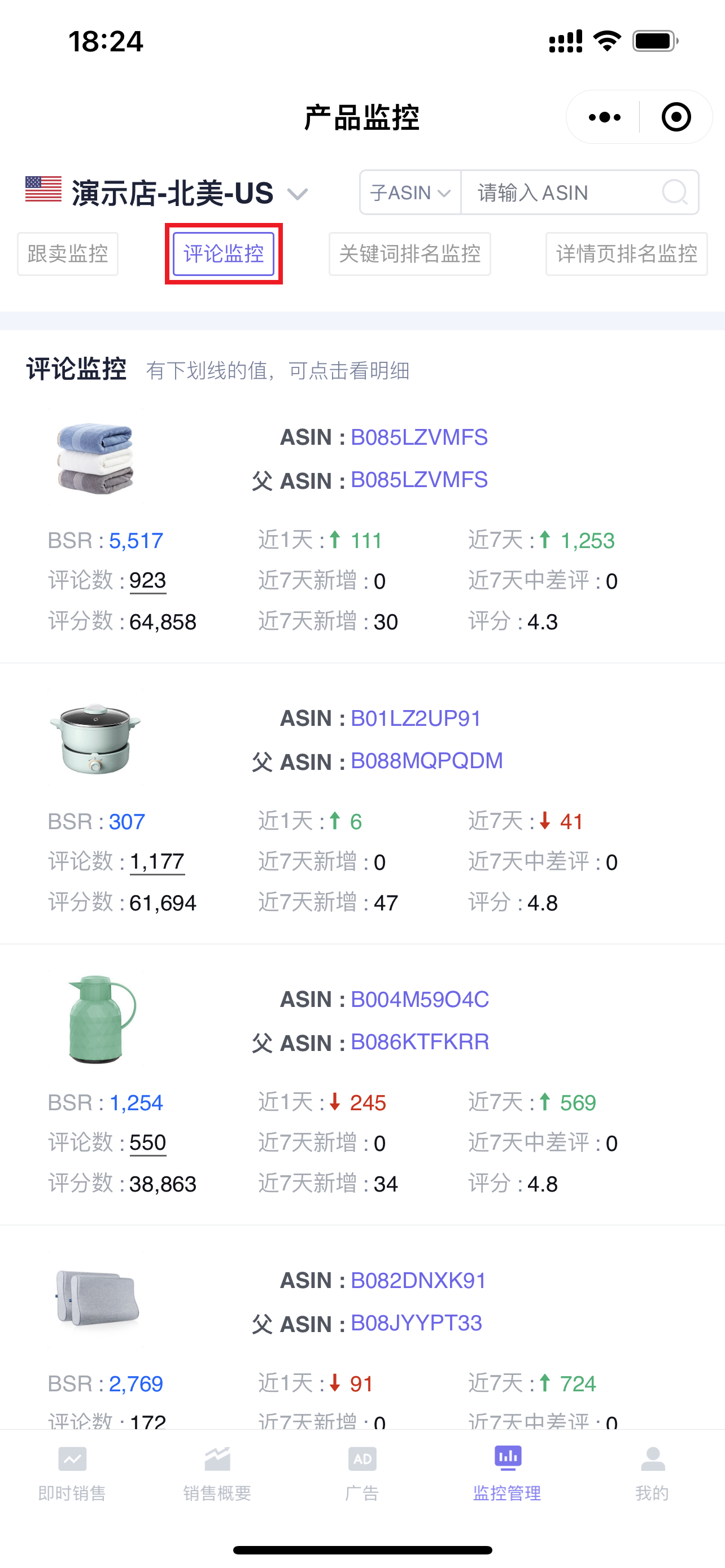
You can check the review change details of your store's products at any time, including: new reviews, new negative reviews, changes in the number of reviews and ratings, etc., to help you analyze review content and optimize products.
Tip: The mobile version of Review Monitor also only supports data analysis. Adding new monitoring, marking negative reviews as processed, etc., needs to be done on the web version.Click to see how to monitor reviews
 +
+
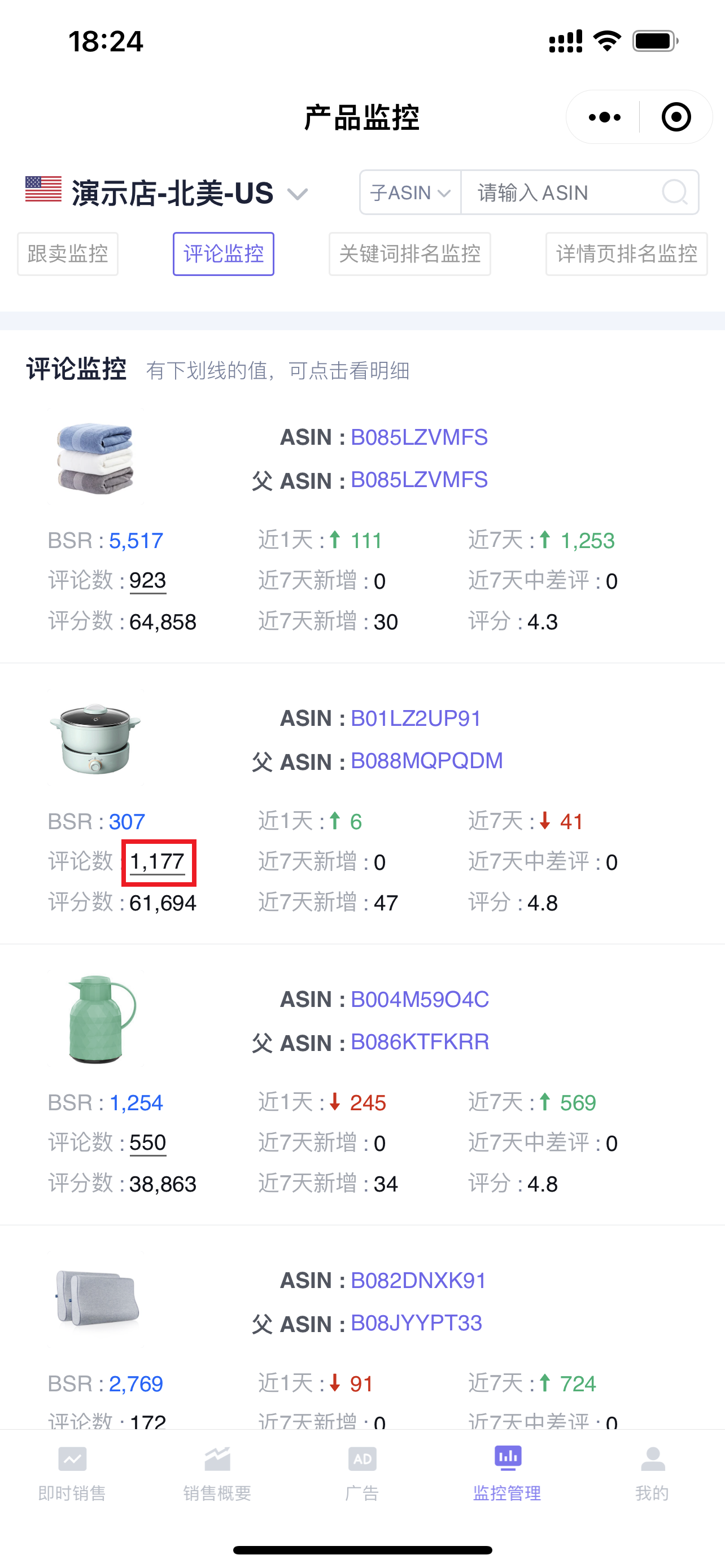
You can directly view the review information of monitored products. Click on the number of reviews to enter and view all review details for that product;
 +
+
Enter the "Review Details" page,
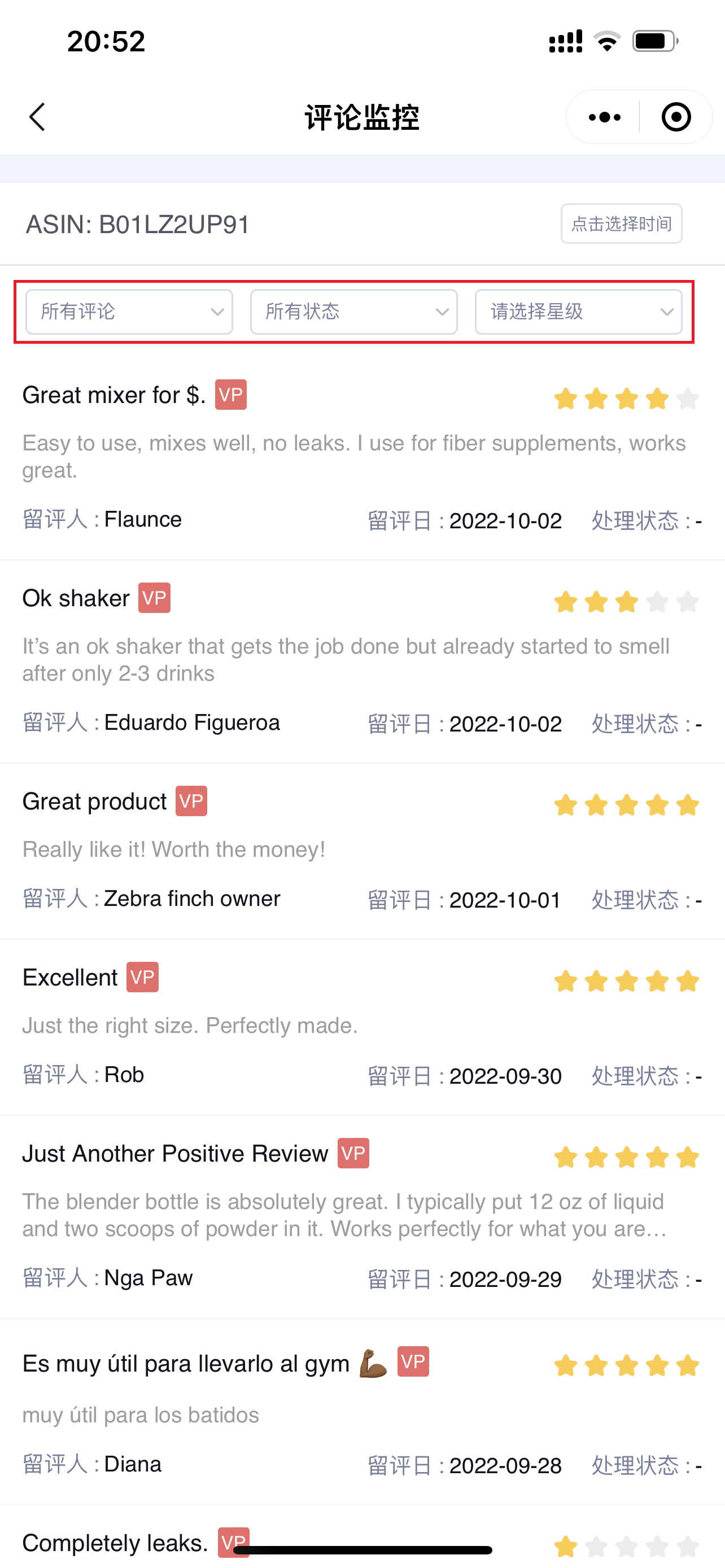
All reviews are displayed by default. You can also filter by: Review Type, Processing Status, Review Star Rating to find and analyze reviews that meet the corresponding conditions;
 +
+
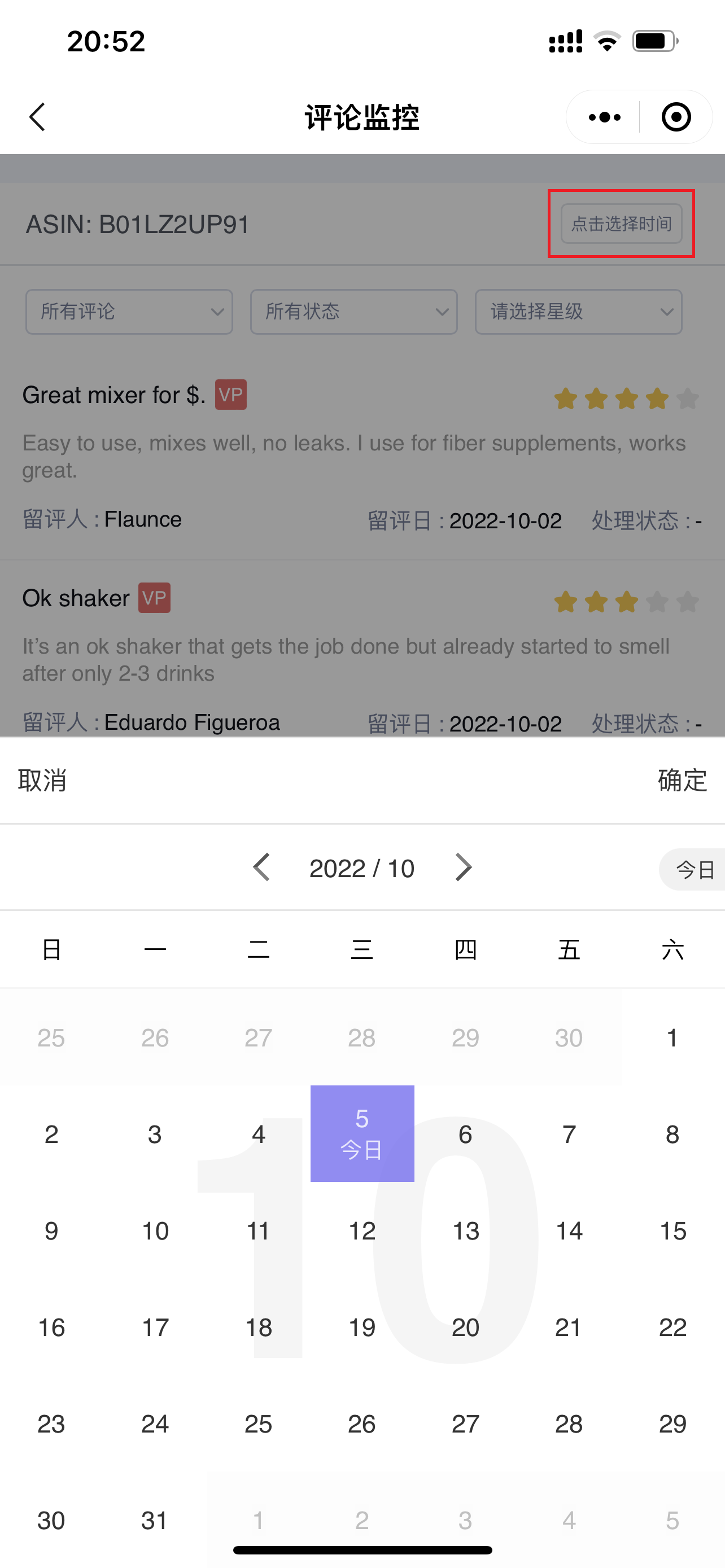
You can also filter by time to view review content within the corresponding time range.
 +
+
3. Keywords Ranking Monitor
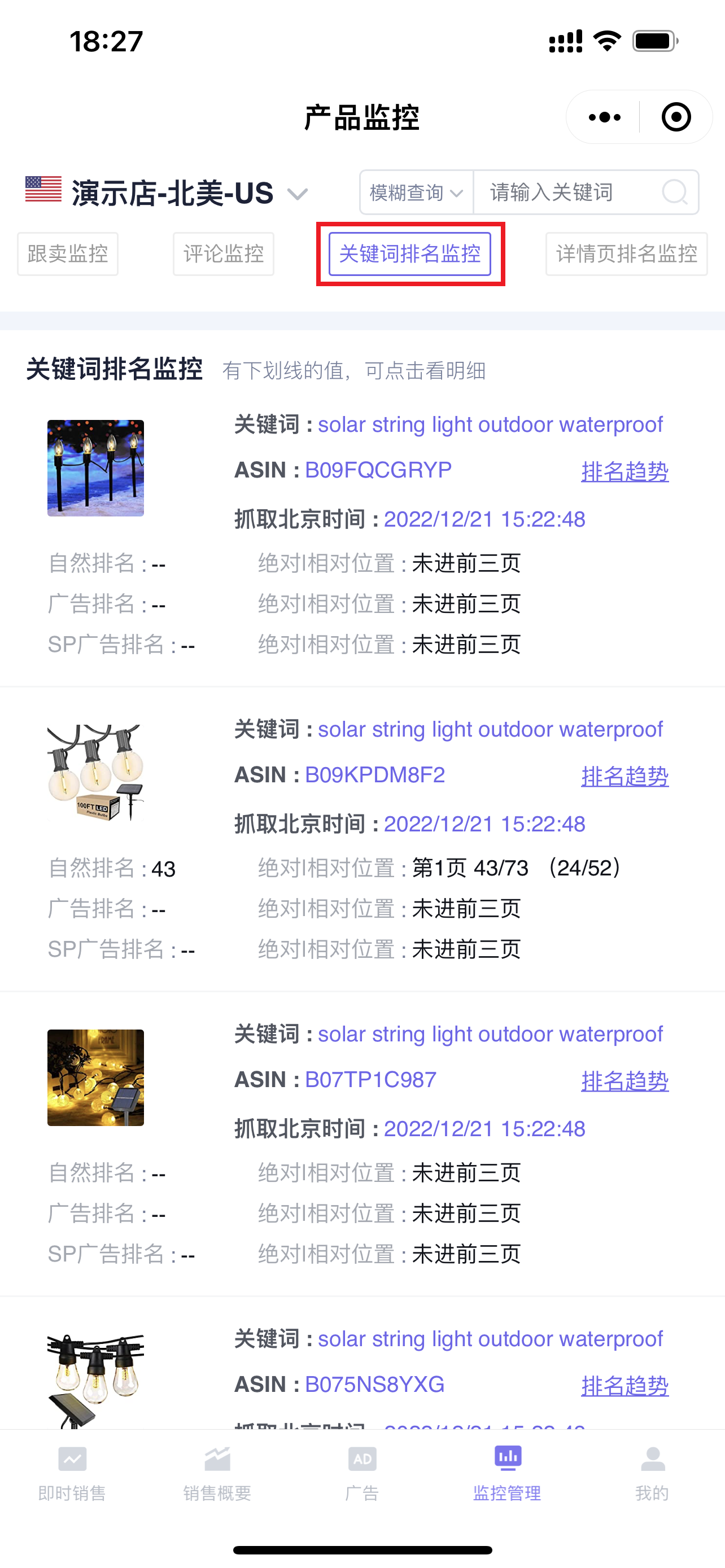
The mobile version of Keywords Ranking Monitor synchronizes the monitoring data of the [Keywords Ranking] from the extension. You can directly analyze keyword ranking data on your phone. By analyzing ranking positions, you can determine and optimize advertising keyword bidding, etc., to help you better promote keyword and product rankings.
Tip: The mobile version of Keywords Ranking also only supports data analysis. Adding monitoring, etc., needs to be done on the extension.Click to see how to monitor keyword rankings
 +
+
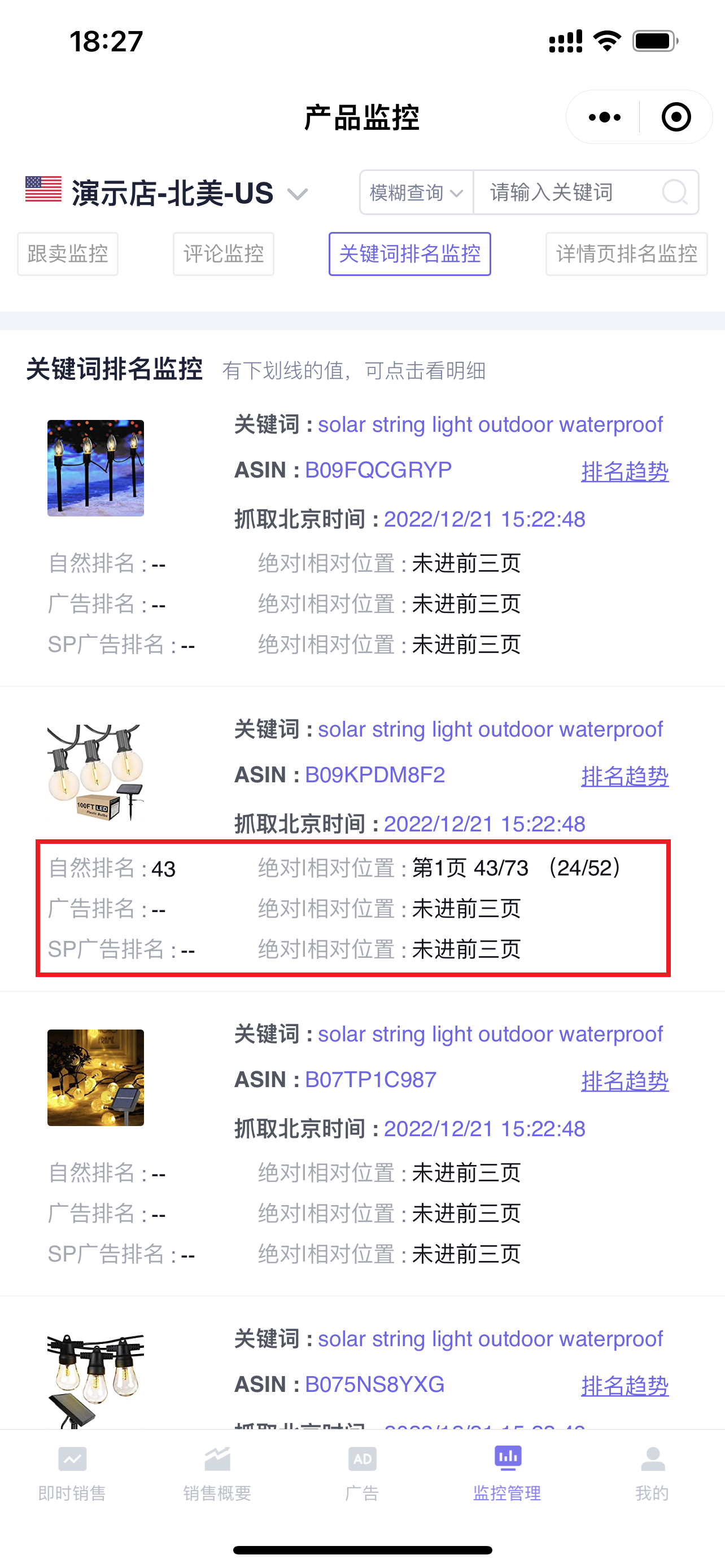
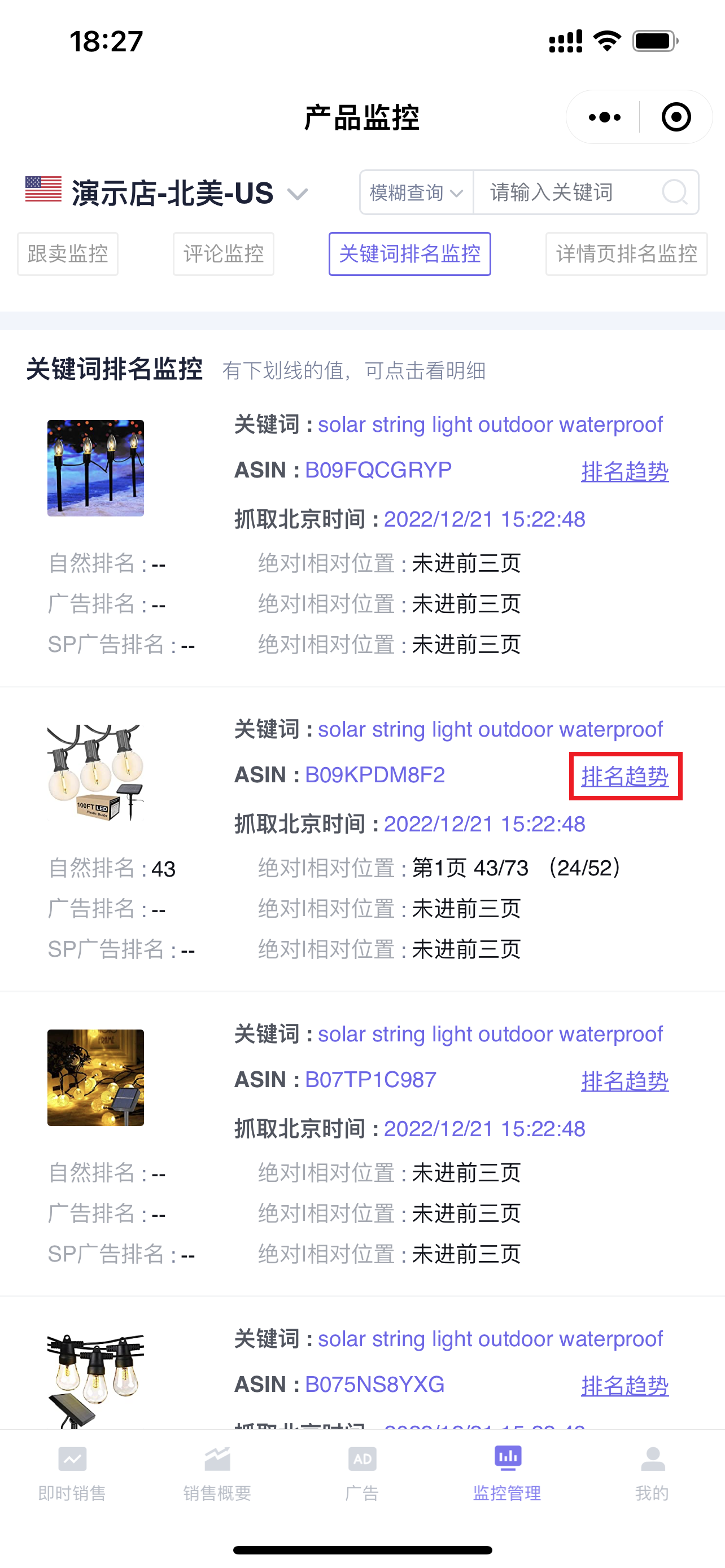
Keywords Ranking monitors 3 rankings: Organic Rank, Ad Rank, and Sponsored Products Ad Rank. You can directly view the latest monitored absolute position (including ad placements) and relative position (excluding ad placements);
 +
+
Click [Ranking Trend] to further view the historical ranking trend data of the keyword;
 +
+
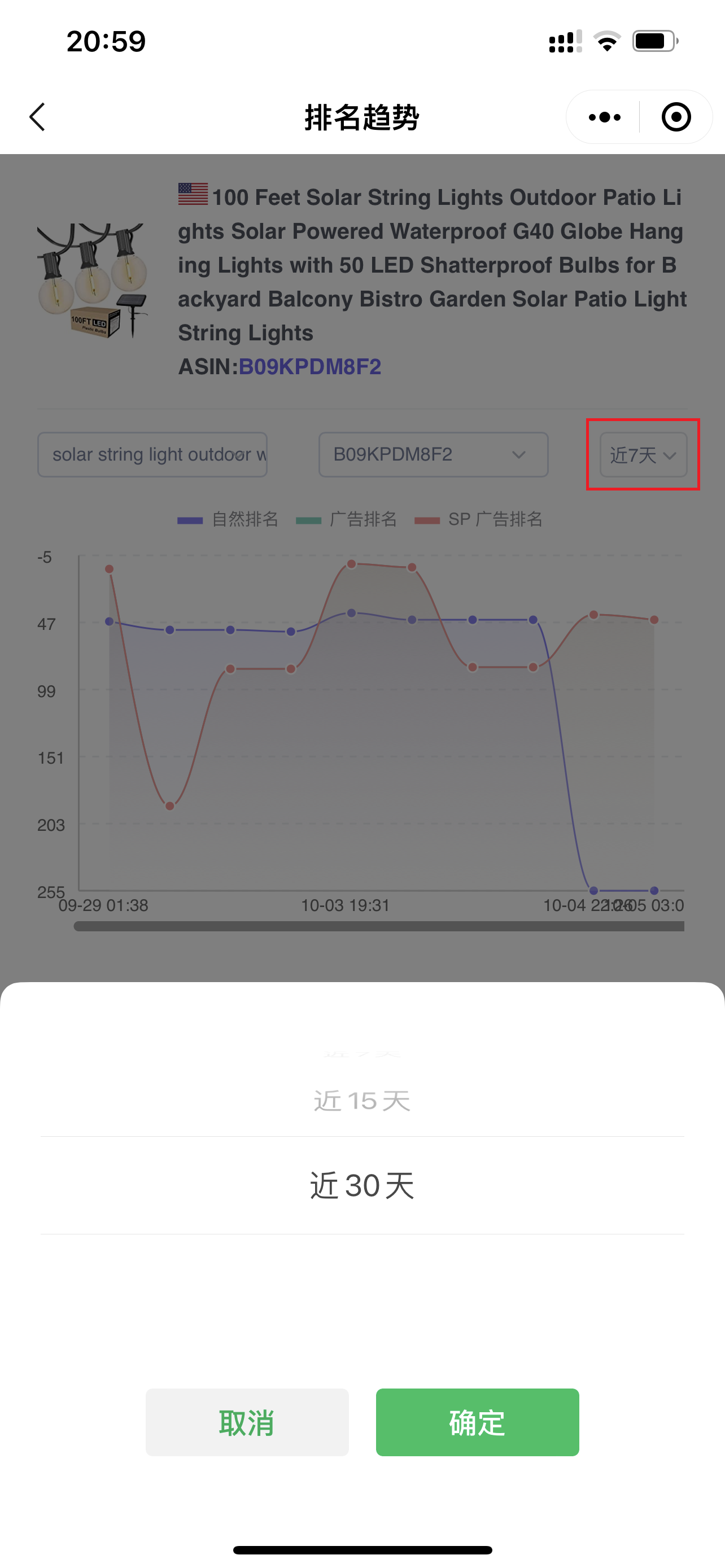
Enter the "Ranking Trend" page,
The ranking data for "Last 7 Days" is displayed by default. You can also select data for other time periods, up to "Last 30 Days";
 +
+
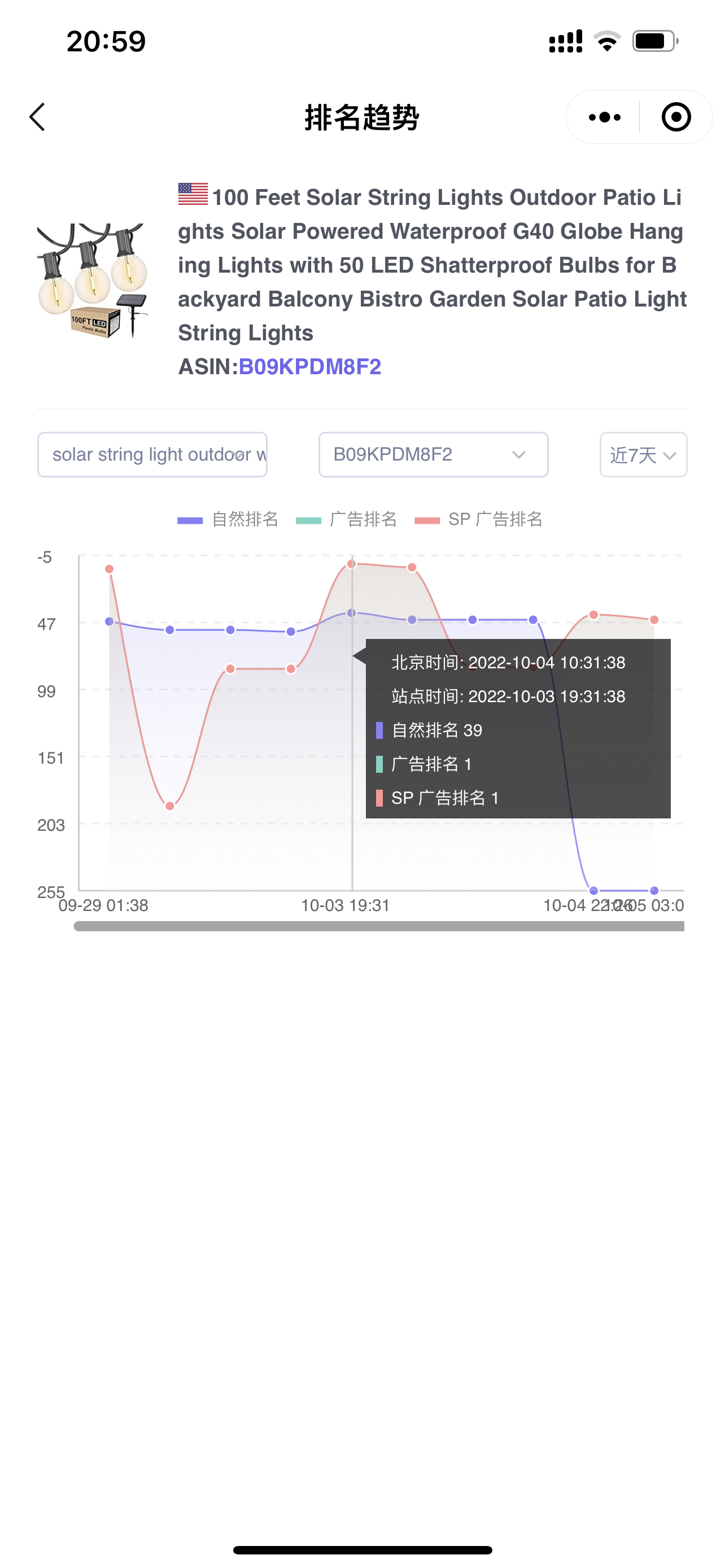
Trend data: X-axis: Monitoring time, Y-axis: Ranking position.
Click on the curve node to view detailed monitoring information: the marketplace time and Beijing time when fetched, the ranking position of each rank, and the rank is the absolute position.
 +
+
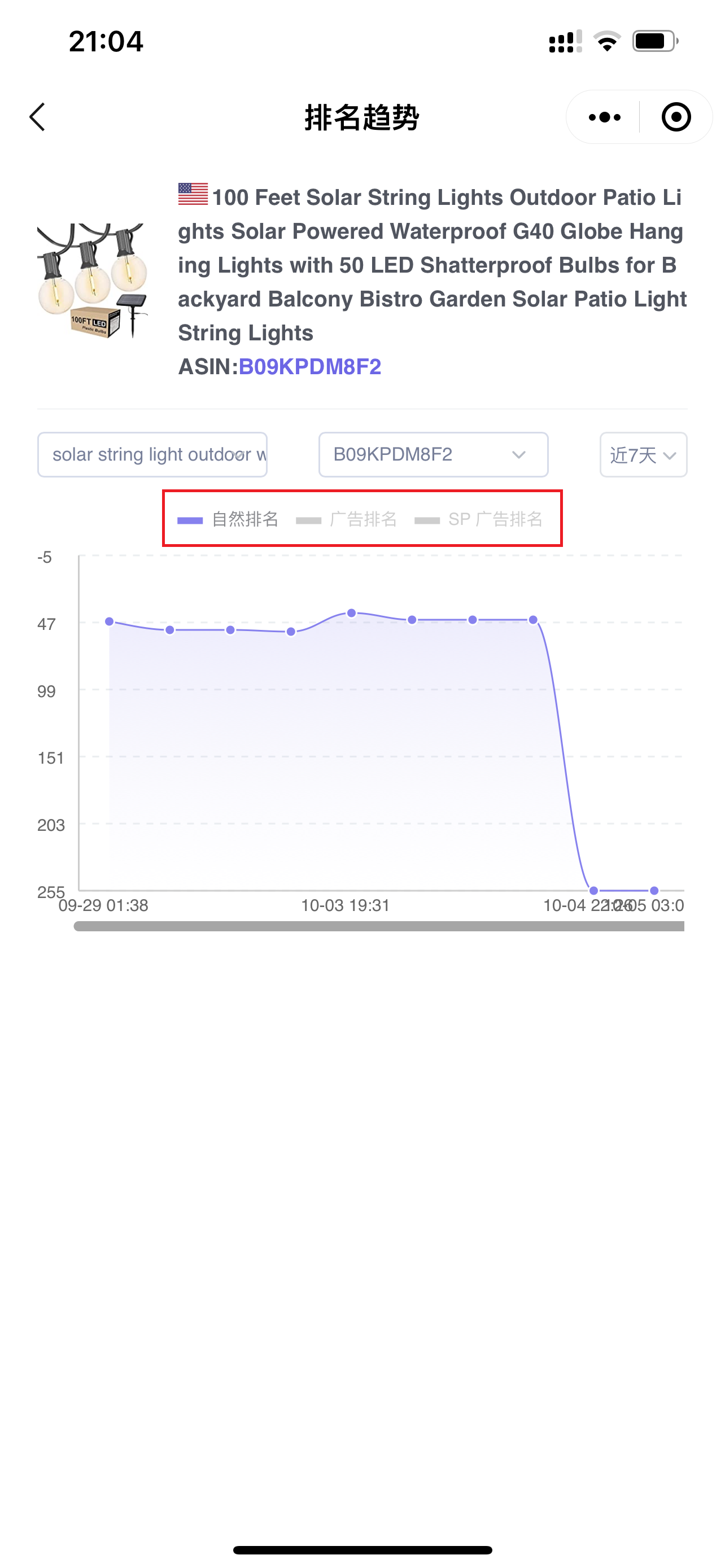
Click on the ranking type above to also view and analyze the ranking trend of a certain type separately;
 +
+
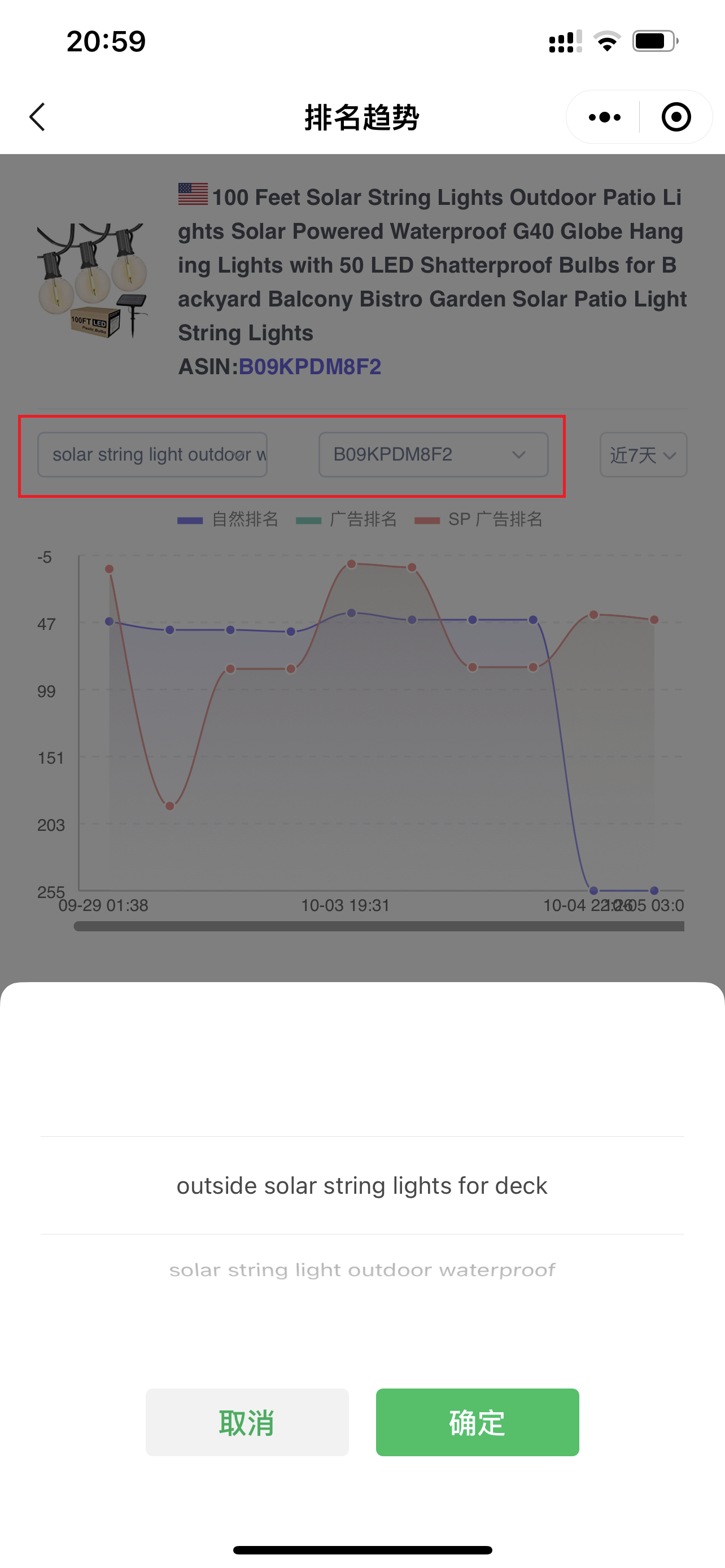
In addition to viewing the ranking trend of the current keyword and ASIN, you can also view the ranking trend data of other monitored keywords and ASINs.
Click on the keyword or ASIN above to switch and view.
 +
+
4. Detail Page Ranking Monitor
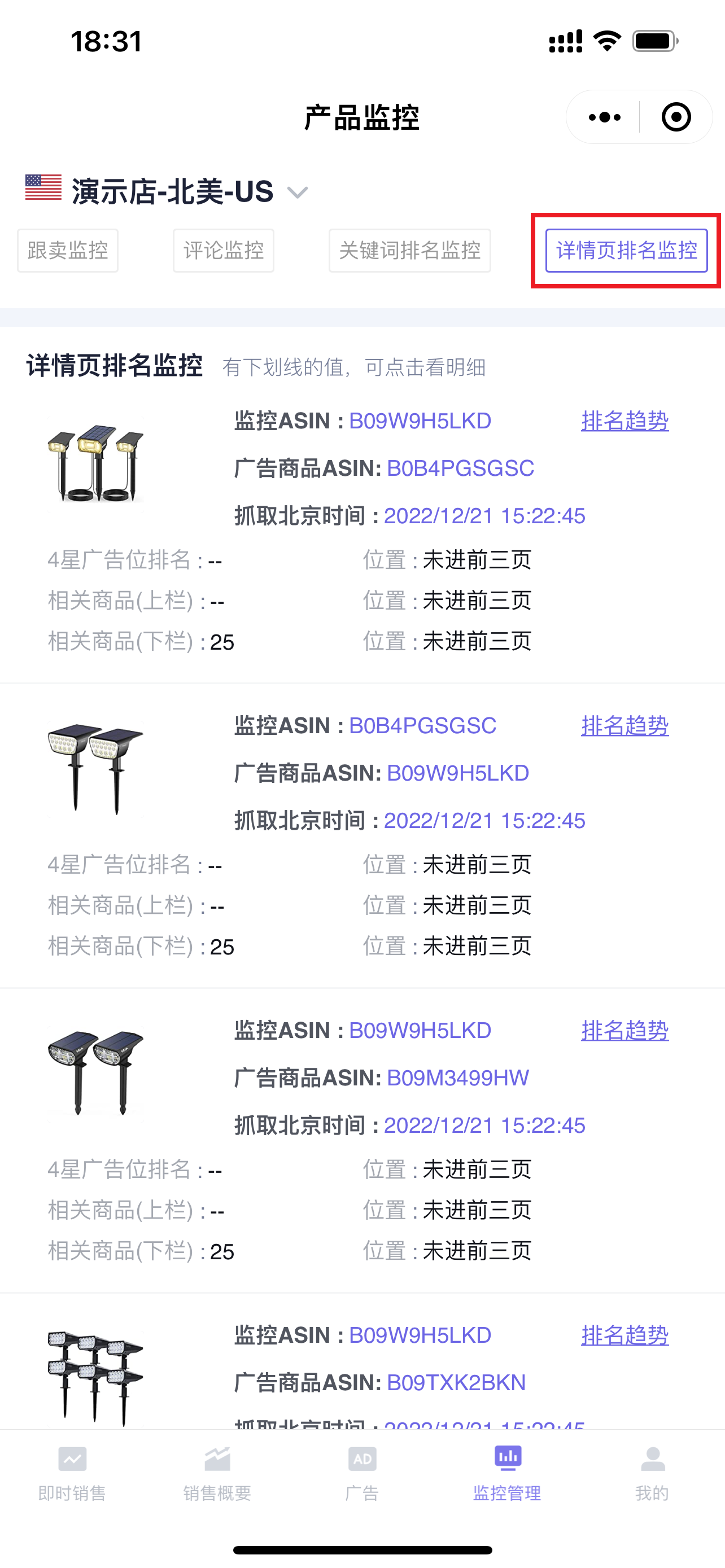
The mobile version of Detail Page Ranking Monitor synchronizes the monitoring data of the [Detail Page Ranking] from the extension. You can directly analyze the ad placement ranking details of the detail page on your phone. By analyzing ranking positions, you can determine and optimize Sponsored Product Ads on detail pages, etc., to help you obtain more accurate related traffic and sales.
Tip: The mobile version of Detail Page Ranking Monitor also only supports data analysis. Adding monitoring, etc., needs to be done on the extension.Click to see how to monitor detail page rankings
 +
+
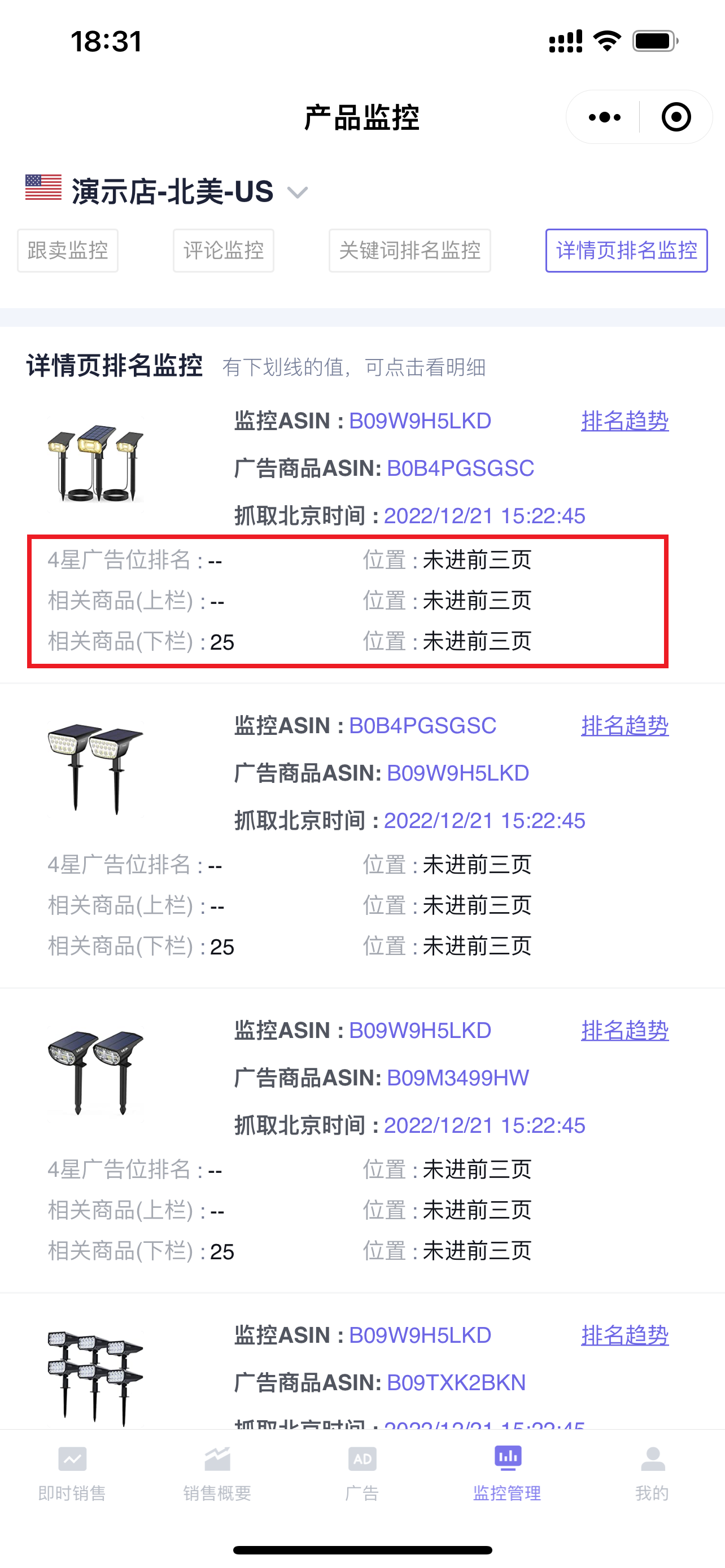
There are 3 ad placements on the product detail page: 4-Star Ad Placement, Related Products (Upper Column), and Related Products (Lower Column). You can directly view the latest ad placement ranking position of the monitored product.
 +
+
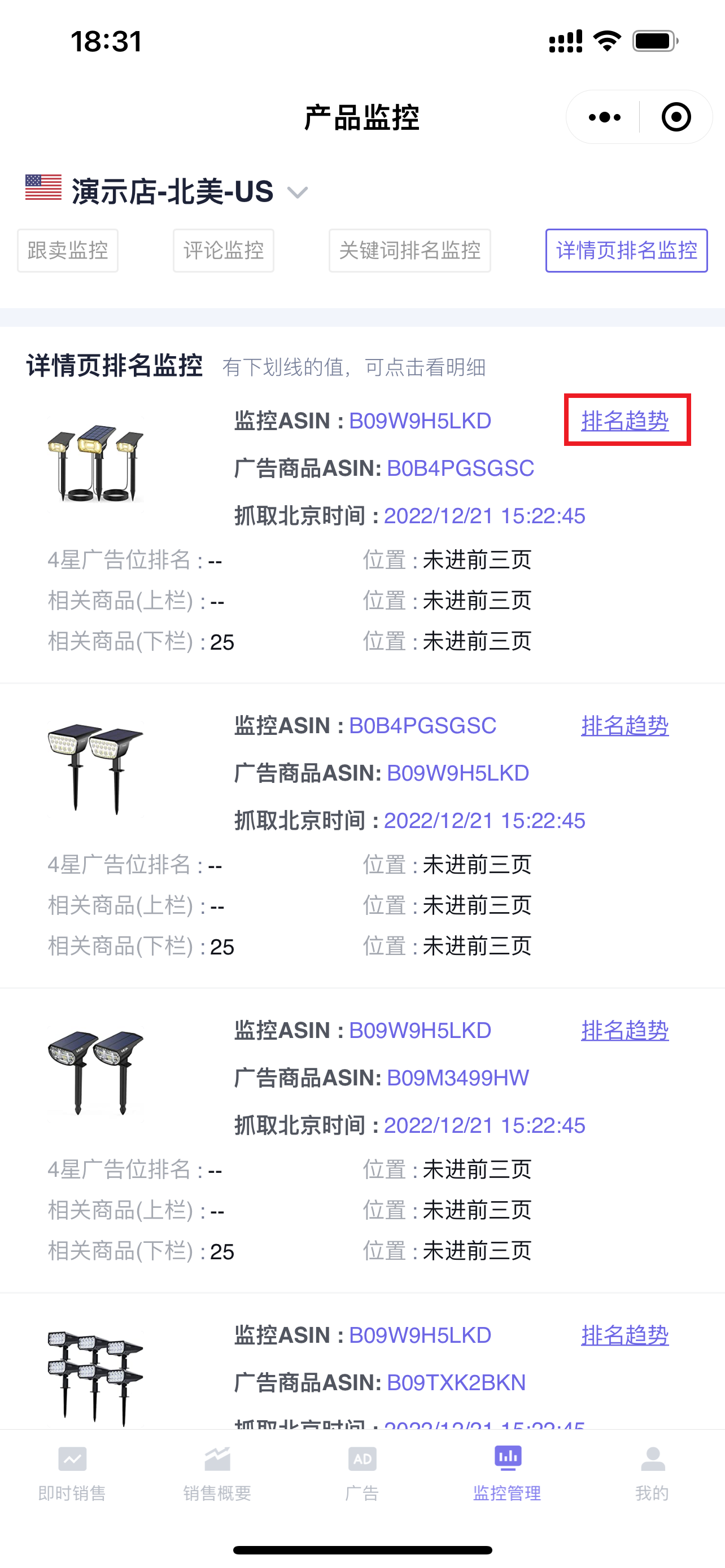
Click [Ranking Trend] to further view the historical ranking trend data of the ASIN;
 +
+
Enter the "Ranking Trend" page,
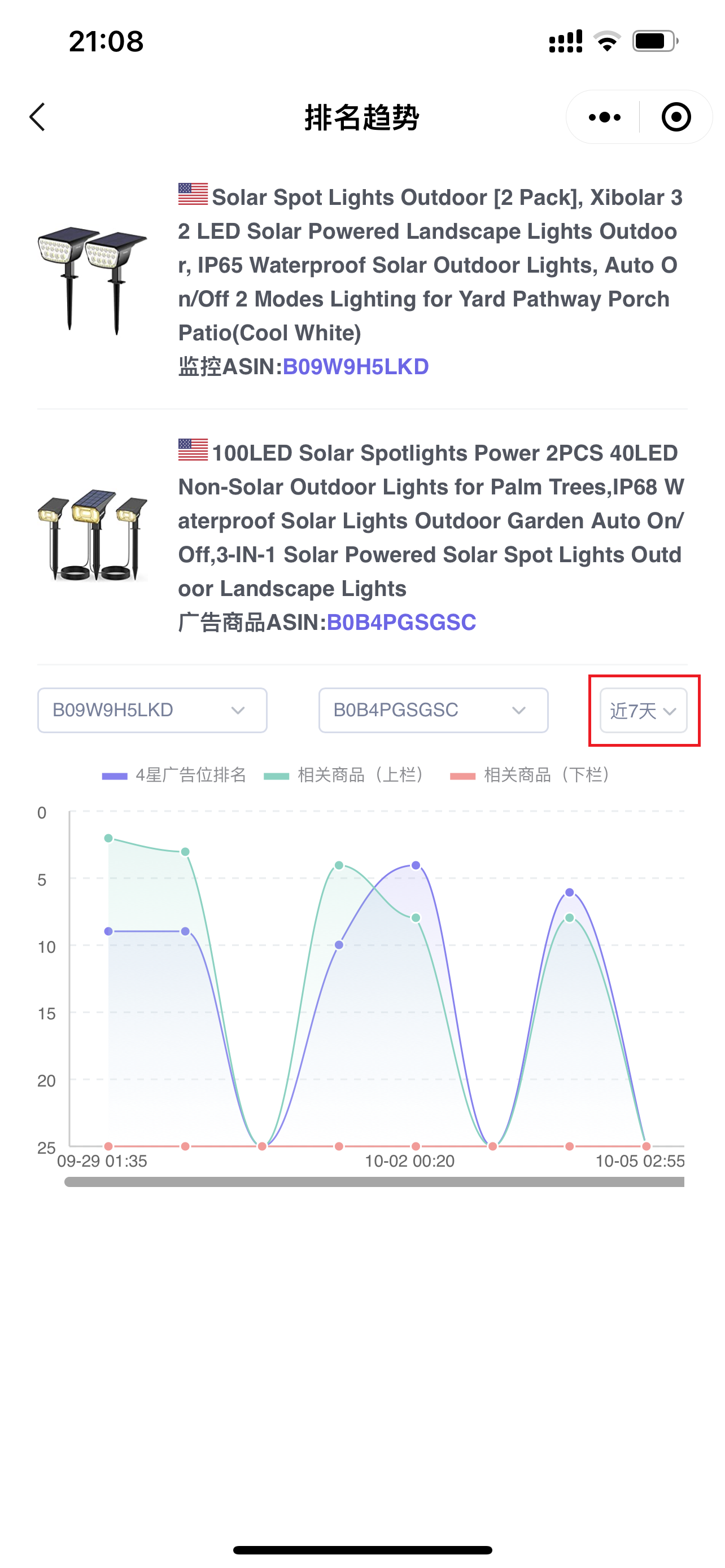
The ranking data for "Last 7 Days" is displayed by default. You can also select data for other time periods, up to "Last 30 Days";
 +
+
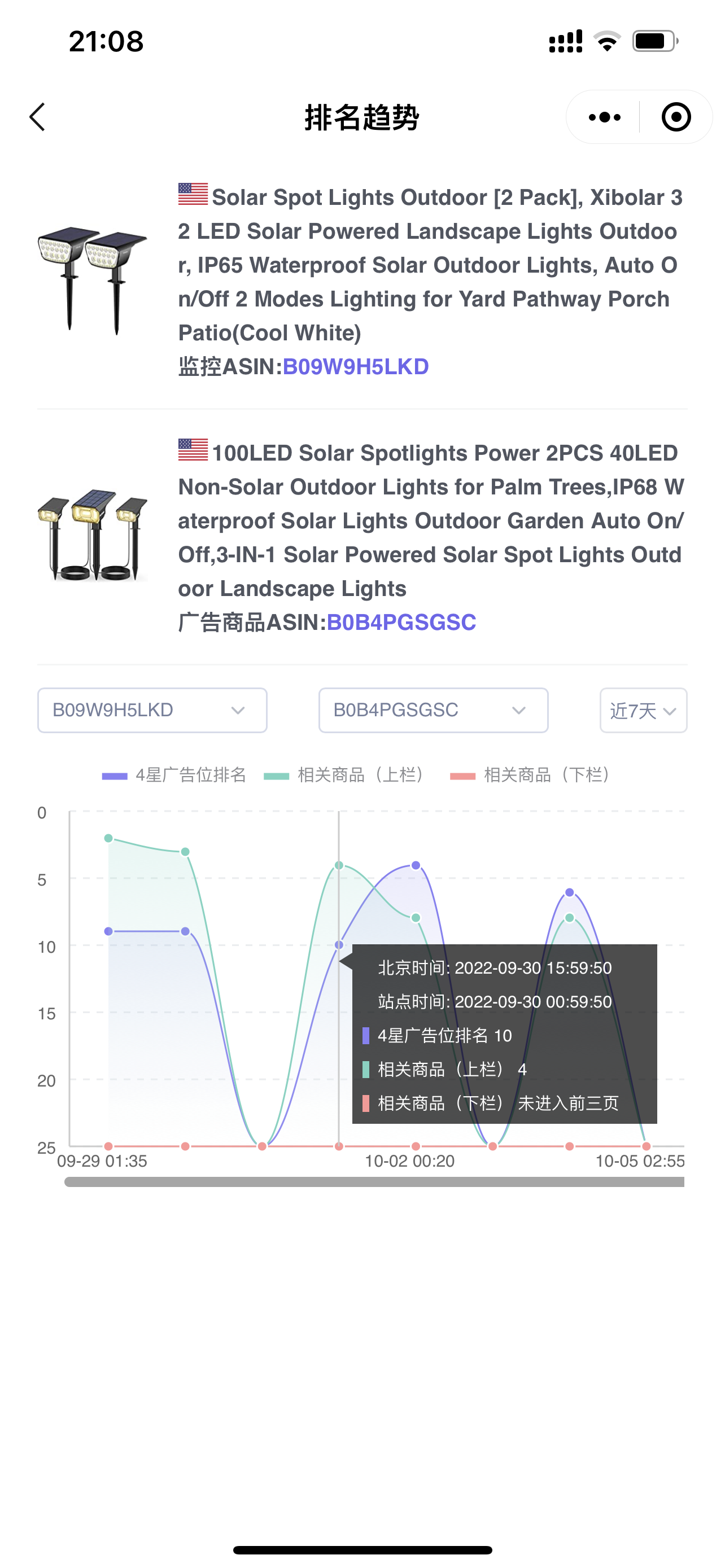
Trend data: X-axis: Monitoring time, Y-axis: Ranking position.
Click on the curve node to view detailed monitoring information: the marketplace time and Beijing time when fetched, the ranking position of each ad placement, and whether it entered the top three pages.
 +
+
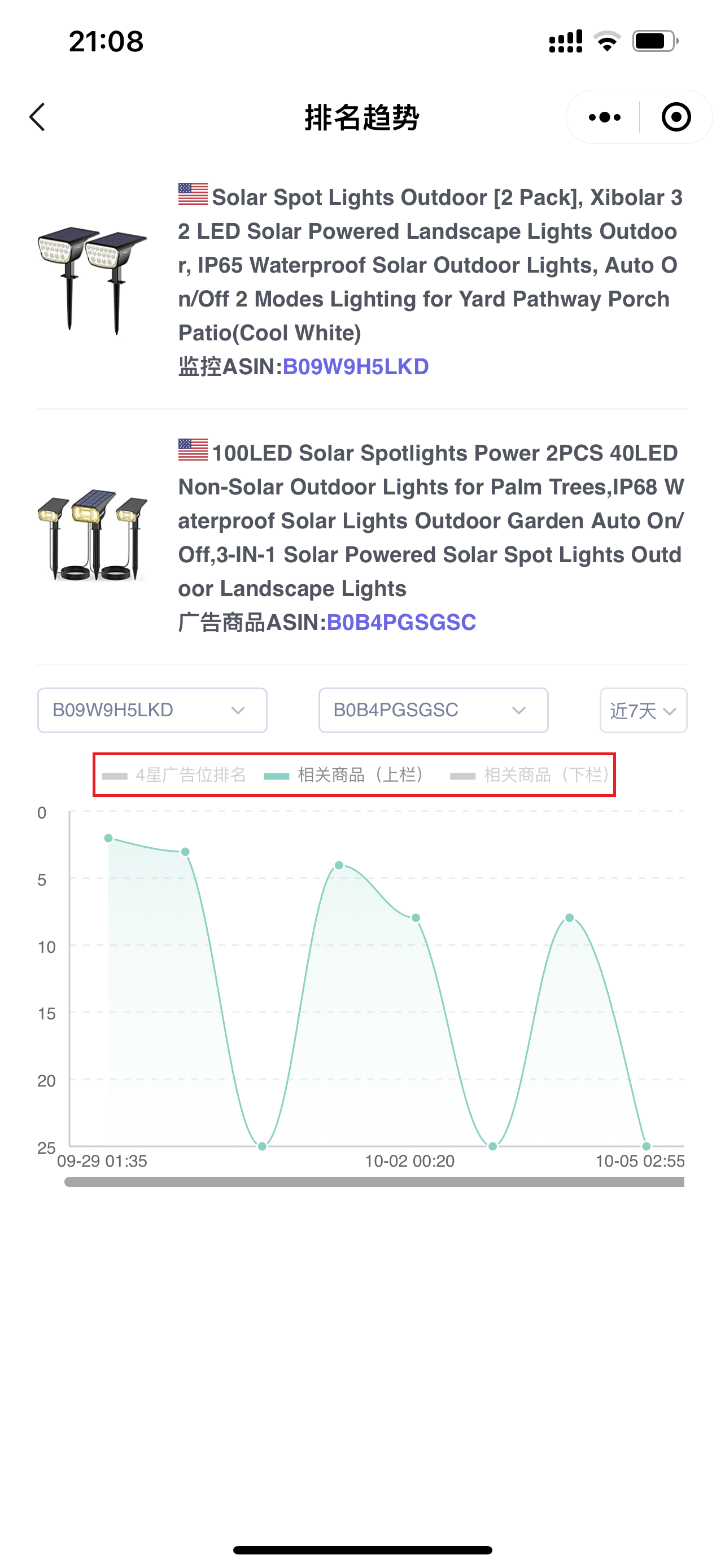
Click on the ranking type above to also view and analyze the ranking trend of a certain type separately;
 +
+
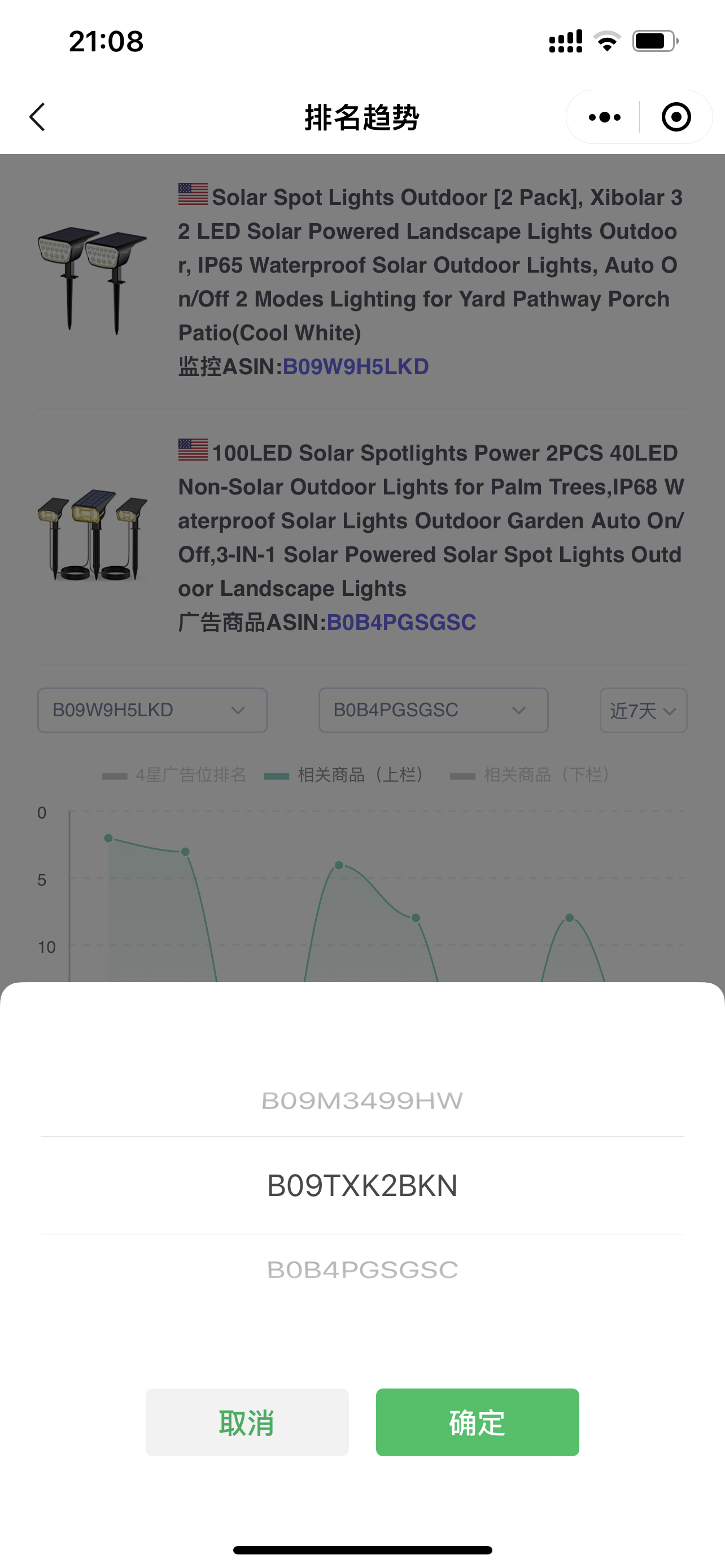
In addition to viewing the ranking trend of the currently monitored ASIN and ad product, you can also view the ranking trend data of other monitored ASINs and ad products.
Click on the two ASINs above to switch and view.
 +
+
