优麦云-logo
enEnglish
Home
Web
Pricing
Blog
Help
Extension
Affiliate
Sign up for free
Demo
Log in
  1. Home
  2. >
  3. Help
  4. >
  5. Usage Help
  6. >
  7. 授权&设置
Quick Start
Quick StartEssential Guide for Beginners
Usage Help
Usage HelpEssential Guide to Key Features
Operations Insights
Operations InsightsIndustry News and Best Practices

优麦云帮助中心与用户操作指南——功能图文教程

预览
Please enter keywords

Help documentation

Getting Started

Getting Started

Authorization & Settings

Authorization & Settings

Authorize Amazon Account & Advertising

Authorize Amazon Account & Advertising

Authorize Advertising Alone

Authorize Advertising Alone

Revoke Account & Advertising Authorization

Revoke Account & Advertising Authorization

Data Synchronization Mechanism

Data Synchronization Mechanism

Data Verification Path

Data Verification Path

Store TimeZone

Store TimeZone

Product Costs

Product Costs

Other Account Costs

Other Account Costs

Other Product Costs

Other Product Costs

Users

Users

Role Management

Role Management

COGS

COGS

Cost Allocation

Cost Allocation

FAQs

FAQs

Sales Dashboard

Sales Dashboard

Advertising

Advertising

Business Insights

Business Insights

Inventory

Inventory

Monitor

Monitor

Customer Service

Customer Service

Finance

Finance

FBA Inventory

FBA Inventory

Mobile APP

Mobile APP

Browser Extension

Browser Extension

Subscription & Purchase

Subscription & Purchase

About SellerSpace

About SellerSpace

Catalogue

How to Revoke Accounts Authorization?
How to Revoke Advertising Authorization?
  1. Home
  2. >
  3. Help
  4. >
  5. Using Help
  6. >
  7. 授权&设置
Revoking Account/Ad Authorization - Illustrated Tutorial

2025/04/08Views(18272)Reviews(0)

You can revoke authorization for your accounts and advertising at any time.


How to Revoke Accounts Authorization?

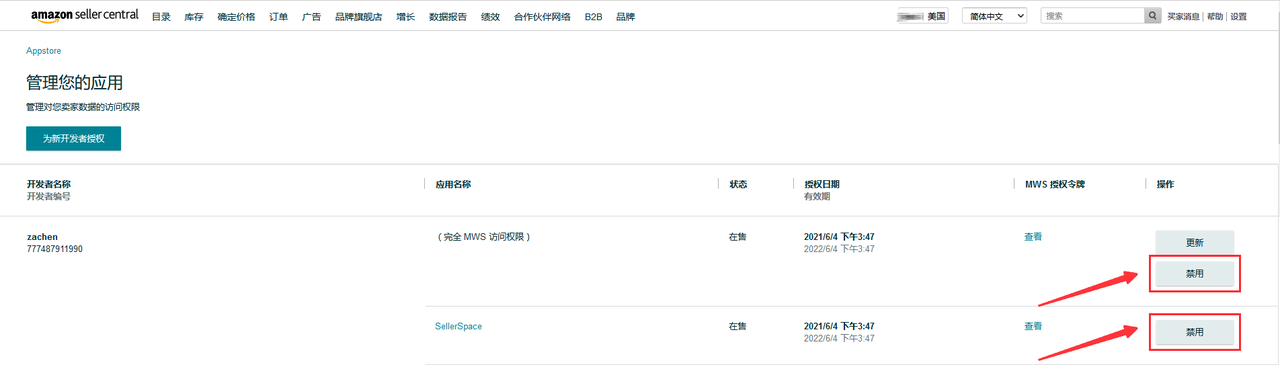
If you want to revoke accounts authorization, you can choose to disable the authorization in Seller Central. After revoking authorization, our system will no longer or be unable to retrieve data from your store on Amazon.


Specific steps are as follows:

Special Notes:

- After disabling in Seller Central, the system will no longer be able to retrieve your store data.

- If you restore authorization in Seller Central, you need to click 【Add Store】on the store authorization page of SellerSpace and re-authorize the store. After successful re-authorization, the system will resume data synchronization.


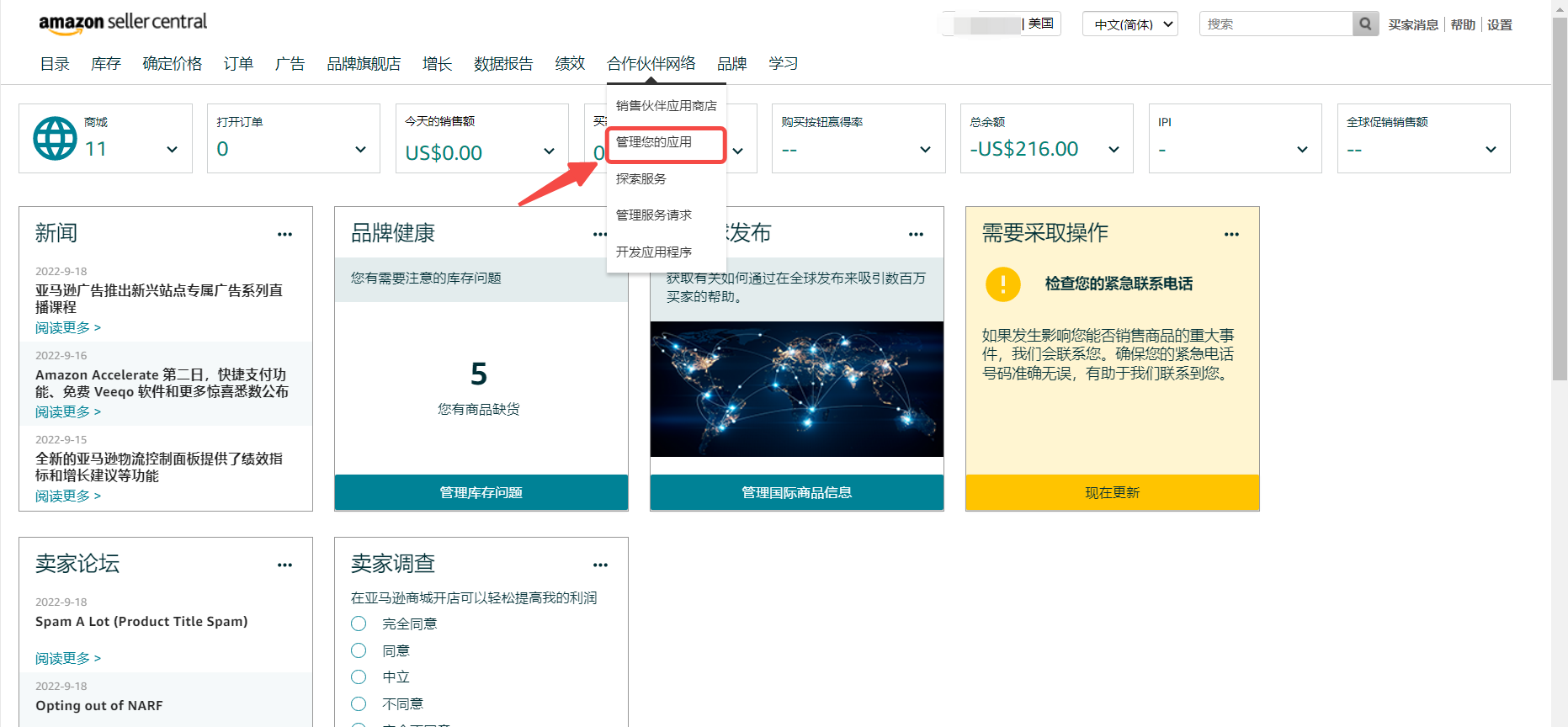
1) Log in to Seller Central and select 【Partner Network - Manage your apps】 to enter the third-party app management page in Seller Central;

功能教程截图+


2) Find SellerSpace and disable it.


功能教程截图+


How to Revoke Advertising Authorization?

You can directly revoke advertising authorization in Seller Central. After revoking authorization, we will no longer be able to retrieve your advertising data from Amazon.


Specific steps are as follows:


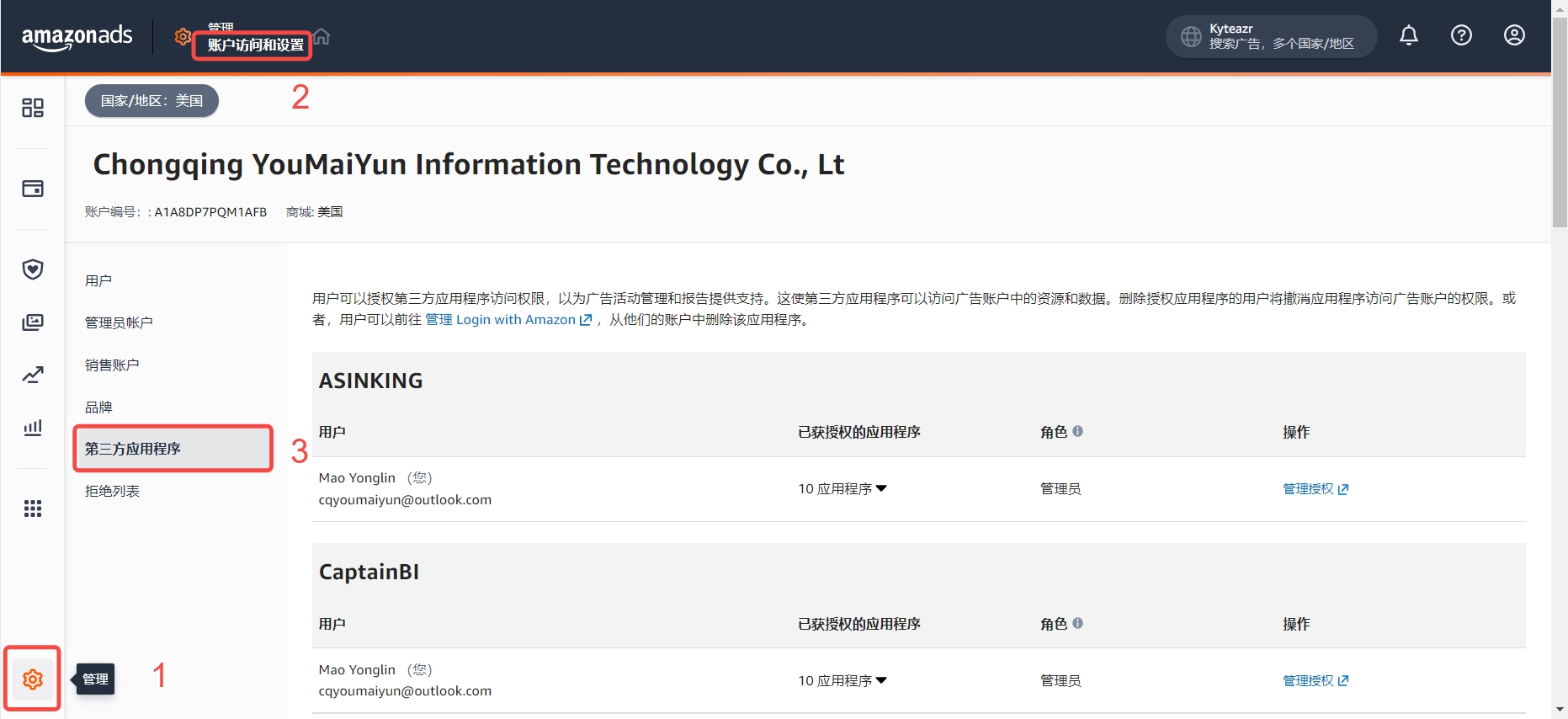
1) Log in to Seller Central and navigate to the application management page using the following path:

Path: Support Center 》Manage 》Account Access and Settings 》Third-party apps

功能教程截图+


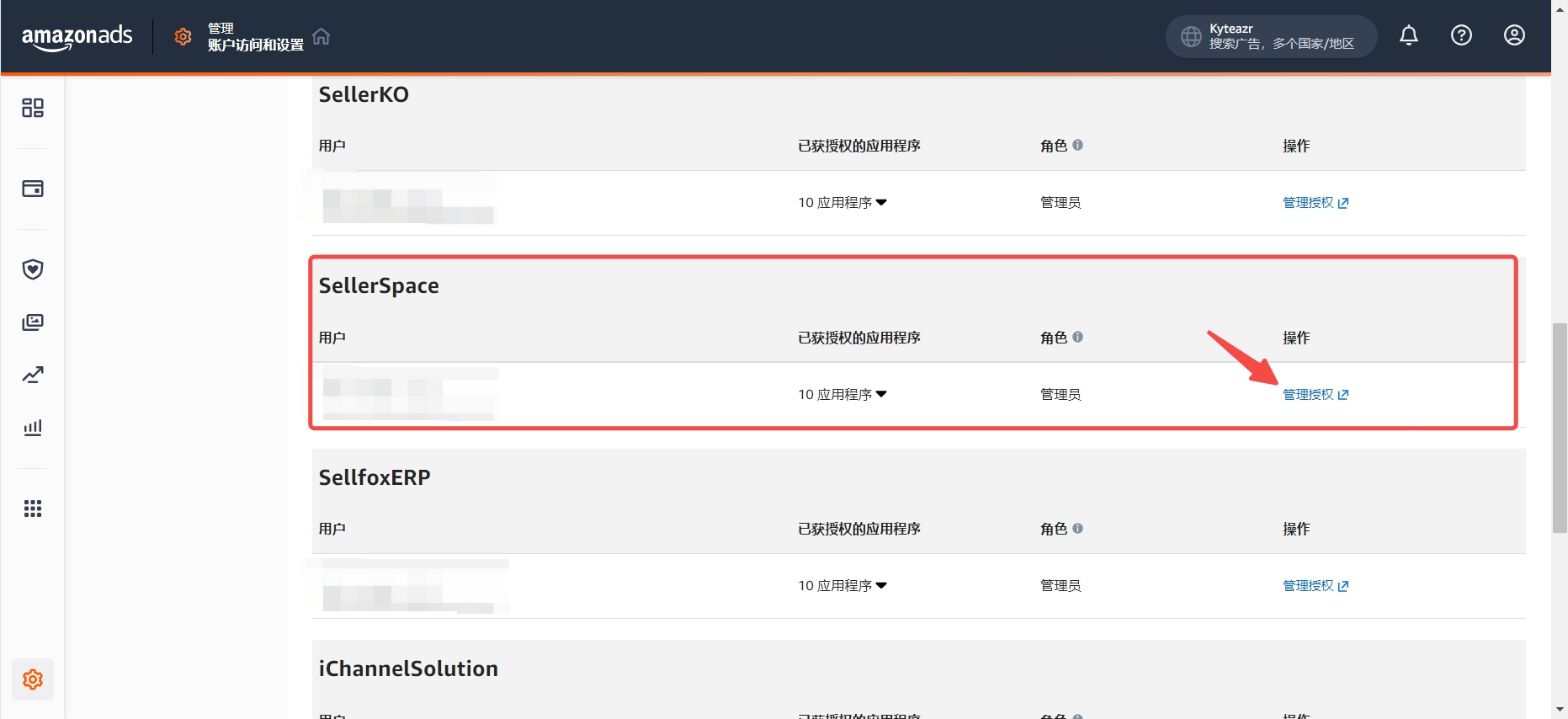
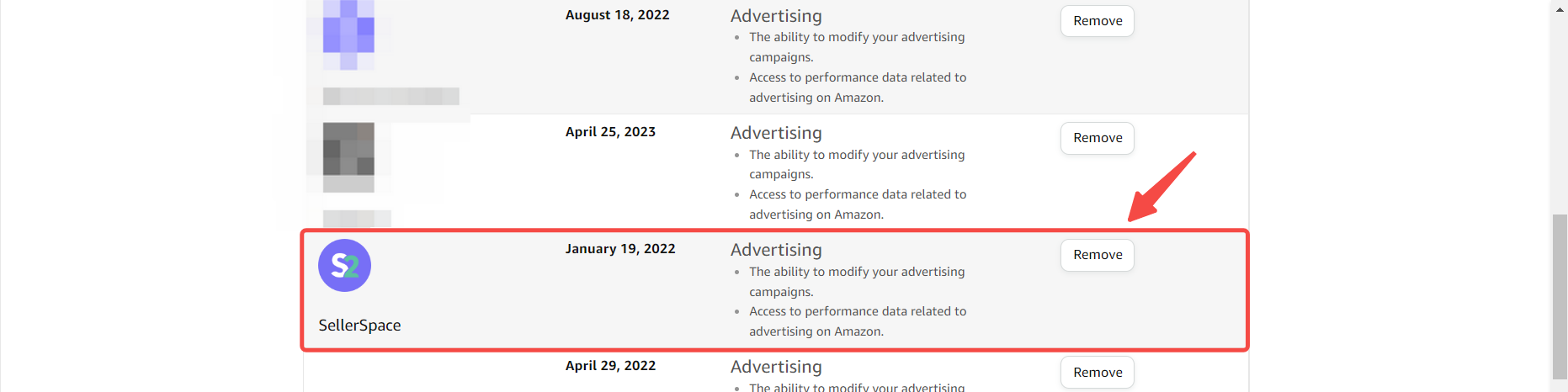
2) Find SellerSpace and click 【Manage Authorization】on the right to enter the advertising authorization management page;

功能教程截图+


3) Find SellerSpace and revoke authorization.

功能教程截图+


Previous

Authorizing Ads Separately - Illustrated Guide

Next

Data Synchronization Mechanism

优麦云

SellerSpace is a concise tool to manage multiple Amazon accounts, focuses on solving various problems encountered by sellers during operating Amazon business.

About UsPrivacy PolicyTerms Of Service

Product

SellerSpace WebSellerSpace APPSellerSpace Extension

Novice on the road

HelpPricingWeb中文English日本語中文-繁體

Mail:support@sellerspace.com

©2018-2026 SellerSpace.COM All Rights Reserved

Online

Service