
 English


2025/07/14Views(17984)Reviews(0)
I. Target Audience
Operators
II. Feature Introduction
SellerSpace Plugin's Search Box Keyword Expansion feature aggregates keywords from the Amazon front-end search box dropdown. It expands core keywords into more related long-tail keywords, solving the problem of keyword discovery. This helps sellers collect more product keywords to optimize Listing keyword placement and advertising keywords, and assists in creating a keyword library for your own products.
III. Use Cases
1. Quickly expand related buyer search terms, filter high-quality keywords, and optimize descriptions and ad targeting;
2. Perform keyword frequency analysis on expanded keywords, classify them by attributes, scenarios, etc., and create a keyword library.
3. Predict keyword matching for ad targeting, proactively negate irrelevant keywords, and target ads more precisely;
IV. Operation Guide
1. How to Quickly Expand Keywords?
Search box keyword expansion mainly uses broad and phrase match types based on the core keywords you enter to match real buyer search terms from the Amazon front-end search box. This helps you quickly find more product-related keywords.
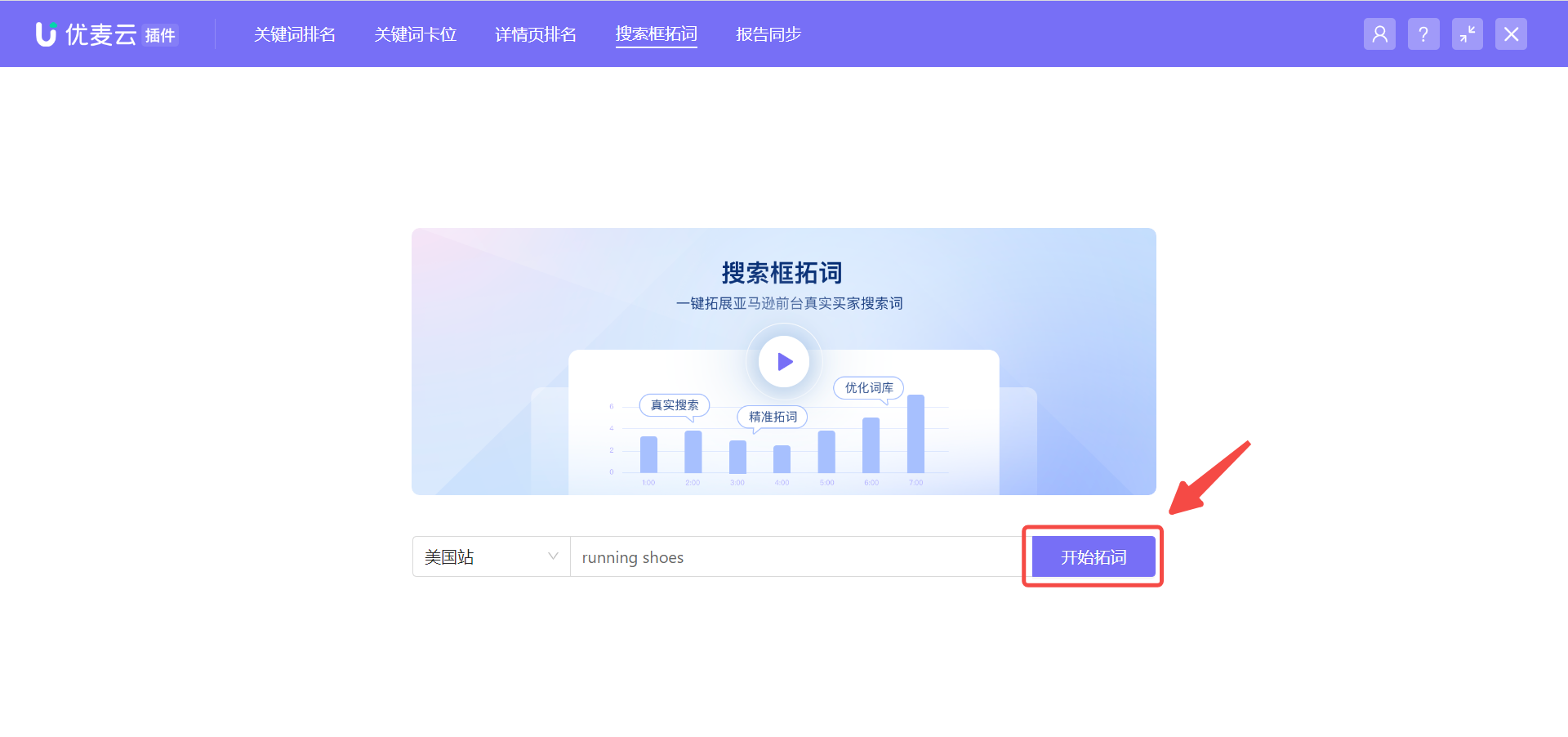
Enter the Search Box Keyword Expansion page, input the core keyword you want to expand (2 words or more, lowercase first letter), and click [Start Keyword Expansion].
 +
+
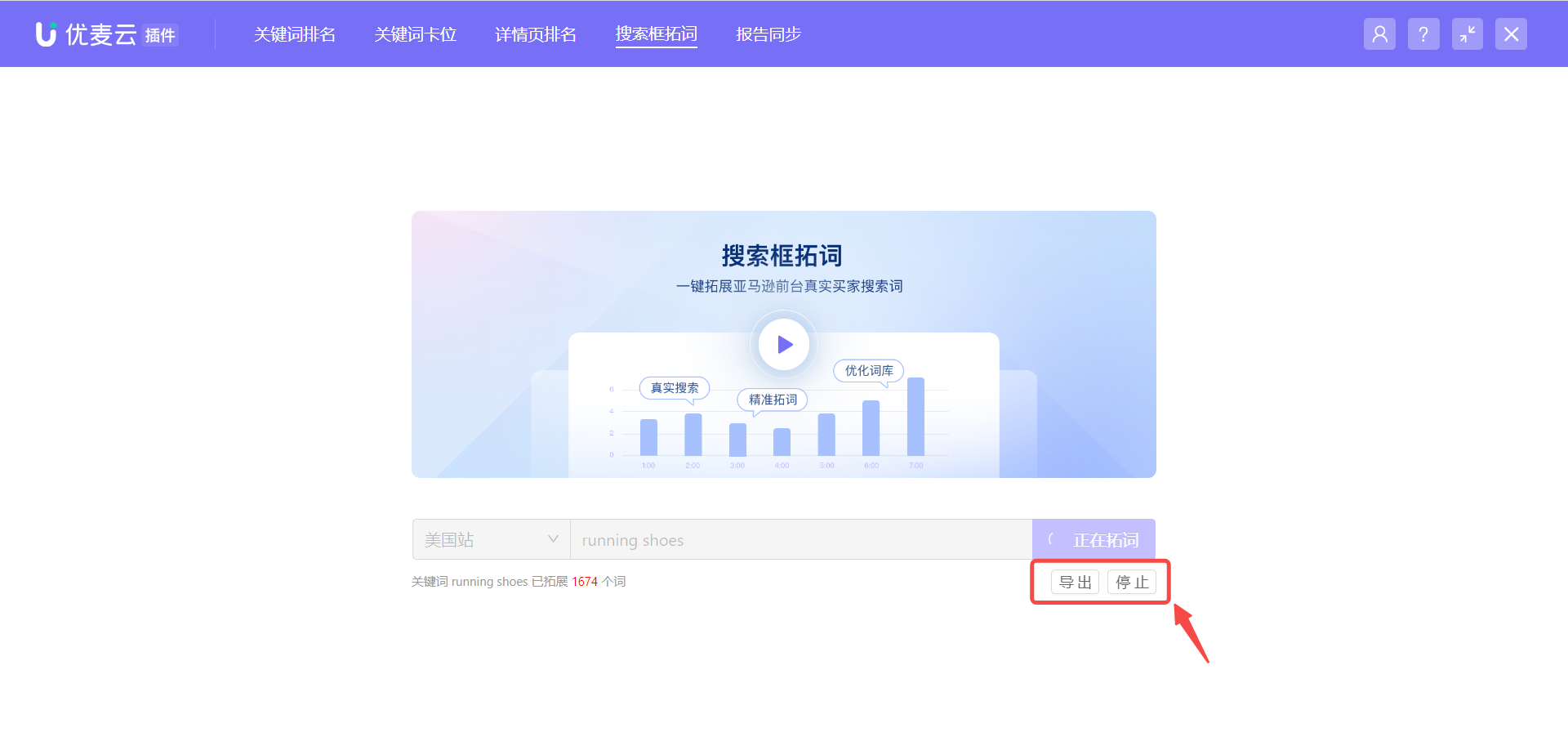
At this time, the browser will open a new webpage to perform keyword expansion and display the expansion progress. Please do not close this webpage to avoid interrupting the keyword expansion.
 +
+
While keyword expansion is in progress, you can stop the expansion at any time and export the current results.
 +
+
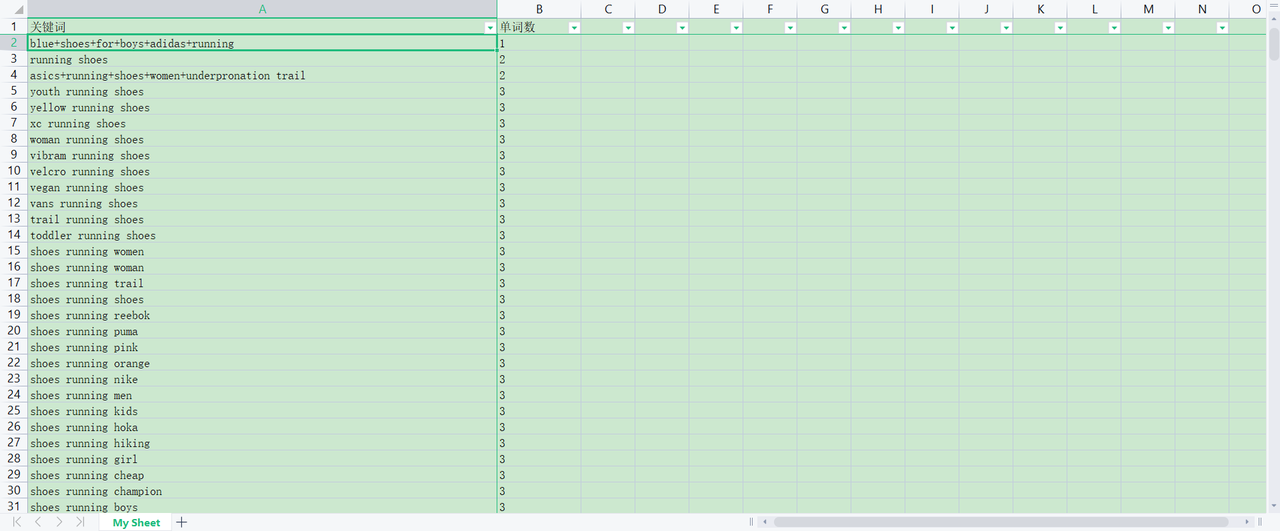
The expanded results support exporting to an Excel spreadsheet, making it convenient for you to further organize and analyze.
 +
+
2. Analyze Keywords and Create a Keyword Library
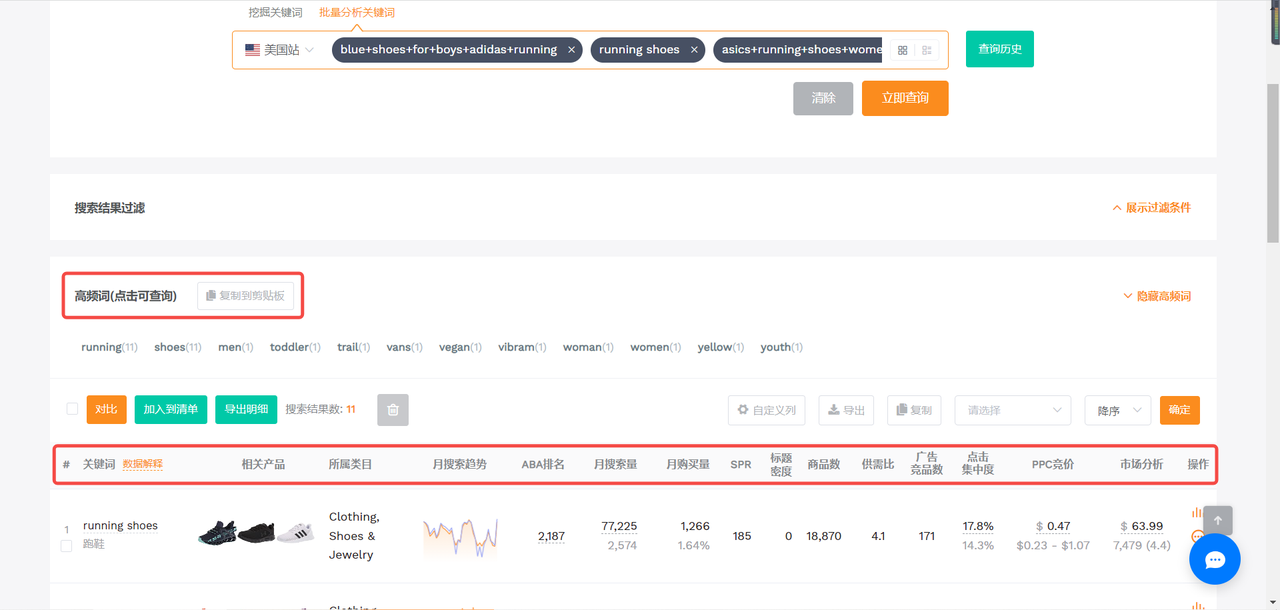
For the expanded keywords, we can use keyword analysis tools to perform keyword frequency and data analysis, view the overall performance of keywords on Amazon, classify product attributes and scenarios, and understand buyer search habits. This allows you to create a keyword library for your own products, which can be used to optimize Listing keyword placement and ad targeting.
Click to view the introduction of the Keyword Analysis Tool
 +
+
(Image source: SellerSprite -> Keyword Discovery)
3. Predict Ad Targeting Match Keywords and Optimize Targeting
Search box keyword expansion uses broad and phrase match types to match real buyer search terms. Therefore, you can also expand the ad keywords you want to target, preview the keywords that Amazon may match under this term, and negate keywords in advance for more precise ad targeting.
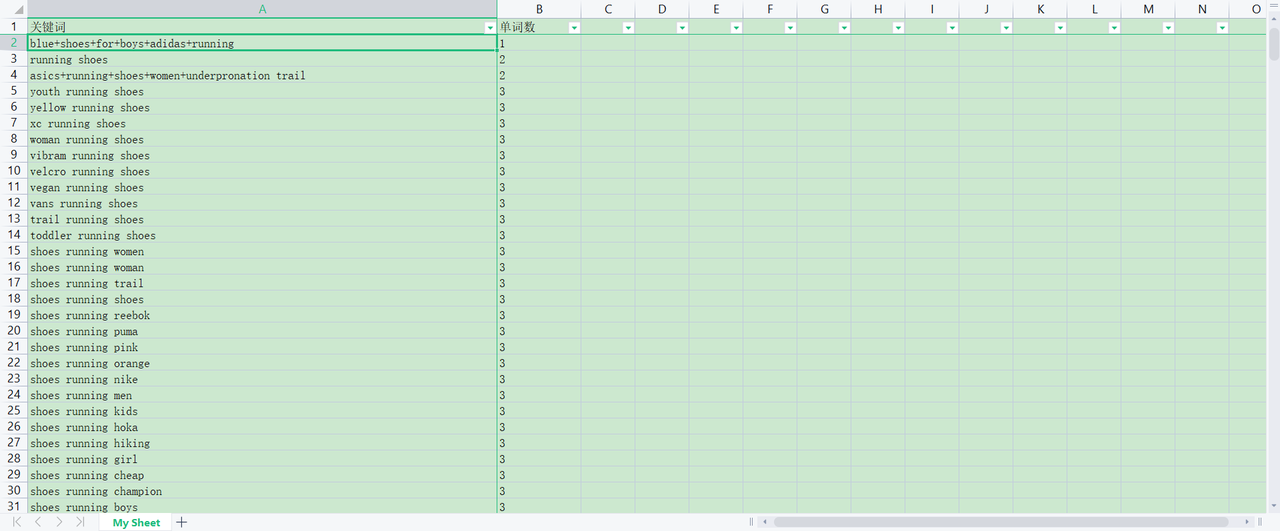
For example, the ad keyword to be targeted: running shoes, using broad match targeting.
Expand keywords in the Search Box Keyword Expansion to find all related keywords that this term may match. Among them, the number of words refers to the relevance of the term.
 +
+
After finding them, you can also use SellerSprite's Keyword Analysis Tool to analyze and judge the relevance of these keywords, proactively negate weakly related keywords, keywords that are currently not competitive, or keywords that meet other negative conditions.
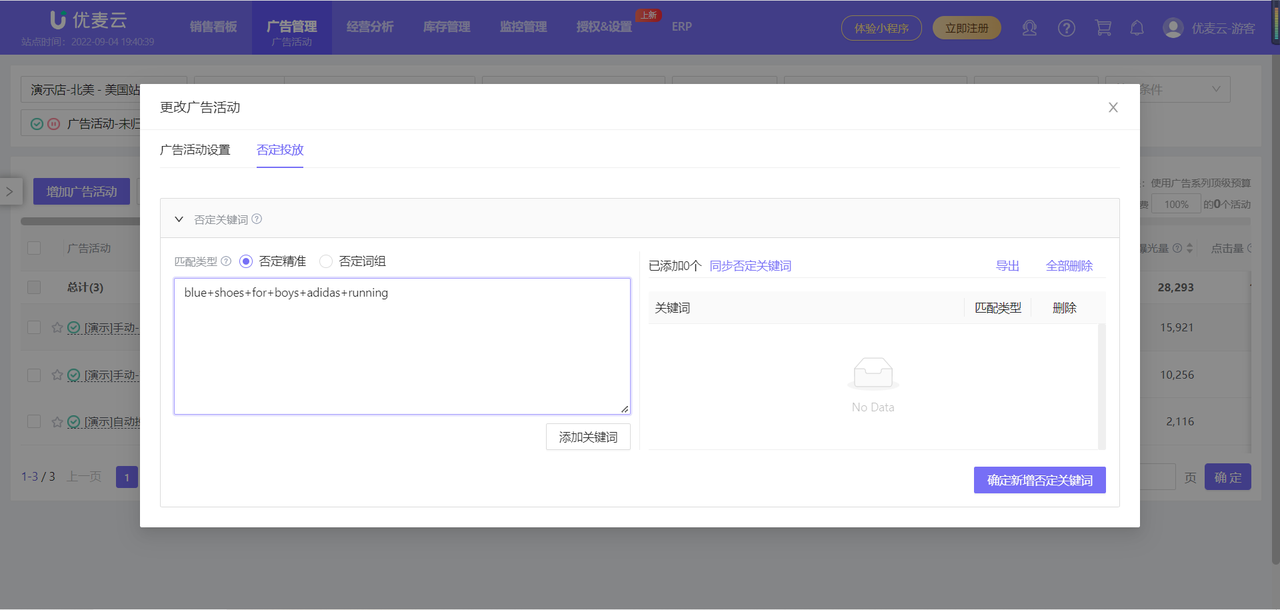
For example, the keyword: blue+shoes+for+boys+adidas+running. Through analysis, it is found to be weakly related to the ad keyword: running shoes, and it belongs to a very niche term with very low advertising ROI. You can add it to negative targeting in advance.
 +
+
